☰Read-only archive⌕
Looking for help with Bokeh?

This is a read-only archive. Ask questions and join the conversation on GitHub.

Visit Community Support on GitHub →
Archived discussions · Captured October 28, 2026

Accessing data of the current state of the plot

Community Support
tmikolajczyk
tmikolajczyk

Where is the data stored (presumably on the JS side) for a current state of a plot? When I zoom to the specific area (with any of zooming tools from the toolbar), how can I get the data structure that is displayed?

I’m working on a custom solution to adapt Y axis range with x-wheel-zoom. In other to set the range dynamically I need to know which part of data is presented. Any clues? Or maybe ready to use solution?

Best!

⌁   Link to post
Bryan
Bryan

@tmikolajczyk the question is pretty broad and vague, so I will just start with this:

p = figure()

# calling a glyph method returns a glyph renderer
r = figure.circle(...)

# the ColumnDataSource for the glyph is a property of the glyph renderer
r.data_source

It’s unclear how want to/intend to access things from the JS side, though, so I can’t offer any concrete advice. If this is just in some CustomJS callback you can pass the data source in the args dict and it will be automatically available to the JS code (there are lots of examples n the docs).

⌁   Link to post
tmikolajczyk
tmikolajczyk

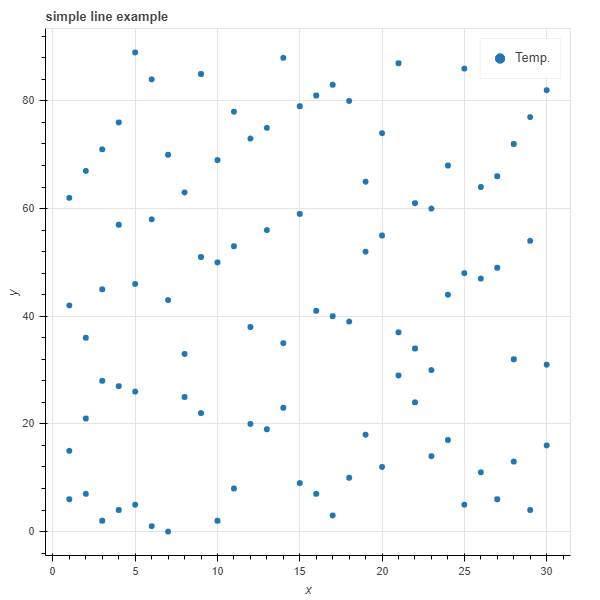
Thanks for your reply. I’ll try to be more precise and illustrative this time. Let’s assume I have plot like this one:

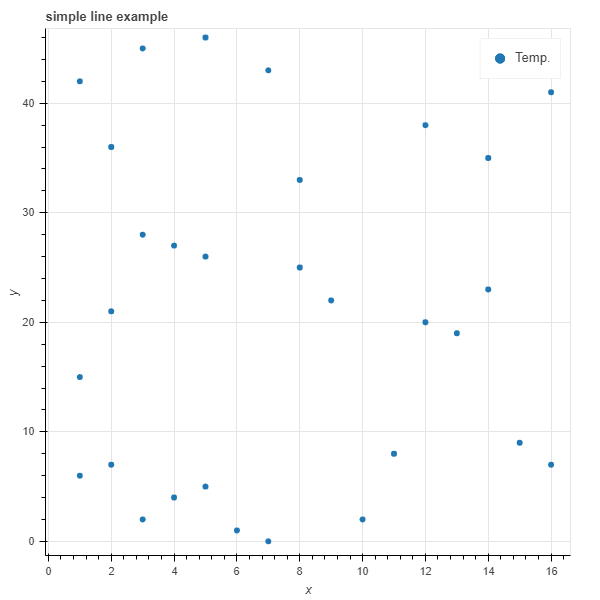
The same plot can be zoomed in many ways, e.g. to this state with ‘Box Zoom’ tool:

Both present same data, but second plot present only first (more or less) quarter of original dataset. Is there a way to get the information about what points (data) were selected on the second plot? Is the information about the current view stored somewhere?

⌁   Link to post
p-himik
p-himik

You can get the current X and Y ranges - the corresponding plot attributes are x_range and y_range. Each of the objects should have a start and an end property.
But I don’t know of an easy way to get the actual data that’s being displayed - I think you will have to filter it manually based on the ranges.

⌁   Link to post
Bryan
Bryan

There’s no place to answer the question “what indices are drawn in the viewport right now?” in general. Some (but not all) glyphs create a spatial index, but this has never been public API and the details of its operation are subject to change at any time. The index also only exists on glyph views which are also not really public API (and are not easy to get ahold of). Other glyphs simply rely on canvas clipping when they draw, and for them no information is available at all, it’s hidden behind the canvas API calls.

⌁   Link to post

End of archived discussion · Replies are disabled