
How to avoid “aliasing” effect (or water effect ) with Hexbin ?
I have to play all the time with the size of the bin to avoid this effect.
Maybe a way to apply a low-pass filter ?
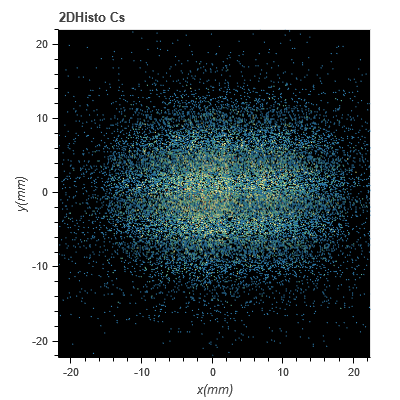
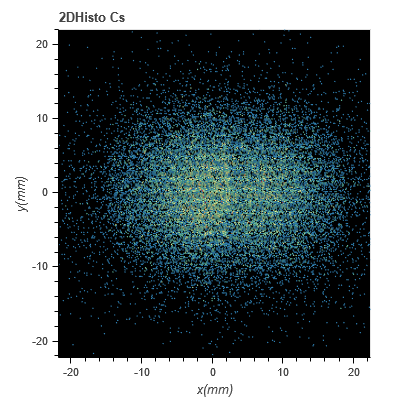
The good one with a “good” 2Dbin : 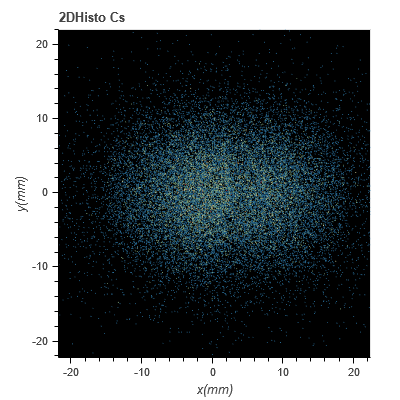
 Read-only archive⌕
How to avoid “aliasing” effect (or water effect ) with Hexbin ?
I have to play all the time with the size of the bin to avoid this effect.
Maybe a way to apply a low-pass filter ?
The good one with a “good” 2Dbin :

Cannot answer the question, but I’m curious - why even use hexbin when separate bins are visible only as dots? Or is the plot zoomable enough so that separate bins actually become visible?
And just a guess - what happens if you set output_backend='webgl' in the call to figure()? If it doesn’t work, what happens with svg instead of webgl?

There’s probably not much that can be done with hexes that small. It’s not really the usage that was in mind, and Bokeh is not really the appropriate place for transformations at the rasterization level. You might want to look in to using Datashader for the binning/aggregation, and then displaying results with Bokeh.
Looks nice, hope not too long to update my application…
But not sure to be usable for my datas …
Thanks
Yes you can zoom and see the hexagon : 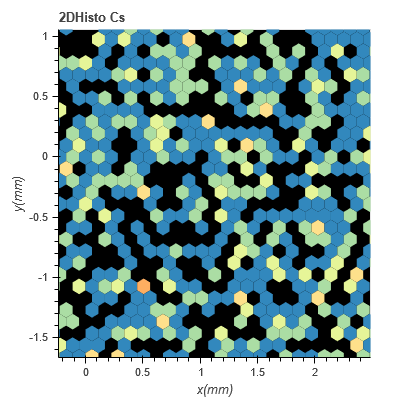
I need to control the bin : some datas are experimental (not accurate  so high bin) and some data are simulated (can reduce the bin)
Just to give a final answer for my case. I did several tests with datashader/holoviews but it doesn’t fit to my application. It adds one more level between me and bokeh figure and i lose the control of so many things. So i keep Hexbin and just hope one day s.o. add “rastering” on it 
I tried output_backend=‘webgl’ it works fine but "dashing for some figure.line doesn’t work, i don’t know why
I tried output_backend=‘svg’ it doesn’t work for hexbin cause i have to many datas.

End of archived discussion · Replies are disabled