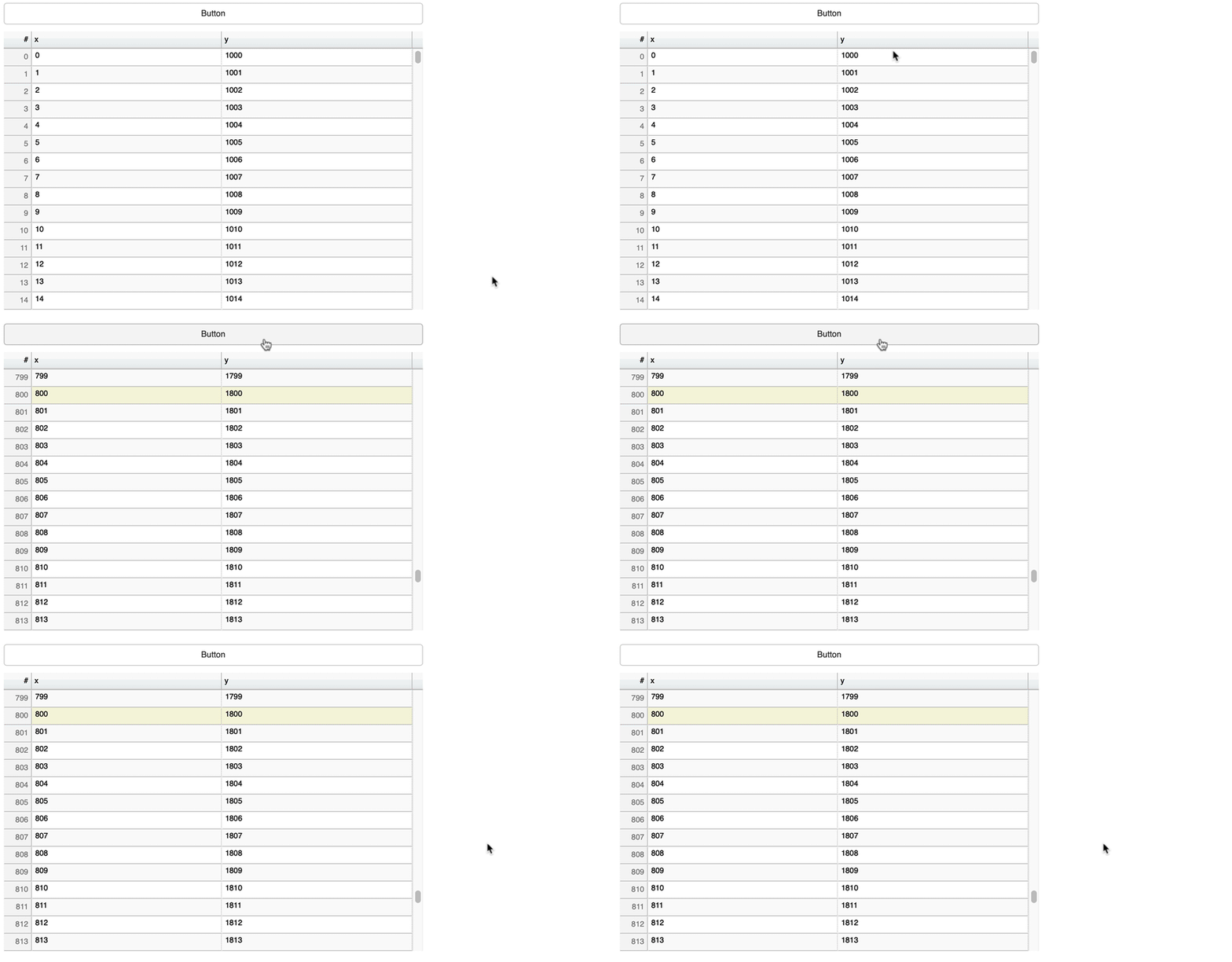
Here is a minimal example. The goal of the callback is to scroll the DataTable to the last row when the table gets updated. Although the object indices is being updates, the table is not scrolling to that row…
#!/usr/bin/python
# -*- coding: utf-8 -*-
from threading import Lock
import time
import random
from flask import Flask, jsonify, url_for
from bokeh.layouts import layout, column
from bokeh.models.widgets import Div, DataTable, HTMLTemplateFormatter, TableColumn
from bokeh.models import AjaxDataSource, CustomJS
from bokeh.embed import components
import dominate
from dominate.tags import script, meta
from dominate.util import raw

import logging
logging.basicConfig(level=logging.INFO, format='%(levelname)6s %(lineno)4s %(message)s')

app = Flask(__name__)
lock = Lock()

TABLE_POLLING_INTEREVAL_MS = 1000
ROW_COLORS = ["#FFEFD5", "#90EE90", "#F08080", "#B0C4DE", "#228B22", "#FFEFD5", "#FF0000", "#FFEFD5", "#F08080"]

PAGE_URL = "/test"
TABLE_WIDTH = 600

G = {
    "dom_doc": None,
    "table": {
        "data": {
            "a": [],
            "b": [],
            "c": [],
            "_rowcolor": [],
            "_fs": [],
            "_color": [],
        },
        "attrib": {
            "table": {
                "width": TABLE_WIDTH,
                "height": 600
            },
            "col_width": {
                "a": int(TABLE_WIDTH / 2),
                "b": 50,
                "c": (TABLE_WIDTH - int(TABLE_WIDTH / 2) - 50)
            },
            "title": {
                "a": "Time",
                "b": "Count"
            },
            "default": {
                "rowcolor": "#90EE90",
                "fs": "10pt",
                "color": "#FFFFFF"
            },
            "hide_cols": ['_rowcolor', '_fs', '_color'],
        }
    }
}


def _dominate_document(title="pywrapBokeh", bokeh_version='1.3.4'):
    """ Create dominate document, see https://github.com/Knio/dominate
    """
    G["dom_doc"] = dominate.document(title=title)
    with G["dom_doc"].head:
        script(src="https://cdn.pydata.org/bokeh/release/bokeh-{bokeh_version}.min.js".format(
            bokeh_version=bokeh_version))
        script(src="https://cdn.pydata.org/bokeh/release/bokeh-widgets-{bokeh_version}.min.js".format(
            bokeh_version=bokeh_version))
        script(src="https://cdn.pydata.org/bokeh/release/bokeh-tables-{bokeh_version}.min.js".format(
            bokeh_version=bokeh_version))
        script(src="https://cdn.pydata.org/bokeh/release/bokeh-api-{bokeh_version}.min.js".format(
            bokeh_version=bokeh_version))
        script(src="https://ajax.googleapis.com/ajax/libs/jquery/3.4.1/jquery.min.js")

        meta(charset="UTF-8")


@app.route(PAGE_URL + "/table", methods=['GET', 'POST'])
def url__table_data():
    """  Example data source for the example table

    REPLACE mode, so the entire dataset is sent each time

    :return:
    """
    with lock:
        G["table"]["data"]["a"].append("{}".format(time.time()))
        if len(G["table"]["data"]["b"]):
            value = int(G["table"]["data"]["b"][-1]) + 1
        else:
            value = 0
        G["table"]["data"]["b"].append("{}".format(value))
        G["table"]["data"]["c"].append("{}".format(3))

        G["table"]["data"]["_rowcolor"].append("{}".format(random.choice(ROW_COLORS)))
        G["table"]["data"]["_color"].append("{}".format(random.choice(ROW_COLORS)))

        font_size = G["table"]["attrib"]["default"].get("fs", 20)
        G["table"]["data"]["_fs"].append("{}".format(font_size))

        return jsonify(G["table"]["data"])


@app.route(PAGE_URL, methods=['GET', 'POST'])
def hello():
    with lock:
        _dominate_document()

        ajaxurl = url_for('url__table_data')
        source = AjaxDataSource(data=G["table"]["data"],
                                          data_url=ajaxurl,
                                          polling_interval=TABLE_POLLING_INTEREVAL_MS,
                                          max_size=1000,
                                          mode='replace')

        # The GOAL of this callback is to scroll the DataTable to the last row,
        # every time the datatable gets new data...
        callback = CustomJS(args=dict(source=source),
                            code="""
                                var last_row_idx = source.get_length();
                                source.selected.indices = [last_row_idx];
                                source.selected.change.emit();
                                console.log("callback:", cb_obj, last_row_idx);
                            """)
        source.js_on_change("data", callback)

        template = """<div style="background:<%=_rowcolor%>; font-size:<%=_fs%>; color:<%=_color%>;";><%= value %></div>"""
        formatter = HTMLTemplateFormatter(template=template)

        columns = []
        for c in source.data.keys():
            if c not in G["table"]["attrib"]["hide_cols"]:  # filter out columns so they are NOT displayed
                col_width = G["table"]["attrib"]["col_width"].get(c, None)
                if col_width is None:
                    col_width = G["table"]["attrib"]["default"].get("col_width", None)
                title = G["table"]["attrib"]["title"].get(c, c)
                columns.append(TableColumn(field=c, title=title, width=col_width, formatter=formatter))

        dt_table = DataTable(source=source,
                             columns=columns,
                             reorderable=False,
                             width=600,
                             selectable=True,
                             scroll_to_selection=True,
                             index_position=None,
                             fit_columns=False,
                             height=300)

        doc_layout = layout()
        doc_layout.children.append(column(Div(text="""
        <h1>Hello World!</h1><p>This is example of standard table using an AjaxDataSource to get its data.</p>""")))
        doc_layout.children.append(dt_table)

        _script, _div = components(doc_layout)
        G["dom_doc"].body += raw(_script)
        G["dom_doc"].body += raw(_div)
        return "{}".format(G["dom_doc"])

app.run(host="0.0.0.0", port=6800, debug=False)
-
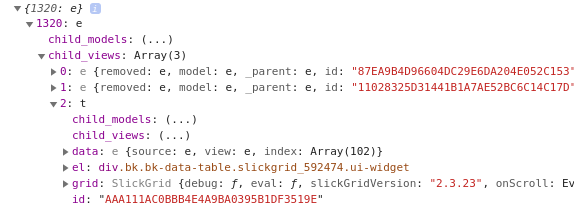
above you mention calling SlickGrid methods, I have tried to do that and fail… can you show one line in the callback code that would call a SlickGrid method? I have tried calling a SlickGrid method on dozens of objects in the source/cb_obj in the callback code, but everything I tried, I get function does not exist.
-
In the above code, source.get_length() is a method of source, in the callback function. How do I find all the other available methods? I tried using various solutions from searching, like this for example but it shows no methods.