

☰Read-only archive⌕
Looking for help with Bokeh?

This is a read-only archive. Ask questions and join the conversation on GitHub.

Visit Community Support on GitHub →
Archived discussions · Captured October 28, 2026

Auto scaling issues with mercator axis

Community Support
Maxxner
Maxxner

When plotting both tile & line with a mercator axis the tile will be squeezed upon reset. The tile aspect ratio will fix itself once I zoom out and in again. Is there a way to avoid this?

from bokeh.io import curdoc
from bokeh.layouts import row, column
from bokeh.models import ColumnDataSource
from bokeh.plotting import figure

source = ColumnDataSource({"x": [0, 1e6, 2e6, 1e6],
                           "y": [8100000, 6100000, 4100000, 2100000]})

p = figure(width=600, height=600, x_axis_type="mercator", y_axis_type="mercator", )
p.add_tile("CartoDB Positron", retina=True)
p.line(x="x", y="y", source=source, line_width=4, line_color="red")

curdoc().add_root(p)
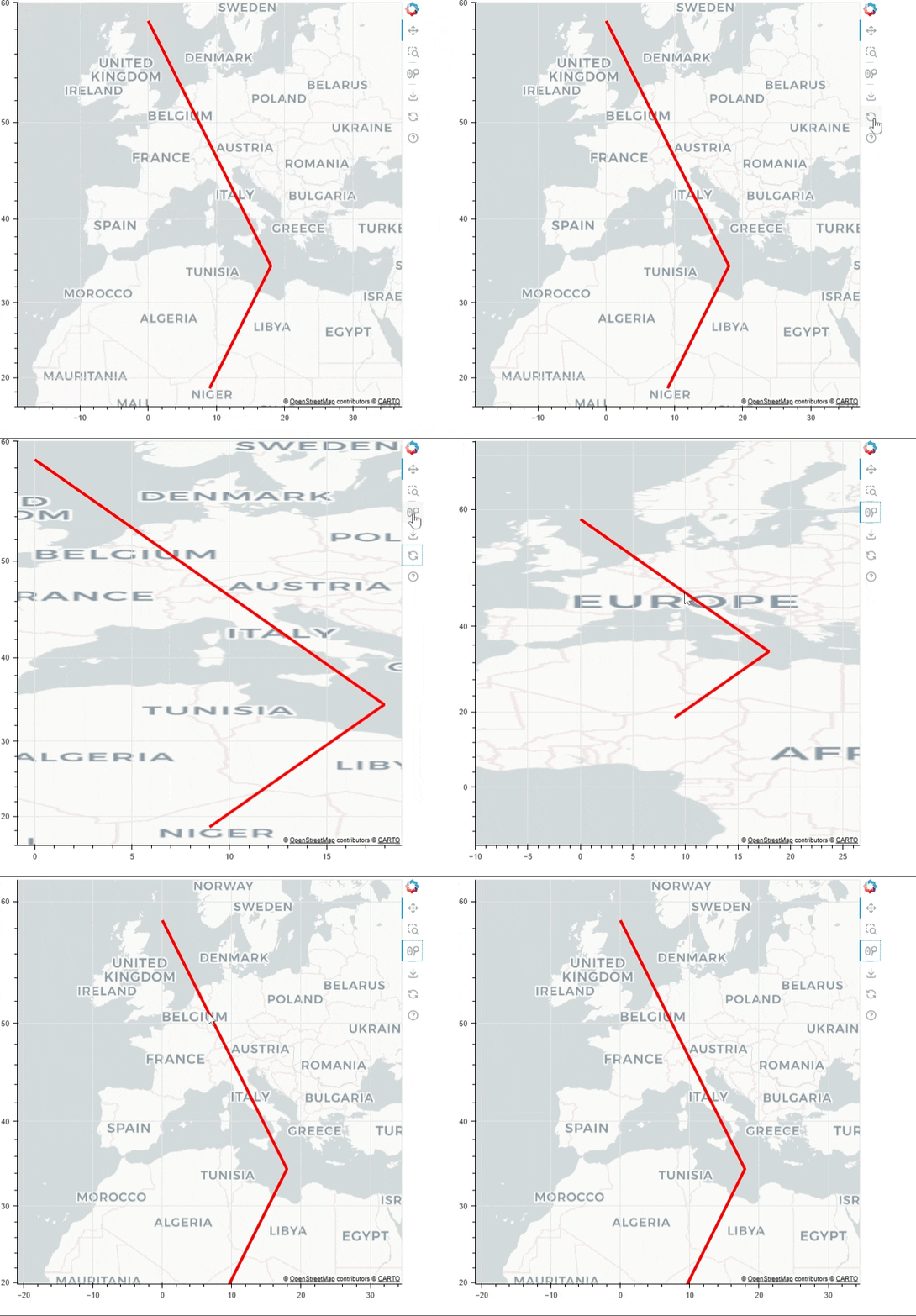

chrome-capture-2025-1-19

⌁   Link to post
Jonas_Grave_Kristens

@Maxxner If you add match_aspect=True to the figure then I believe it should work. Also, you need to add the same argument to BoxZoomTool.

from bokeh.io import curdoc, save
from bokeh.layouts import row, column
from bokeh.models import ColumnDataSource, BoxZoomTool
from bokeh.plotting import figure

source = ColumnDataSource({"x": [0, 1e6, 2e6, 1e6],
                           "y": [8100000, 6100000, 4100000, 2100000]})

p = figure(
    width=1000, height=600,
    x_axis_type="mercator",
    y_axis_type="mercator",
    match_aspect = True,
    tools = "pan,wheel_zoom,reset,save"
    )

p.add_tools(BoxZoomTool(match_aspect = True))

p.add_tile("CartoDB Positron", retina=True)
p.line(x="x", y="y", source=source, line_width=4, line_color="red")

save(p)
⌁   Link to post

End of archived discussion · Replies are disabled
