☰Read-only archive⌕
Looking for help with Bokeh?

This is a read-only archive. Ask questions and join the conversation on GitHub.

Visit Community Support on GitHub →
Archived discussions · Captured October 28, 2026

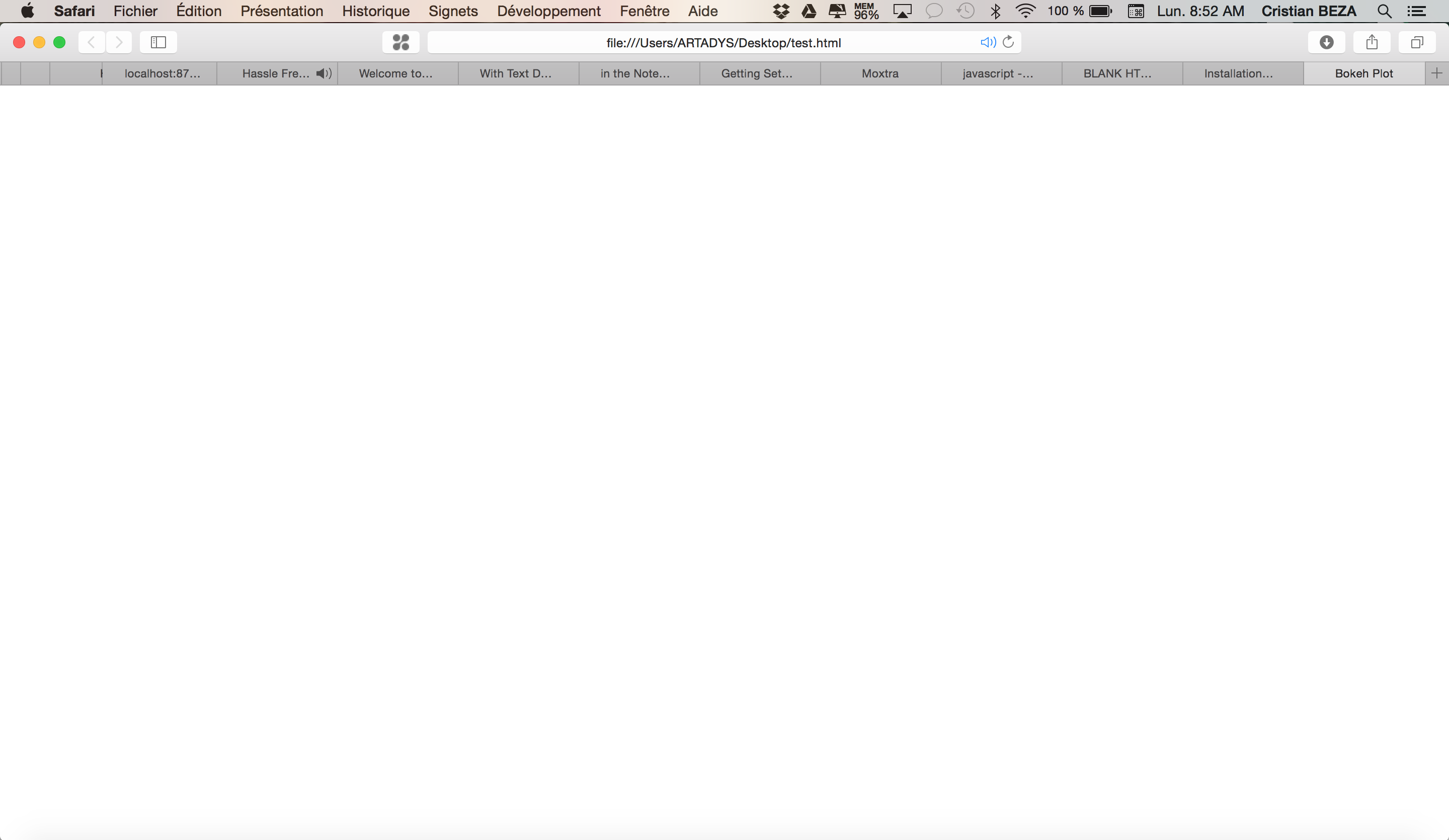
BLANK HTML created by running all the examples

Community Support
Cristian_BEZA_ARTADY

Hi All,

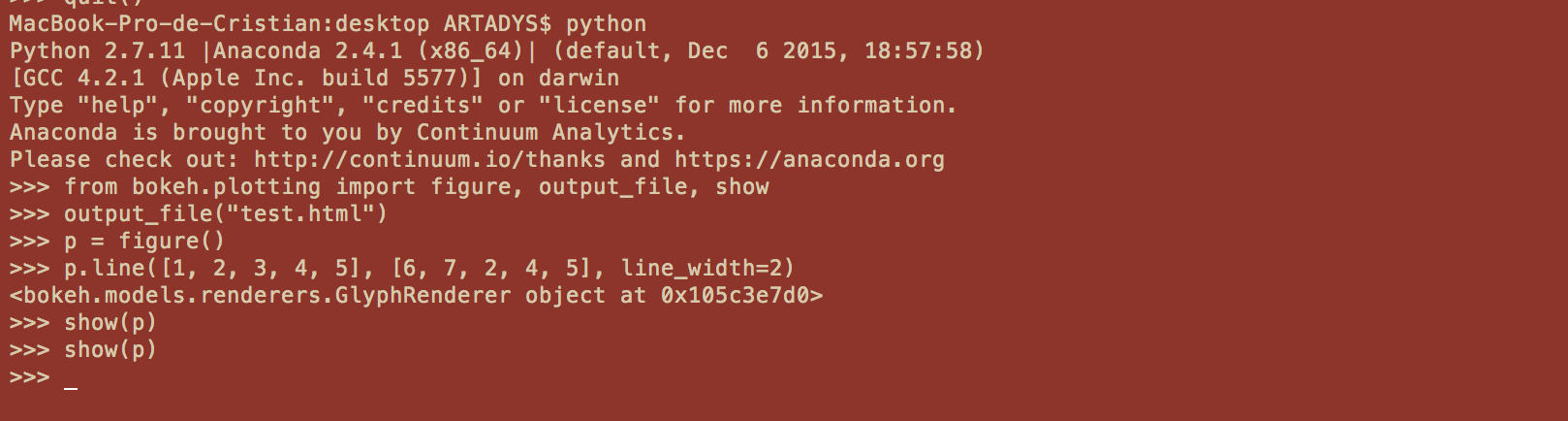
I attended the webinar and the Q&A session but I still get always a blank (empty) html file for all the examples.

Everything is OK here http://bokeh.pydata.org/en/latest/docs/user_guide/setup.html the program run but after show(p) I get a blank html page.

I run on Mac OSX El Capitan and the blank page is not dependent on the browser (means is recorded blank html on my computer)

Please let me know what I miss ?

Thanks

test.html (13.9 KB)
⌁   Link to post
Bryan
Bryan

Hi,

I just tried this code and it worked as expected. Can you add a bit more about what version of bokeh you installed and how you installed it? It's possible there is some problem related to your system configuration or installation.

Bryan

···

On Dec 20, 2015, at 3:18 PM, artedys@gmail.com wrote:

Hi All,

I attended the webinar and the Q&A session but I still get always a blank (empty) html file for all the examples.

Everything is OK here http://bokeh.pydata.org/en/latest/docs/user_guide/setup.html the program run but after show(p) I get a blank html page.

I run on Mac OSX El Capitan and the blank page is not dependent on the browser (means is recorded blank html on my computer)

Please let me know what I miss ?

Thanks

--
You received this message because you are subscribed to the Google Groups "Bokeh Discussion - Public" group.
To unsubscribe from this group and stop receiving emails from it, send an email to bokeh+unsubscribe@continuum.io.
To post to this group, send email to bokeh@continuum.io.
To view this discussion on the web visit https://groups.google.com/a/continuum.io/d/msgid/bokeh/6f45348d-b273-4c44-a982-9bd7c02d152e%40continuum.io\.
For more options, visit https://groups.google.com/a/continuum.io/d/optout\.
<test.html><Capture d’écran 2015-12-20 à 9.47.06 PM.png>

⌁   Link to post
Cristian_BEZA_ARTADY

Hi Bryan,

Thanks for the quick reply. I instaled >>> bokeh.version
‘0.10.0’

and for bokeh installation I just followed this link http://bokeh.pydata.org/en/latest/docs/installation.html “conda install bokeh” and Sample Data

I am on OS X Yosemite version 10.10.5

The problem is that all the html files from bokeh examples I get are blank or empty so I guess is not the browser.

Thanks

···

Le dimanche 20 décembre 2015 22:22:55 UTC+1, Bryan Van de ven a écrit :

Hi,

I just tried this code and it worked as expected. Can you add a bit more about what version of bokeh you installed and how you installed it? It’s possible there is some problem related to your system configuration or installation.

Bryan

On Dec 20, 2015, at 3:18 PM, art...@gmail.com wrote:

Hi All,

I attended the webinar and the Q&A session but I still get always a blank (empty) html file for all the examples.

Everything is OK here http://bokeh.pydata.org/en/latest/docs/user_guide/setup.html the program run but after show(p) I get a blank html page.

I run on Mac OSX El Capitan and the blank page is not dependent on the browser (means is recorded blank html on my computer)

Please let me know what I miss ?

Thanks

–
You received this message because you are subscribed to the Google Groups “Bokeh Discussion - Public” group.

To unsubscribe from this group and stop receiving emails from it, send an email to bokeh+un...@continuum.io.

To post to this group, send email to bo...@continuum.io.

To view this discussion on the web visit https://groups.google.com/a/continuum.io/d/msgid/bokeh/6f45348d-b273-4c44-a982-9bd7c02d152e%40continuum.io.

For more options, visit https://groups.google.com/a/continuum.io/d/optout.

<test.html><Capture d’écran 2015-12-20 à 9.47.06 PM.png>

⌁   Link to post
Cristian_BEZA_ARTADY

Hi Bryan,

Thanks Now it works after I installed this line"conda install -c bokeh/channel/dev bokeh"

This line changed everything and I get the plotts

Thanks

···

Le dimanche 20 décembre 2015 22:22:55 UTC+1, Bryan Van de ven a écrit :

Hi,

I just tried this code and it worked as expected. Can you add a bit more about what version of bokeh you installed and how you installed it? It’s possible there is some problem related to your system configuration or installation.

Bryan

On Dec 20, 2015, at 3:18 PM, art...@gmail.com wrote:

Hi All,

I attended the webinar and the Q&A session but I still get always a blank (empty) html file for all the examples.

Everything is OK here http://bokeh.pydata.org/en/latest/docs/user_guide/setup.html the program run but after show(p) I get a blank html page.

I run on Mac OSX El Capitan and the blank page is not dependent on the browser (means is recorded blank html on my computer)

Please let me know what I miss ?

Thanks

–
You received this message because you are subscribed to the Google Groups “Bokeh Discussion - Public” group.

To unsubscribe from this group and stop receiving emails from it, send an email to bokeh+un...@continuum.io.

To post to this group, send email to bo...@continuum.io.

To view this discussion on the web visit https://groups.google.com/a/continuum.io/d/msgid/bokeh/6f45348d-b273-4c44-a982-9bd7c02d152e%40continuum.io.

For more options, visit https://groups.google.com/a/continuum.io/d/optout.

<test.html><Capture d’écran 2015-12-20 à 9.47.06 PM.png>

⌁   Link to post

End of archived discussion · Replies are disabled