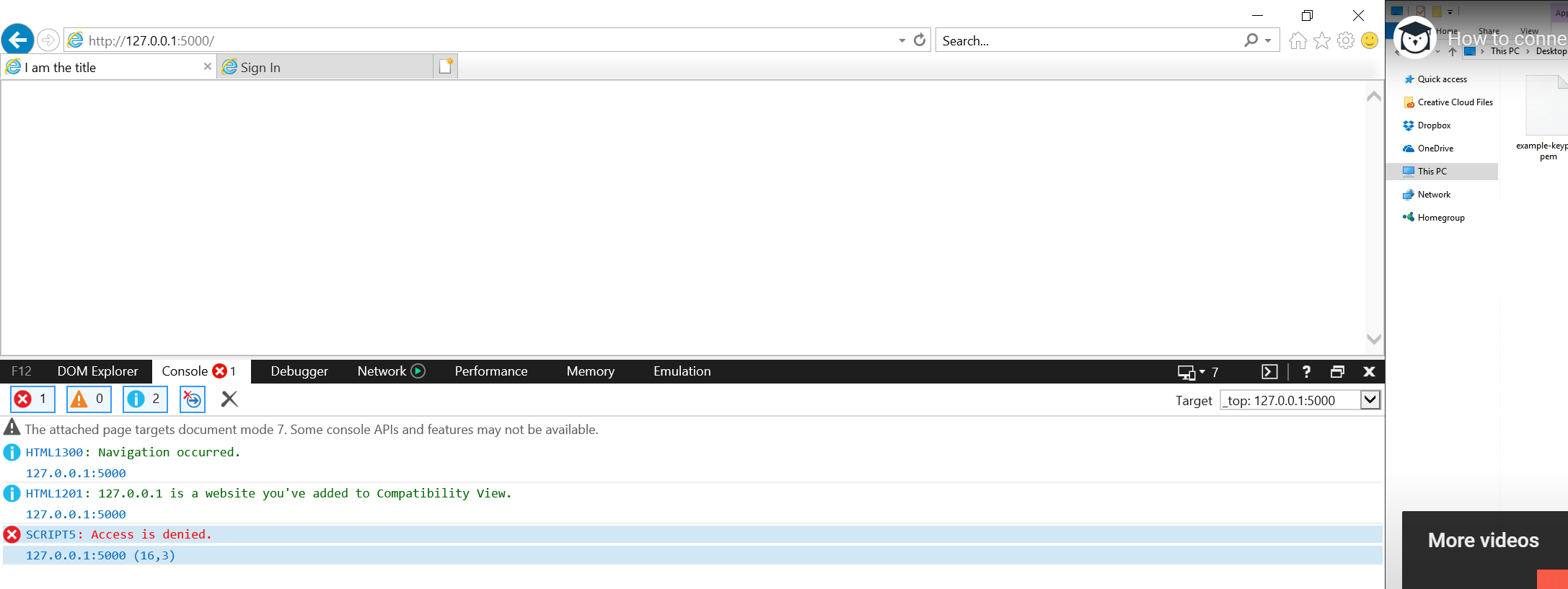
My bokeh UI absolutely fine in chrome but shows empty pages in IE and Edge browsers (except for the html title of the web page)
I am using Bokeh server version 2.1.1 (running on Tornado 6.0.4)
My plots have multiple widgets like Select, Multiselect, Slider, Button, Datatable, Inputbox, i am also using figure.circle/diamond.
For what it’s worth, here are the messages from Flask logs:
127.0.0.1 - - [22/Aug/2020 14:52:19] “GET / HTTP/1.1” 200 -
INFO:werkzeug:127.0.0.1 - - [22/Aug/2020 14:52:19] “GET / HTTP/1.1” 200 -
127.0.0.1 - - [22/Aug/2020 14:52:19] “GET /type=%22text/css%22 HTTP/1.1” 404 -
INFO:werkzeug:127.0.0.1 - - [22/Aug/2020 14:52:19] “GET /type=%22text/css%22 HTTP/1.1” 404 -
Here is the index.html and at the moment I only see ‘I am the title’ in the browser tab, nothing in the body.
I am the titleAny ideas what I should do to fix this?
The flask app:
from flask import Flask, render_template
from bokeh.embed import server_document,server_session
from bokeh.server.server import Server
from bokeh.client import pull_session
app = Flask(__name__)

#create index page function
@app.route("/")

def index():
    myurl = "http://localhost:5006/kw_Clustering_Comparison"
    session = pull_session(url=myurl)
    bokeh_script = server_session(None, url=myurl, session_id=session.id)
    #bokeh_script = server_document("http://localhost:5006/data_clustering")
    return render_template("index.html",bokeh_script=bokeh_script)

#run the app
if __name__ == "__main__":
    app.run(debug=True)