

Hi all,
Before reporting as a bug, thought I’d see if anyone else is seeing this. I’m migrating an app from Bokeh 1.4.0 to 2.2.1 & all has gone reasonably smoothly, apart from one issue… It looks like setting the disabled property of a MultiSelect on the Python side throws a javascript error. It works for Select but not MultiSelect (it works for both in 1.4.0).
Minimal example;
    from bokeh.layouts import column
    from bokeh.models import Button, MultiSelect, Select
    from bokeh.plotting import curdoc

    # Get a reference to the document we will be creating
    doc = curdoc()

    # Create a Button and a MultiSelect box
    button = Button(label='Press Here')
    select = MultiSelect(options=[('A', 'B'), ('C', 'D')])  # <-- Throws JS error when disabled
    # select = Select(options=[('A', 'B'), ('C', 'D')])  # <-- Does not throw JS error when disabled

    # Add a python callback on the Button to disable the MultiSelect/Select.
    def button_handler():
        select.disabled = True

    button.on_click(button_handler)

    # Put them in a column
    col = column(button, select)

    # Put the column into the document
    doc.add_root(col)
The error thrown when the button is pressed is this;
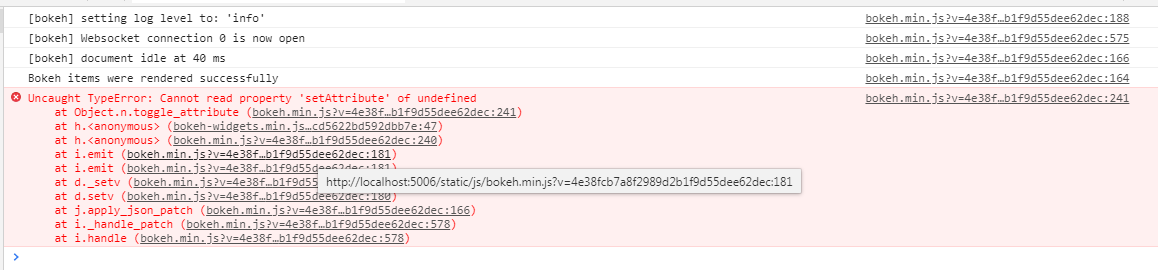
Appreciate any help!
Regards,
Richard.

