
☰Read-only archive⌕
Looking for help with Bokeh?

This is a read-only archive. Ask questions and join the conversation on GitHub.

Visit Community Support on GitHub →
Archived discussions · Captured October 28, 2026

DatetimeRangePicker seems impossible to use

Community Supportbokeh
JackFrench2001
JackFrench2001

Hi,

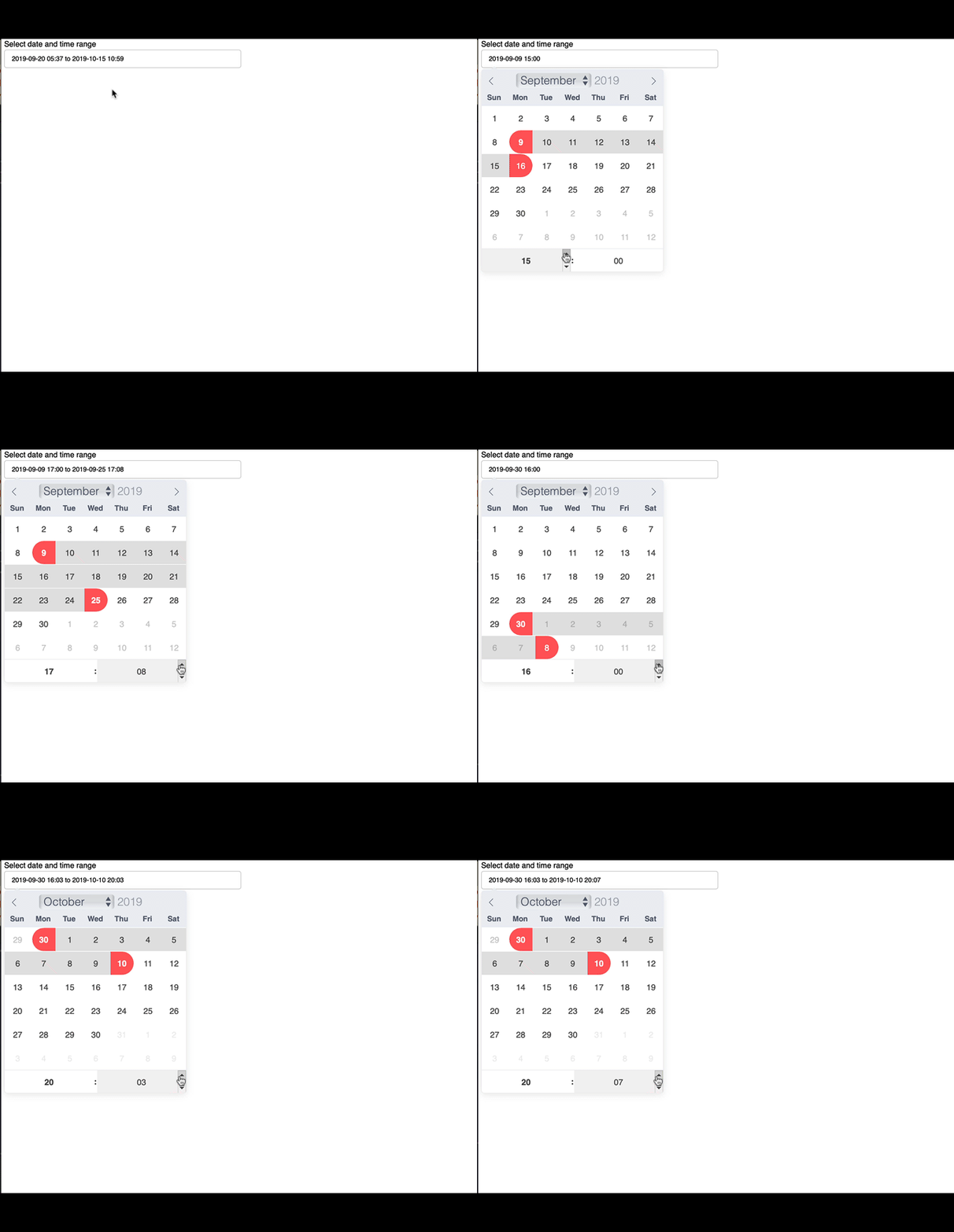
This is not a question about how to code the DatetimeRangePicker, its more of a question on how to use it once it has been set up/is displayed on a server. I can easily change the end datetime of the picker however it seems impossible to modify the start datetime (it is possible to modify the start datetime’s date but seems next to impossible to modify the start datetime’s hour/minute). I have attached a video to display the issue I’m having. Any help would be appreciated.

Thanks,

Jack

⌁   Link to post
JackFrench2001
JackFrench2001

Hi sorry, I was really just looking for an example of someone using the datetimerangepicker on a server :sweat_smile:, but I am using Bokeh 3.3.0, and this is an MRE of my code used to generate the DatetimeRangePicker:

from bokeh.plotting import figure, curdoc
from bokeh.models import DatetimeRangePicker
from bokeh.layouts import row
def datetime_range_picker_cb(attr, old, new):
    print(new)
datetime_range_picker = DatetimeRangePicker(
    title="Select date and time range",
    value=("2019-09-20T12:37:51", "2019-10-15T17:59:18"),
    min_date="2019-08-01T09:00:00",
    max_date="2019-10-30T18:00:00",
    width=400,
)
datetime_range_picker.on_change("value", datetime_range_picker_cb)
layout = row(datetime_range_picker)
curdoc().add_root(layout)

Thanks,

Jack

⌁   Link to post
JackFrench2001
JackFrench2001

It’s not an issue with the code, I think I am just having trouble actually interacting with the widget once in the server, that’s why I was asking for an example of someone using it because I may just be using it wrong once in the server. Do you think you would be able to record yourself using it and post it? As I cannot seem to change the start datetime of the range but can do it fine with the end datetime.

Thanks,

Jack

⌁   Link to post
Bryan
Bryan

@JackFrench2001 I clicked on a start date, and then (without clicking another date first) updated the time controls which updated the start datetime. Then I clicked an end date, and did the same to update the end datetime. I could click on another start date and repeat the process.

⌁   Link to post
JackFrench2001
JackFrench2001

I do not understand what I am doing wrong then, because as attached in the video, when I click on a new date and modify the time, it increases the time of the end date. And if I click on a new date and click again, it will increase the time unit once but then go back to increasing the end time units even though I have not clicked anything else. Do you see anything wrong with what I am doing in this video?

⌁   Link to post
Bryan
Bryan

This is what happens for me on OSX/Safari and latest 3.3.4 All I can suggest is:

  • trying with the latest version (always adivsed, bugs are fixed all the time)
  • try with another browser / platform (necessary data for a bug report)

ScreenFlow

⌁   Link to post

End of archived discussion · Replies are disabled