Directly during data entry in the TextInput, a Select drop-down list should appear that satisfies the data entered in the TextInput. How can I determine if data is being entered in a TextInput? And how to call Single Select drop-down list?
 Read-only archive⌕
Directly during data entry in the TextInput, a Select drop-down list should appear that satisfies the data entered in the TextInput. How can I determine if data is being entered in a TextInput? And how to call Single Select drop-down list?

You can add a callback to the value_input property (instead of value) and that will trigger on every key press.
I don’t really understand what this is asking for:
And how to call Single Select drop-down list?
I meant show dropdown menu of Select widget, in TextInput.on_change()
Directly during data entry in the TextInput, a Select drop-down list should appear that satisfies the data entered in the TextInput.
And how to call Single Select drop-down list?
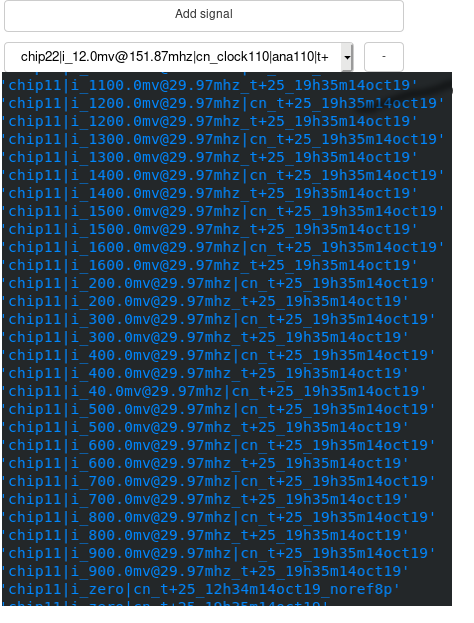
When user start typing in TextInput, automatically mist appear dropdown list of Select widget.
Like that:
Are you saying you want the Select widget to automatically “open up” and drop down? If so, so there is no built-in, programmatic way to do that. Probably possible with some CustomJS callback, but don’t have anything more concrete to suggest.
Maybe what you want is an Autocomplete widget?
Do you have any suggestions on how to do this? Could you please tell me what selection methods should be called?
There are no methods on Select to call for this. I only mean that, in principle, you could find the actual DOM element in the page, and manipulate it directly using standard JS. I only know that it should be possible, I don’t have any specifics to offer on how to do it, though.
It doesn’t work, could you tell me, please, what i am doing wrong?
 callback = CustomJS(args=dict(select_=select),code="""
                var event = new MouseEvent('mousedown');
                select_.dispatchEvent(event);
""")The value of select_ there is the Bokeh model object. You will need to hunt through the page and find the raw HTML DOM object.
Thank you. But i guess, it’s impossible to open Select widget.
        callback = CustomJS(args=dict(select_=select),code="""
                var el = document.getElementsByName(select_.name)[0];
                var event;
                event = document.createEvent('MouseEvents');
                event.initMouseEvent('mousedown', true, true, window);
                el.dispatchEvent(event);
                """)
End of archived discussion · Replies are disabled