☰Read-only archive⌕
Looking for help with Bokeh?

This is a read-only archive. Ask questions and join the conversation on GitHub.

Visit Community Support on GitHub →
Archived discussions · Captured October 28, 2026

Docker for Bokeh Server

Community Support
samirak93
samirak93

Hi ,

I’m trying to create a docker container using this https://github.com/bokeh/demo.bokeh.org.

My folder structure is

--ML_Tool (Main Folder)
    --Dockerfile
    --ML(Folder with the bokeh app)
       --main.py

Here’s my Dockerfile:

FROM continuumio/miniconda

ENV BK_VERSION=1.4.0
ENV PY_VERSION=3.7
ENV NUM_PROCS=4
ENV BOKEH_RESOURCES=cdn

RUN apt-get install git bash
RUN conda config --append channels conda-forge
RUN conda config --append channels districtdatalabs

RUN conda install --yes --quiet python=${PY_VERSION} pyyaml jinja2 bokeh=${BK_VERSION} numpy numba yellowbrick scipy sympy "nodejs>=8.8" pandas scikit-learn
RUN conda clean -ay

EXPOSE 5006
EXPOSE 80

CMD bokeh serve \
    --allow-websocket-origin="*" \
    --index=/index.html \
    --num-procs=${NUM_PROCS} \
    ML

When I run docker run --rm -p 5006:5006 -it ml_tool, I get the an error:

ERROR: Path for Bokeh server application does not exist: /ML.

Any feedback?

⌁   Link to post
Bryan
Bryan

AFAIK you would need to copy in the ML directory (e.g. via git clone or download) or else mount the local directory explicitly in the Dockerfile (and of course, run docker build before running)

⌁   Link to post
samirak93
samirak93

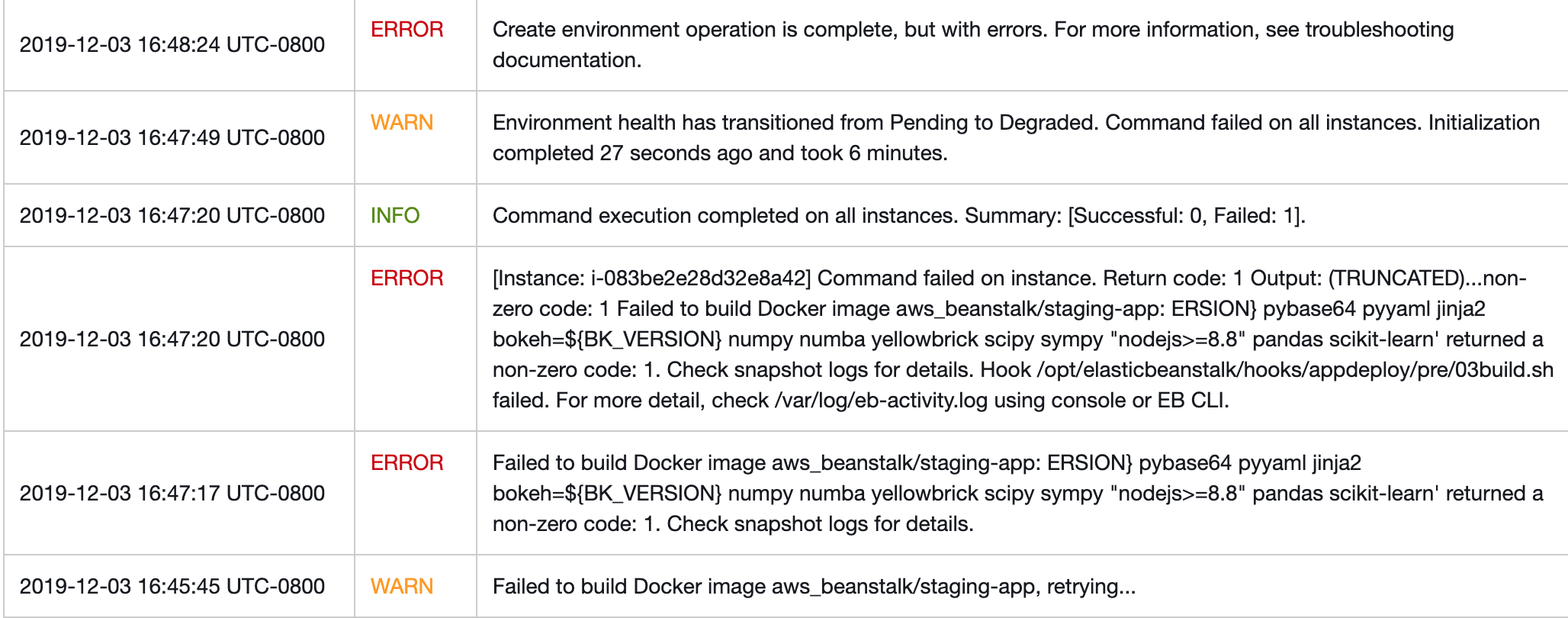
On a side note, when I try to create an application on the AWS Elastic BeanStalk, I’m getting this error.

Dockerfile:

FROM continuumio/miniconda
LABEL maintainer="samirak93"

ENV BK_VERSION=1.4.0
ENV PY_VERSION=3.7
ENV NUM_PROCS=4
ENV BOKEH_RESOURCES=cdn

RUN apt-get install git bash
RUN conda config --append channels conda-forge
RUN conda config --append channels districtdatalabs
RUN git clone https://username:password@github.com/samirak93/ML_Tool.git /ML
#using a private repo

RUN conda install --yes --quiet python=${PY_VERSION} pybase64 pyyaml jinja2 bokeh=${BK_VERSION} numpy numba yellowbrick scipy sympy "nodejs>=8.8" pandas scikit-learn
RUN conda clean -ay

EXPOSE 5006
EXPOSE 80

# Run
CMD bokeh serve \
    --allow-websocket-origin="*" \
    --index=/index.html \
    --num-procs=${NUM_PROCS} \
    ML

Dockerrun.aws.json:

{
    "AWSEBDockerrunVersion": "1",
    "Image": {
      "Name": "ML",
      "Update": "true"
    },
    "Ports": [
      {
        "ContainerPort": "5006",
        "HostPort": "80"
      }
    ]
  }

I uploaded the zip file of Dockerfile and Dockerrun.aws.json and I got that error.

⌁   Link to post

End of archived discussion · Replies are disabled