NEW UPDATE
In order to reduce complexity of running the nginx service in a separate container from the flask app I combined them into a single container.
I updated the github repo specifically the “single_container” directory and wrote up a new readme further detailing the problem. https://github.com/donoghuc/bokeh_recipe/tree/master/single_container
# Single Container
In order to reduce the complexity of running nginx in its own container I built this image that runs nginx in same container as the web app
## Installation
NOTE: I am using Docker version 17.09.0-ce
Download or clone repo and navigate to this directory (single_container).
# as root
docker build -f Dockerfile -t single_container .

<img src="//bokeh-discourse-uploads.s3.dualstack.us-east-1.amazonaws.com/original/1X/d33017980177a43a0c22e194a69691f1783754b7.png" alt="" style="">

start a terminal session in new container
# as root
docker run -ti single_container:latest

In new container start nginx
nginx

now start gunicorn
gunicorn -w 1 -b :8000 flask_gunicorn_embed:app

<img src="//bokeh-discourse-uploads.s3.dualstack.us-east-1.amazonaws.com/original/1X/27855607579b3b011cdb028887b1aeea029eb45e.png" alt="">

in a separate terminal (on host machine) find the IP address of the single_container container you are running
#as root
docker ps
then do copy CONTAINER ID and inspect it docker inspect [CONTIANER ID] | grep IPAddress
<img src="//bokeh-discourse-uploads.s3.dualstack.us-east-1.amazonaws.com/original/1X/f765a6809addeb23f206c6a84eb593b2a079bb11.png" alt="" style="" height="52" width="400">
# PROBLEM
Using IP found above (with container running) check out in firefox with inspector.
As you can in screenshot above (see screenshots folder "single_container_broken.png" for raw the get request just hangs
<img src="//bokeh-discourse-uploads.s3.dualstack.us-east-1.amazonaws.com/original/1X/a343545fcf1f37f62762766138e8a1fac39d020e.png" alt="" style="" height="169" width="400">
I can verify that nginx is serving the static files though by navigating to /bkapp/static/ (see bokeh_recipe/single_container/nginx/bokeh_app.conf for config)
<img src="//bokeh-discourse-uploads.s3.dualstack.us-east-1.amazonaws.com/original/1X/e128e62eddf310f8db81337a2bb7b92adccfbaa5.png" alt="" style="" height="162" width="400">
Another oddidy is that I try to hit the embedded bokeh server directly (with /bkapp/) but i end up with a 400 (denied?)
<img src="//bokeh-discourse-uploads.s3.dualstack.us-east-1.amazonaws.com/original/1X/42567f3c68a6fc18d9a73f4c2150ea345a8d3a22.png" alt="" style="" height="189" width="400">
# Note about app
- to reduce complexity of dynamically assigning available ports to tornado workers I hard coded in 46518 for port to talk to bokeh serve
# nginx config
I know you could just look at okeh_recipe/single_container/nginx/bokeh_app.conf but I want to show it here. I think I need to config nginx to make explicit that the "request" to bkapp to the 127.0.0.1:46518 is originating FROM the server not the client.
## Define the parameters for a specific virtual host/server
server {
# define what port to listen on
listen 80;
# Define the specified charset to the “Content-Type” response header field
charset utf-8;
# Configure NGINX to deliver static content from the specified folder
location /bkapp/static/ {
alias /home/flask/app/web/static/;
autoindex on;
}
# Configure NGINX to reverse proxy HTTP requests to the upstream server (Gunicorn (WSGI server))
location / {
proxy_pass http://127.0.0.1:8000;
proxy_set_header Upgrade $http_upgrade;
proxy_set_header Connection "upgrade";
proxy_http_version 1.1;
proxy_set_header X-Forwarded-For $proxy_add_x_forwarded_for;
proxy_set_header Host $host:$server_port;
proxy_buffering off;
}
# deal with the http://127.0.0.1/bkapp/autoload.js (note hard coded port for now)
location /bkapp/ {
proxy_pass http://127.0.0.1:46518;
}
}
Again, Any help on this would be greatly appreciated. Also if there are problems using the Oracle base image (cant remember if I needed special oracle credentials to get that) let me know and I will build it with Ubuntu.
Thanks so much for the help. WHEN I/community solves this I hope it is helpful to others.
-Cas Donoghue
<details class='elided'>
<summary title='Show trimmed content'>···</summary>
On Monday, November 20, 2017 at 4:37:50 PM UTC-8, cas d wrote:
> **Objective**
> ****###################################################################****I have developed an application that uses embedded bokeh serve in a flask app to generate dynamic plots. It works great on my local machine but when I try to get it working on a server on our local network I am running in to problems.
> I want to eliminate the specifics of my network and app details so I put together an example replicating the server using docker containers and an official bokeh server embedded example.
> **NOTE:** Replicated in github readme for readability
> ******~~~~~~~~~~~~~~~~~~~~~~~~~~~~~~~~~~~~~~~~~~~~~~~~~~~~~~~~~~****Resources******###################################################################****
> 1: Source for my example: [https://github.com/donoghuc/bokeh_recipe](https://github.com/donoghuc/bokeh_recipe)
> 2: Official Bokeh App: [https://github.com/bokeh/bokeh/blob/0.12.10/examples/howto/server_embed/flask_gunicorn_embed.py](https://github.com/bokeh/bokeh/blob/0.12.10/examples/howto/server_embed/flask_gunicorn_embed.py)
> **********~~~~~~~~~~~~~~~~~~~~~~~~~~~~~~~~~~~~~~~~~~~~~~~~~~~~~~~~~~******************Example on local machine****
> ******###################################################################******
> Relevant configuration:
> fresh install of conda ([https://repo.continuum.io/archive/Anaconda3-5.0.1-Linux-x86_64.sh](https://repo.continuum.io/archive/Anaconda3-5.0.1-Linux-x86_64.sh))
> python 3.6.3
> flask 0.12.2
> bokeh 0.12.10
> gunicorn 19.7.1
> tornado 4.5.2
> Installation:
> 1: clone or download my repo [https://github.com/donoghuc/bokeh_recipe](https://github.com/donoghuc/bokeh_recipe)
> 2: navigate to bokeh_recipe/web/project
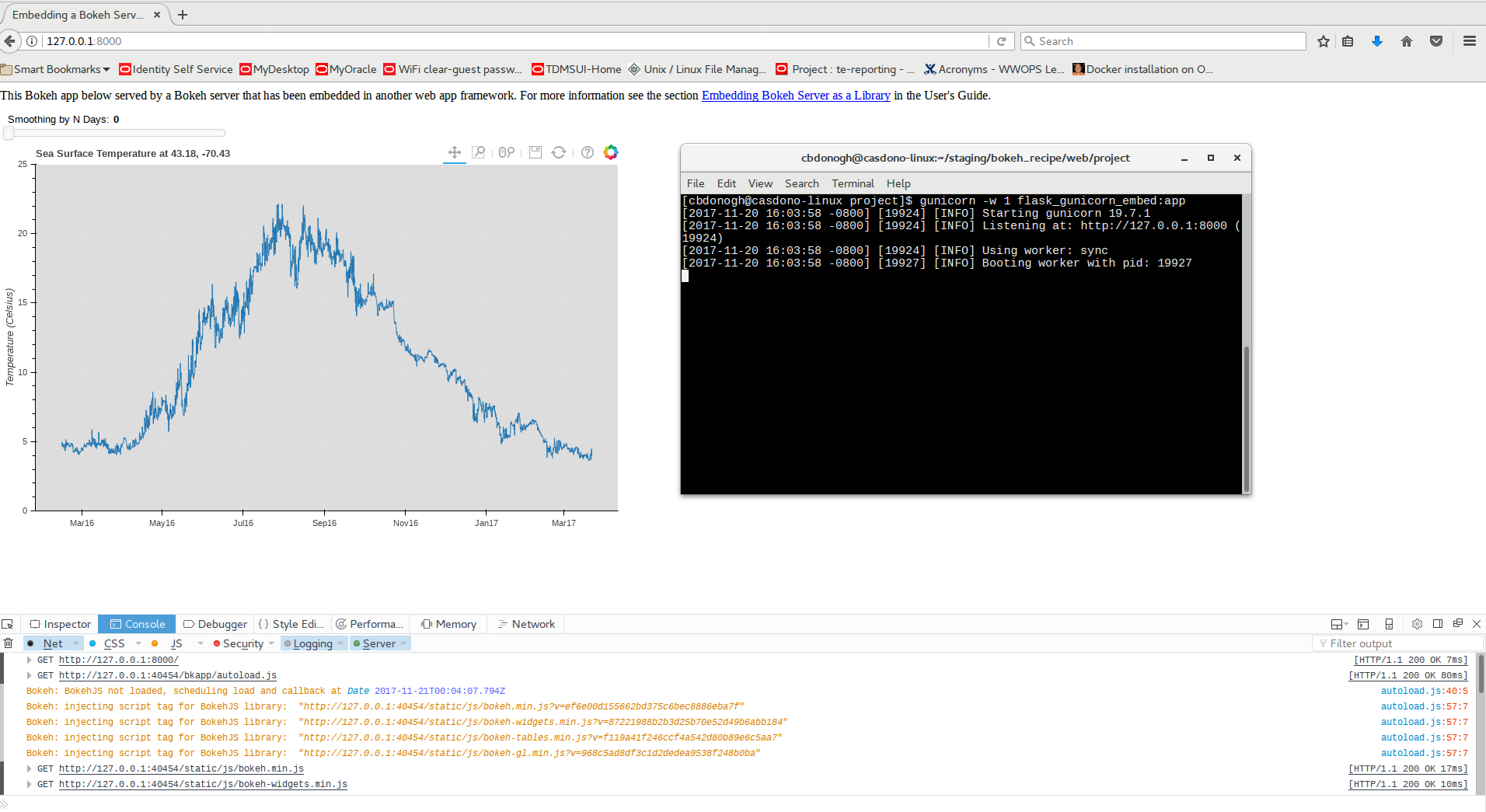
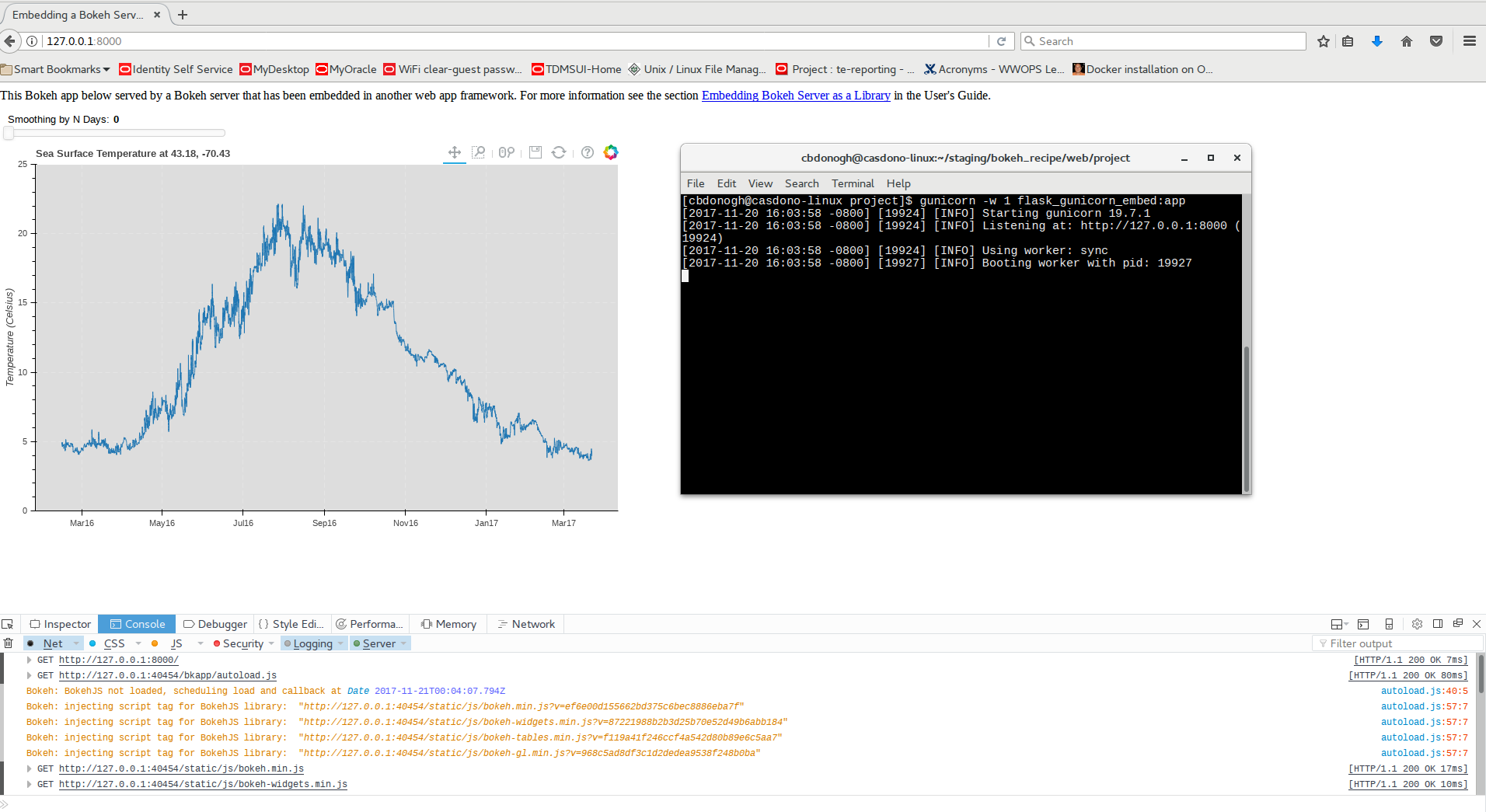
> 3: execute: gunicorn -w 1 flask_gunicorn_embed:app
> 4: open [127.0.0.1:8000](http://127.0.0.1:8000) in web browser
>
> <img src="https://groups.google.com/a/continuum.io/group/bokeh/attach/1b58424717bf0/Auto%20Generated%20Inline%20Image%201?part=0.1&authuser=0" alt="" height="218" width="400">
> works great!
> ~~~~~~~~~~~~~~~~~~~~~~~~~~~~~~~~~~~~~~~~~~~~~~~~~~~~~~~~~~****
> ************Example replicating with docker network**************###################################################################** **Relevant configuration:
> Docker version 17.09.0-ce
> docker-compose version 1.17.0**
> ****Installation:********1: clone or download my repo [https://github.com/donoghuc/bokeh_recipe](https://github.com/donoghuc/bokeh_recipe)****** 2: Build the docker images:** [root@casdono-linux bokeh_recipe]# docker-compose build
> **3: Start some containers:**
> [root@casdono-linux bokeh_recipe]# docker-compose -f docker-compose.yml up
> **3: Look up IP of bokehrecipe_nginx:
> I do this as follows:
> 1: docker ps (copy CONTAINER ID for bokehrecipe_nginx)
> 2: docker inspect [CONTAINER ID for bokehrecipe_nginx] | grep IPAddress
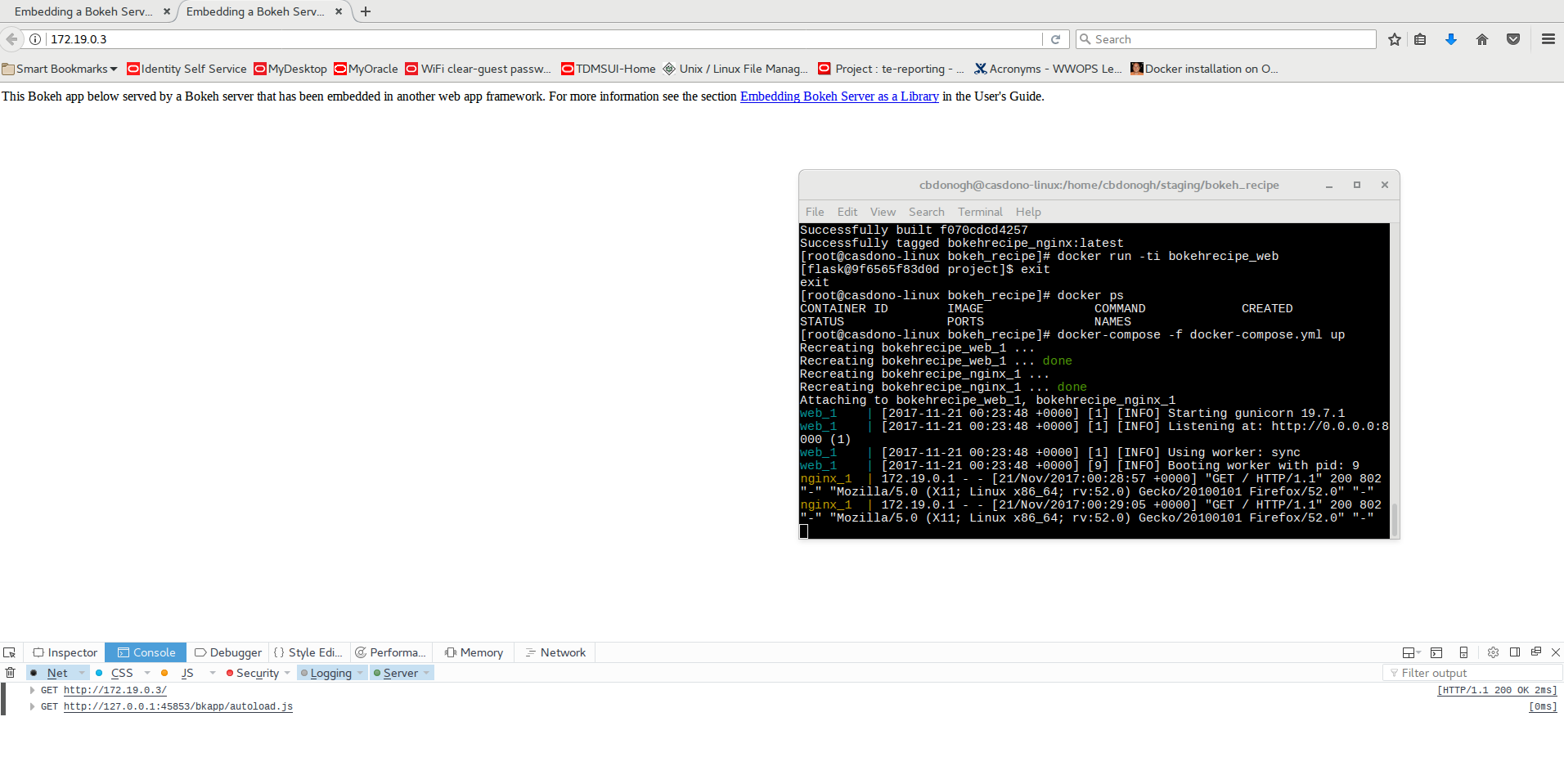
> 4: Type the IP address found in step 3 into browser
> <img src="https://groups.google.com/a/continuum.io/group/bokeh/attach/1b58424717bf0/Auto%20Generated%20Inline%20Image%202?part=0.2&authuser=0" alt="" height="200" width="400">******###################################################################**
>
> Somehow the template stuff is served but there is a problem with communication between the flask app and the embedded bokeh server
> Notice the GET [http://127.0.0.1:45853/bkapp/autoload.js](http://127.0.0.1:45853/bkapp/autoload.js) in inspector. This just hangs for ever
> I am guessing that this is an Nginx config issue. Specifically I need to add a "location" in "bokeh_recipe/nginx/bokeh_app.conf" for /bkapp and direct requests from flask to that.
> Any help on this would be sooooooo greatly appreciated!!!!!
> Thanks for your time. Please let me know if I can provide any other information and check out the git repo for better pictures in README.
> -Cas Donoghue
> **
</details>