Hi Bryan,
thank you for the response. I’m not familiar with IFrame could you provide more information or possibly a link describing that option?
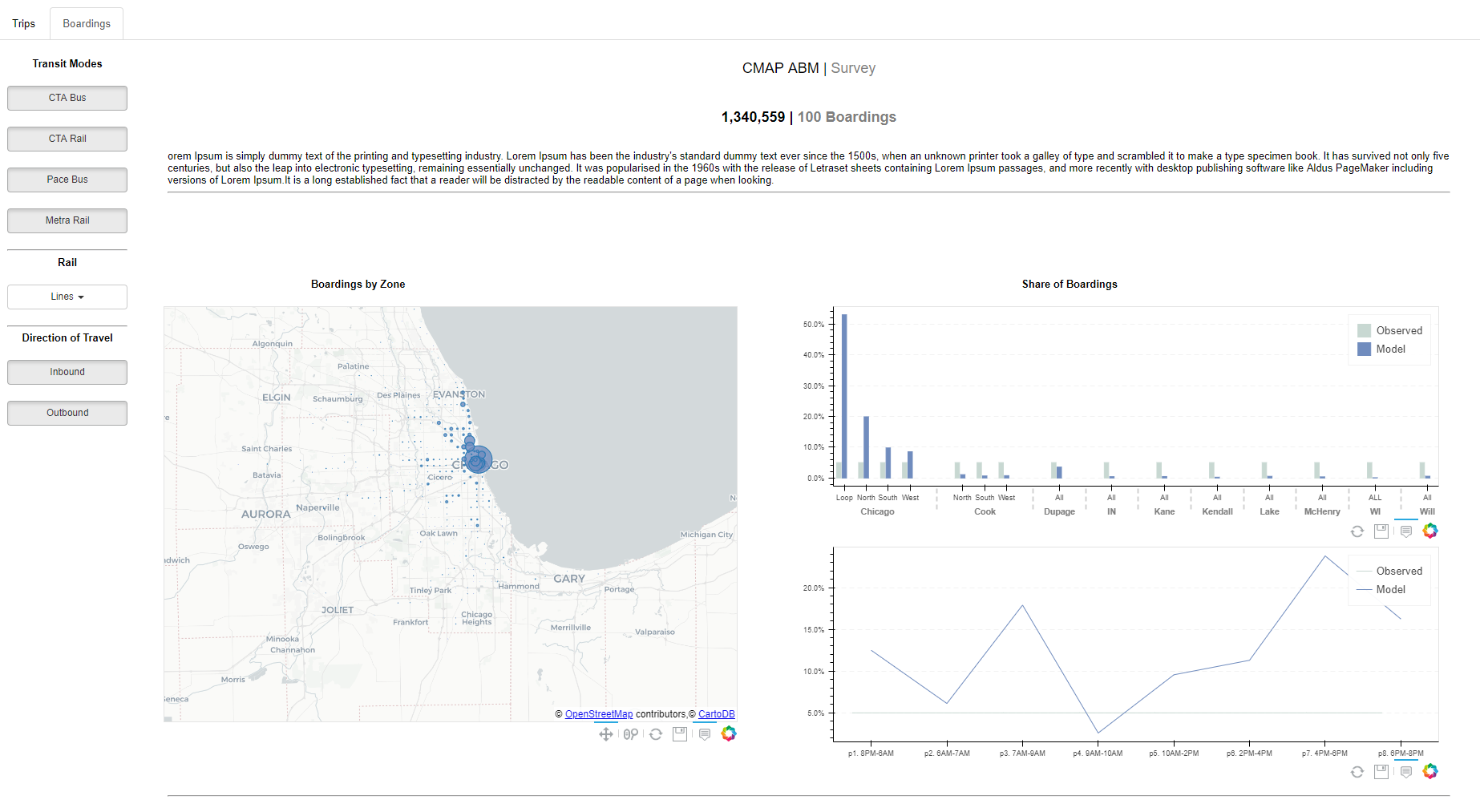
Regarding the link that you sent can you elaborate on the steps to use the server_document function? I have an interactive bokeh document see attached, that follows the directory format found here: Bokeh server — Bokeh 3.3.2 Documentation
I would like to gather more information to communicate the process to my IT team.
Thank you,
Brittaney
···
On Monday, July 16, 2018 at 12:55:58 PM UTC-5, Bryan Van de ven wrote:
Hi,
Please see:
https://bokeh.pydata.org/en/latest/docs/user_guide/embed.html#bokeh-applications
Alternatively, using an IFrame is also usually a reasonable option.
Thanks,
Bryan
On Jul 16, 2018, at 12:49, britty...@gmail.com wrote:
Hello,
I have followed this tutorial: https://towardsdatascience.com/data-visualization-with-bokeh-in-python-part-iii-a-complete-dashboard-dc6a86aa6e23 to create a a bokeh visualization with multiple tabs and I have been successful in deploying it on my local server using the “bokeh serve --show abm_app” in my command prompt. My question is how can I embed my visualization in an existing webpage? I reviewed the documentation online but I could not identify how to embed a bokeh document that uses the server in an existing webpage.
thanks,
Britt
–
You received this message because you are subscribed to the Google Groups “Bokeh Discussion - Public” group.
To unsubscribe from this group and stop receiving emails from it, send an email to bokeh+un...@continuum.io.
To post to this group, send email to bo...@continuum.io.
To view this discussion on the web visit https://groups.google.com/a/continuum.io/d/msgid/bokeh/c507a48f-9729-4b6b-af80-9153361b8339%40continuum.io.
For more options, visit https://groups.google.com/a/continuum.io/d/optout.