

I’m trying to visualise the cross section of a beam in a plot (see image below) but I can’t find a way to have the x and y axis with the same aspect ratio of 1. Considering that the utility of the plot is to observe the shape of the cross section, it is crucial to have the correct aspect ratio.
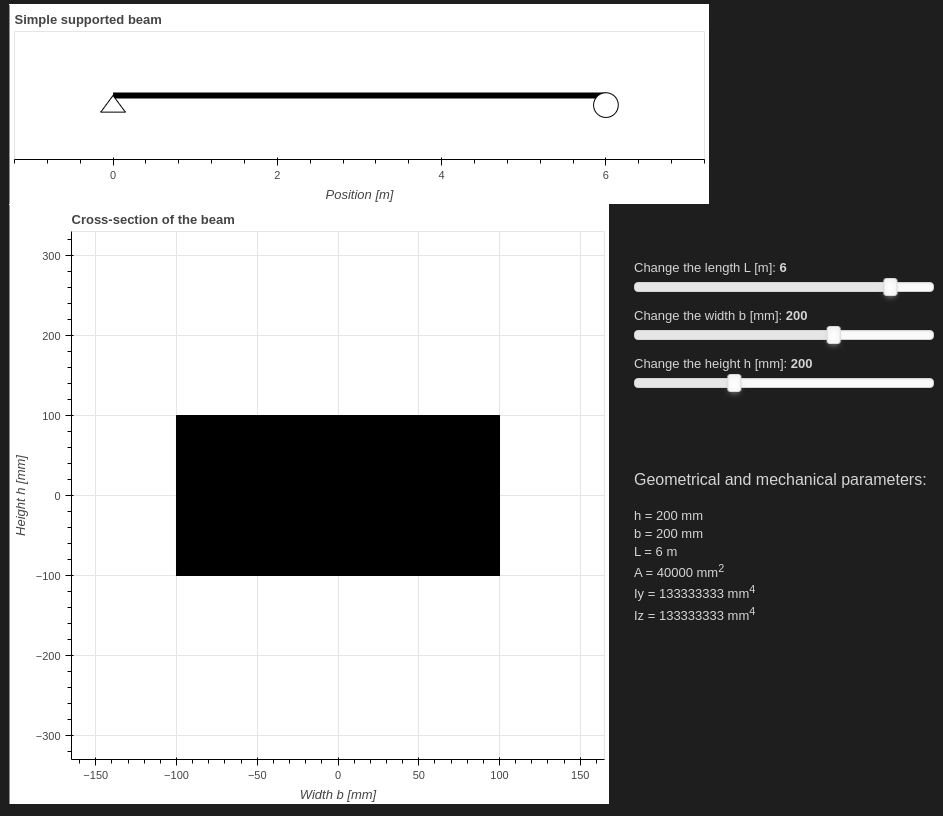
In addition, it could be nice to have the same tick interval for the axis.
Below is presented the minimal code to show only the cross section figure (to be executed in a Jupyter Notebook file):
# Import the packages needed
from bokeh.plotting import figure, show, ColumnDataSource
from bokeh.io import output_notebook

output_notebook()

h = 200 # [mm]
b = 100 # [mm]

data_section = dict(
    x_center=[0],
    y_center=[0]
)

source_section = ColumnDataSource(data_section)

max_b = 300; # [mm]
max_h = 600; # [mm]

padding_section = 0.55
fig_section = figure(toolbar_location=None,
    x_axis_label="Width b [mm]",
    y_axis_label="Height h [mm]",
    plot_height=int(max_h),
    plot_width=int(max_b)*2,
    match_aspect=True,
    x_range=(-max_b*padding_section, max_b*padding_section),
    y_range=(-max_h*padding_section, max_h*padding_section),
    title="Cross-section of the beam"
)

# section
section = fig_section.rect([0], [0], width=b, height=h, fill_color='black', color='black')

show(fig_section)
Thank you very much for the help and the incredible package!


