

TLDR: Google Font embedded in the output HTML is not reflected in the plot until interacted with.
Description:
I’m trying to change styling on a plot, specifically Font style on it’s elements - the plot itself will then be converted into HTML and saved as a static file. Unfortunately, the Font of my choosing is not available on local system (and it cannot be expected to be installed). The workaround I’ve come up with is inserting corresponding embedding code of the Font into generated HTML, which presents an unexpected twist - Font on the plot is updated, but only after interacting with the plot (e.g. clicking on glyphs, moving axes, etc.). Example code here (using Bungee Spice font as you probably don’t have it installed):
from bokeh.plotting import figure
from bokeh.resources import CDN
from bokeh.embed import file_html
from bokeh.models import ColumnDataSource

# Source and Plot
source = ColumnDataSource({"a": [1, 2, 3, 4, 5], "b": [6, 7, 8, 9, 10]})
p = figure(name="TEST_NAME", title="Test Title")
p.scatter(x="a", y="b", source=source, fill_color="blue", size=30)

# Styling attributes
font = "Bungee Spice, cursive"
font_size = "24px"
p.title.text_font = font
p.title.text_font_size = font_size
p.axis.major_label_text_font = font
p.axis.major_label_text_font_size = font_size

# Generating HTML and inserting Font embedding code
html = file_html(p, CDN, "test_title")

split_html = html.split("\n")
split_html.insert(5, """<link rel="preconnect" href="https://fonts.googleapis.com">
<link rel="preconnect" href="https://fonts.gstatic.com" crossorigin>
<link href="https://fonts.googleapis.com/css2?family=Bungee+Spice&display=swap" rel="stylesheet">""")

# Joining into string and writing into file
html = "\n".join(split_html)
with open("test.html", "w") as fp:
    fp.write(html)
And the GIF showing how it looks on my system:
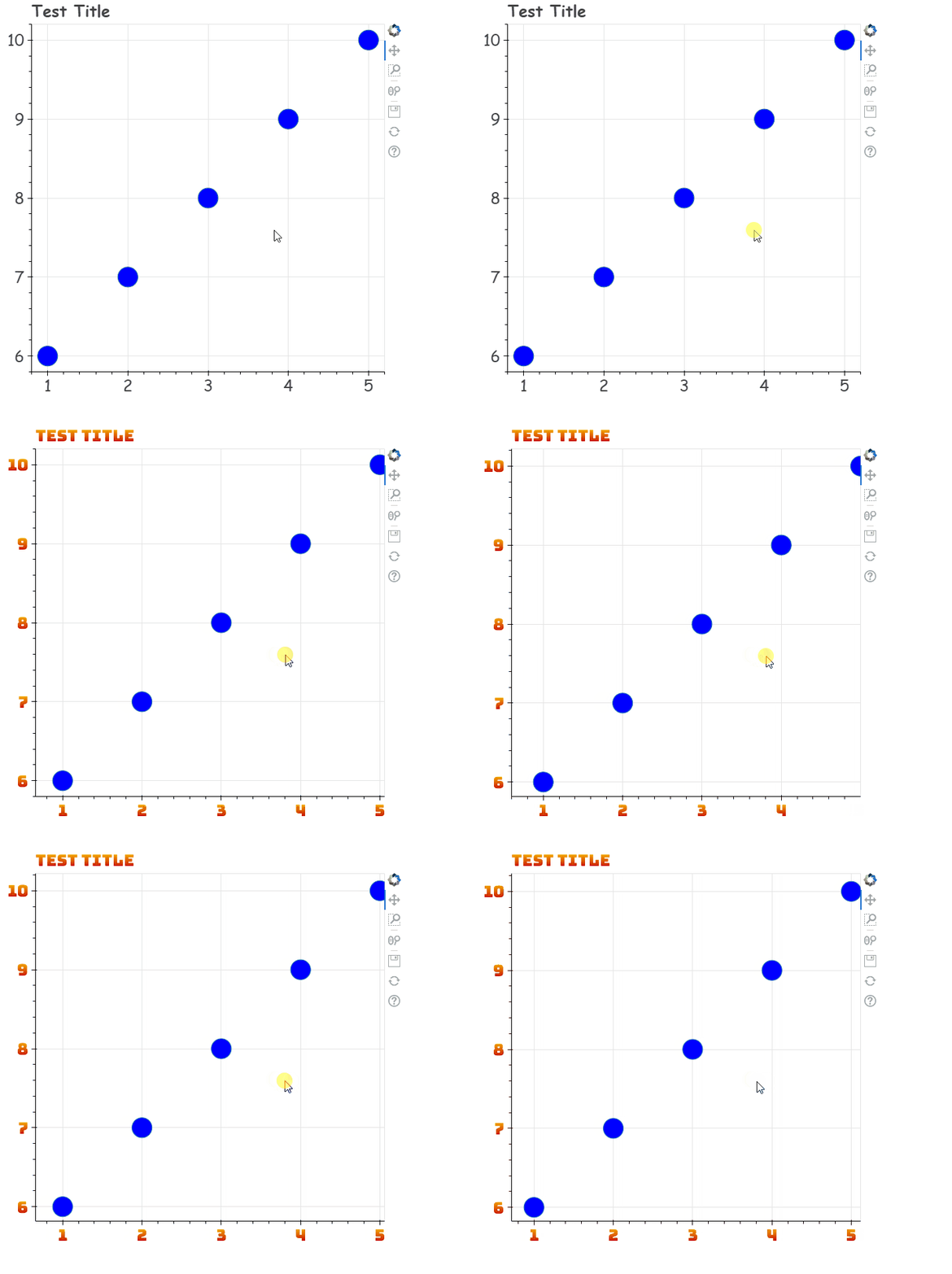
This behaviour breaks the styling, as I can’t expect the user to know that they have to interact with the visualization to have everything loaded. Workaround for that part is to include yet another HTML part, this time with JS query and document.ready functions:
# paste before joining HTML back into string
split_html.insert(-2, """
<script src="https://ajax.googleapis.com/ajax/libs/jquery/3.6.0/jquery.min.js"></script>
<script>

    function sleep(ms) {
        return new Promise(resolve => setTimeout(resolve, ms));
    };

    async function docReady() {
        await sleep(5000);
            console.log("Document Ready");
            var p1 = Bokeh.documents[0].get_model_by_name("TEST_NAME");
            p1.change.emit();
    };

    $(document).ready(docReady);
</script>
""")
Before you ask:
-
events.DocumentReadytrigger on python side can’t be used as it doesn’t work for standalone HTML documents (as noted here). -
sleepfunction is needed as different browsers/systems have different specs/load times (?) - apparently there might be an issue that (document).ready() is triggered too early, before plots are generated -
change.emit()call is used as it works, but I have no idea how
Questions/Issues
Is that behavior expected? I’d guess that it might be, as I’m embedding external JS into already pre-created HTML from bokeh side. However:
- Is there a way to embed an external Google Font within Python code?
- How does
change.emit()works in that case? Can it be expected to work in the future versions? - Is there a way to simulate user Click on the already created plot with external JS?
Thanks a lot!


