opened 10:35PM - 06 Dec 21 UTC
TRIAGE
### Problem description
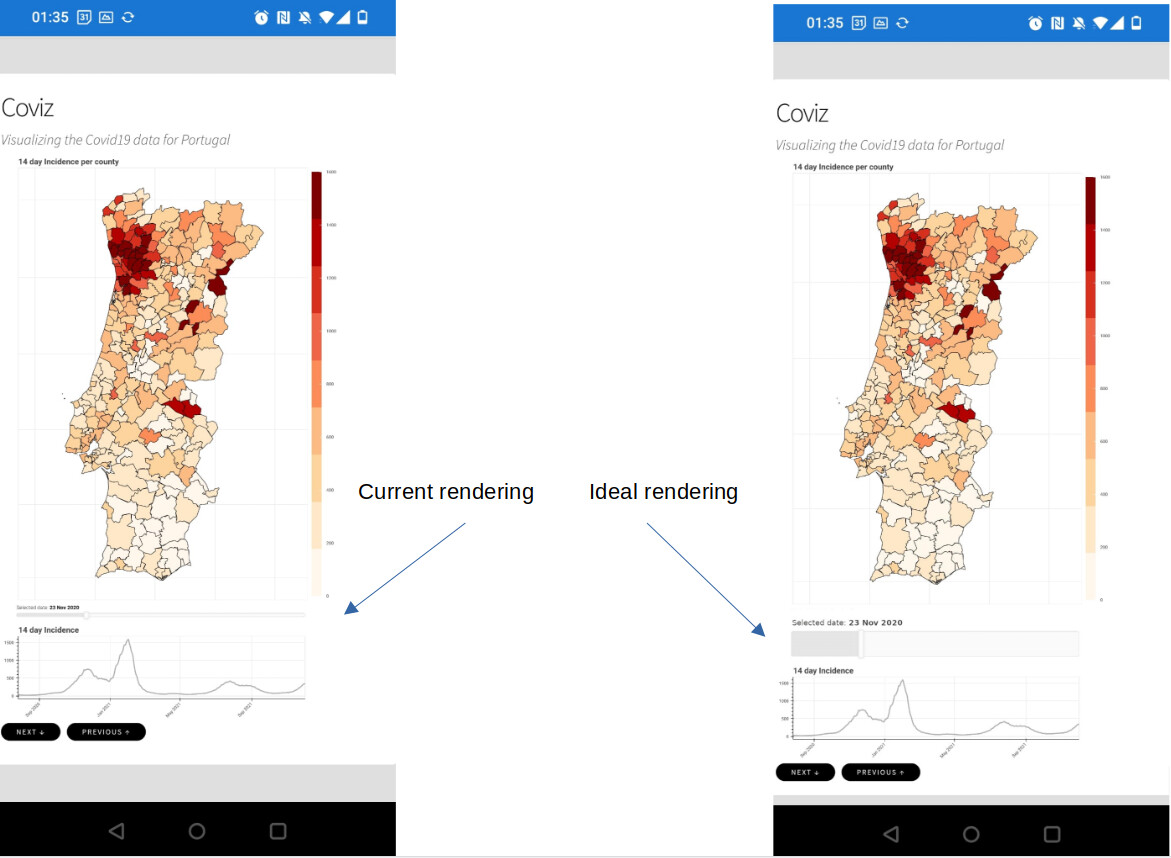
I am fine tuning a Bokeh web application that we manage…d to make somewhat responsive and render rather acceptably on mobile devices. The week spot the mobile rendering is related to sliders:
* we can't adjust the font size (it it to small)
* we can't adjust the slider actionable are
Due to this, we need temporary zooming and very high thumb precision.
### Feature description
We would to be able to adjust the slider title font size and to adjust the slider actionable area. A mockup of the intended effect is attached.

### Potential alternatives
I an ideal world everything would auto-resize to the appropriate dimensions, but there are so many combinations of devices, resolutions and orientations that it seems impossible to get right. Having control over the slider appearance seems like the best approach.
### Additional information
_No response_