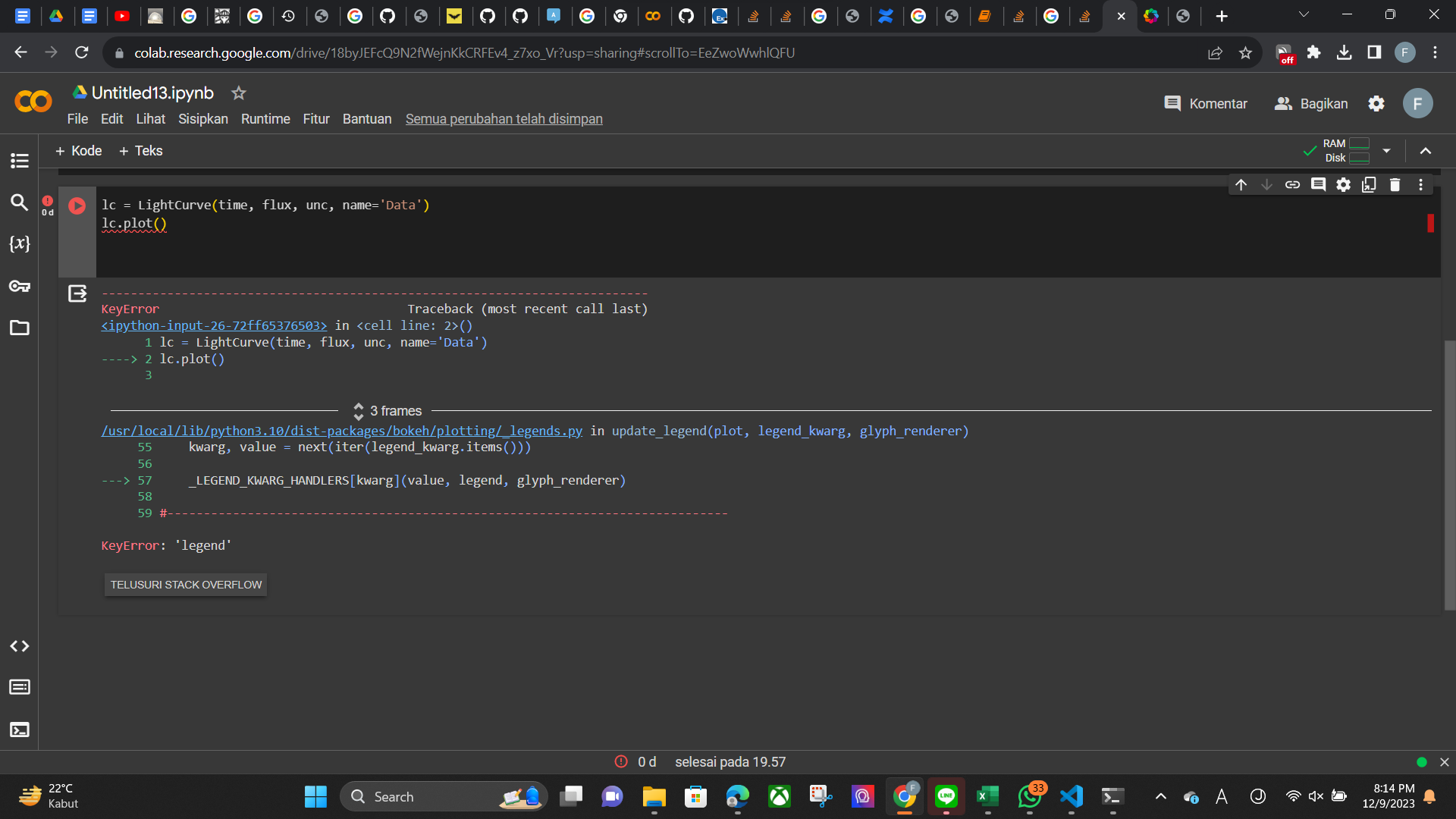
trying to plot a lightcurve using exoctk module and bokeh and got keyerror ‘legend’. Can anyone help?
 Read-only archive⌕
trying to plot a lightcurve using exoctk module and bokeh and got keyerror ‘legend’. Can anyone help?

First of all, please include a minimal reproducible example to your posts, see MRE.
exoctk is a package which is not very regularly maintained (last release Sept 2023, the one before Feb 2021).
exoctk is not on conda-forge, which is suboptimal.
Installing it with pip on a fresh environment installs a lot of (really necessary?) other packages.
Trying to run the example from ExoPlanet Characterization Tool Kit leads already at the imports to a ModuleNotFoundError error.
Because of this and because the LightCurve method actually comes from exoctk and not from Bokeh, you will have to ask the maintainers of exoctk for support.
ok got it.
As assumed, there is an error in the exoctk package.
I had to create a new Python 3.10 environment, install all packages except exoctk with conda, and exoctk with pip (since not in conda-forge).
Here are the code cells to be executed for instance in Jupyterlab:
# Imports
import numpy as np
import astropy.units as q
from exoctk.lightcurve_fitting.lightcurve import LightCurve
from exoctk.lightcurve_fitting.parameters import Parameters
from exoctk.lightcurve_fitting.models import PolynomialModel, TransitModel
from bokeh.io import output_notebook
output_notebook()
# Toy data
time = np.linspace(0, 1, 100)
raw_flux = [0.95 if 35<i<60 else 1 for i in range(100)]
unc = np.random.uniform(low=1E-4, high=0.01, size=100)
flux = np.random.normal(raw_flux, scale=unc)
flux[55:60] *= np.linspace(1, 1.05, 5)
flux[36:41] *= np.linspace(1.05, 1., 5)
# Instantiate a lightcurve
lc = LightCurve(time, flux, unc, name='Data')
lc.plot()
For the last cell, I get following error message:
KeyError                                  Traceback (most recent call last)
Cell In[4], line 2
      1 lc = LightCurve(time, flux, unc, name='Data')
----> 2 lc.plot()

File ~\miniconda3\envs\exoctk310\lib\site-packages\exoctk\lightcurve_fitting\lightcurve.py:113, in LightCurve.plot(self, fits, draw)
    110 fig = figure(width=800, height=400)
    112 # Draw the data
--> 113 fig.circle(self.time, self.flux, legend=self.name)
    115 # Plot fit models
    116 if fits and len(self.results) > 0:

File ~\miniconda3\envs\exoctk310\lib\site-packages\bokeh\plotting\_decorators.py:87, in glyph_method.<locals>.decorator.<locals>.wrapped(self, *args, **kwargs)
     85 if self.coordinates is not None:
     86     kwargs.setdefault("coordinates", self.coordinates)
---> 87 return create_renderer(glyphclass, self.plot, **kwargs)

File ~\miniconda3\envs\exoctk310\lib\site-packages\bokeh\plotting\_renderer.py:133, in create_renderer(glyphclass, plot, **kwargs)
    127 plot.renderers.append(glyph_renderer)
    129 if legend_kwarg:
    130     # It must be after the renderer is added because
    131     # if it creates a new `LegendItem`, the referenced
    132     # renderer must already be present.
--> 133     update_legend(plot, legend_kwarg, glyph_renderer)
    135 return glyph_renderer

File ~\miniconda3\envs\exoctk310\lib\site-packages\bokeh\plotting\_legends.py:57, in update_legend(plot, legend_kwarg, glyph_renderer)
     54 legend = _get_or_create_legend(plot)
     55 kwarg, value = next(iter(legend_kwarg.items()))
---> 57 _LEGEND_KWARG_HANDLERS[kwarg](value, legend, glyph_renderer)

KeyError: 'legend'
Which leads me to the cause of the error: exoctk uses for the circle glyph the argument legend which is not used anymore, use legend_label instead.
Concrete help: In your python environment, find the file lightcurve.py.
In my conda installation, it is here:
...\env_dir\Lib\site-packages\exoctk\lightcurve_fitting\lightcurve.py.
On line 113, replace legend=self.name by legend_label=self.name.
Then, the plot should display as expected.

This topic was automatically closed 90 days after the last reply. New replies are no longer allowed.
End of archived discussion · Replies are disabled