☰Read-only archive⌕
Looking for help with Bokeh?

This is a read-only archive. Ask questions and join the conversation on GitHub.

Visit Community Support on GitHub →
Archived discussions · Captured October 28, 2026

Gradient Color for Patch(es) Glyph

Community Support
verina09
verina09

Is it possible to fill patches with gradient color? I’ve looked around the documentation and can’t find details on gradient, and the closest I found in SO is gradient background for plot here - it is not supported. Just want to confirm.

The reason I’m asking is that I’m creating sort of a flow diagram where the color will change from one end of the patch to the other.

Thank you

⌁   Link to post
Bryan
Bryan

Maybe? Bokeh recently added support for hatching fill patterns. In addition to those built in line patterns, you can also specify an arbitrary custom image texture to tile. So you could potentially use a gradient image as a fill pattern now. The issue I think that may make a gradient challenging is that there is no way to scale the image based on anything, so if the patch grows or shrinks (either because of zooming, or from a responsive plot sizing mode) then it will move “around” the gradient. However, if you have control over the sizes of things, you can probably make something work.

As an aside if you can point to the SO question, it would be good to update it with this information.

⌁   Link to post
verina09
verina09

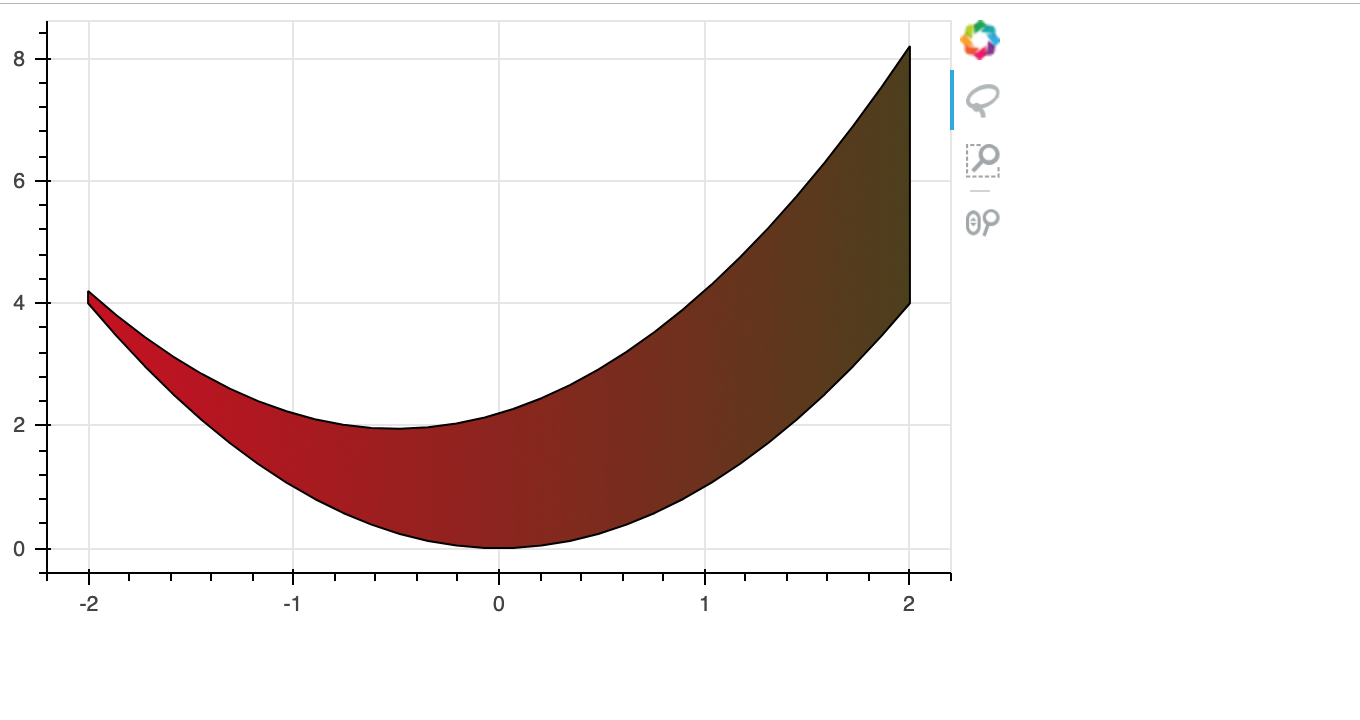
Thank you for your reply, I just updated the question with SO link. Also, I managed to experiment with fill pattern:

I understand what you mean by scaling the image… which means for each patch of different length I’ll need a different image :grimacing: … but I guess this answer my question for now.

If in the future there is somehow a way to specify color to each point in the patch (so gradient is auto created, then it’ll be nice (maybe))

⌁   Link to post
verina09
verina09

Sorry @Bryan can you help to check if hatch pattern can be applied to Patches too?
My code works for Patch but not Patches (I received bad column name error for custom image texture). If I specify hatch_pattern=“dot”, it works fine for Patches.

ERROR:bokeh.core.validation.check:E-1001 (BAD_COLUMN_NAME): Glyph refers to nonexistent column name. This could either be due to a misspelling or typo, or due to an expected column being missing. : key “hatch_pattern” value “image” [renderer: GlyphRenderer(id=‘5675’, …)]

⌁   Link to post
Bryan
Bryan

I’m honestly not sure if hatch patterns with custom images can be “vectorized”. The linked example, for instance, plots a separate vbar for each. If you post a complete minimal test script I can try to experiment but it may not be possible.

⌁   Link to post

End of archived discussion · Replies are disabled