Hi,
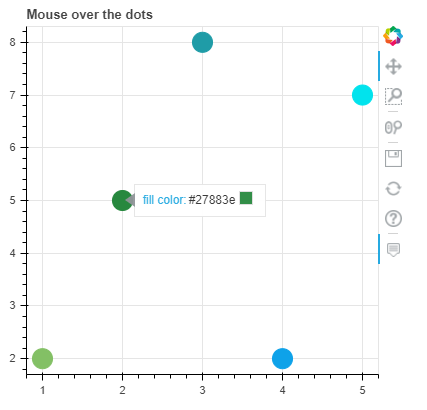
Is there a way to hide the hex number from hover? In the documentation there is an info that it is possible ('The available options are: hex (to display the color as a hex value), and swatch to also display a small color swatch.), but I can’t get it. Anyone could help?
A reproducible example:
from bokeh.io import push_notebook, show, output_notebook
output_notebook()

source = ColumnDataSource(data=dict(
    x=[1, 2, 3, 4, 5],
    y=[2, 5, 8, 2, 7],
    color=['#83c065', '#27883e', '#1f9ca7', '#0ea2e9', '#01e3ed']
))

p = figure(plot_width=400, plot_height=400, tooltips=[("fill color", "$color[swatch]:color")],
           title="Mouse over the dots")

p.circle('x', 'y', size=20, source=source, color='color')

show(p)
Result: