

Hi all,
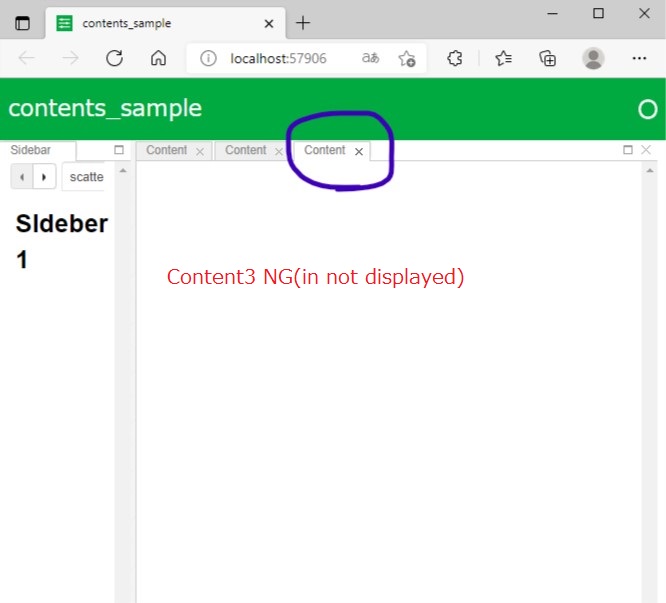
I am making tree contents in GoldenLayout. I can add two components(Fig1 and Fig2). But when I add third component , third component is not appeared(Fig3).
Fig1
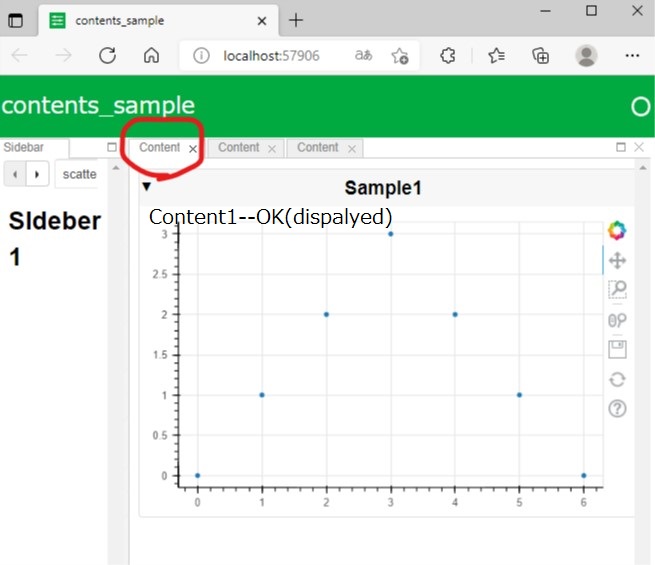
Fig2
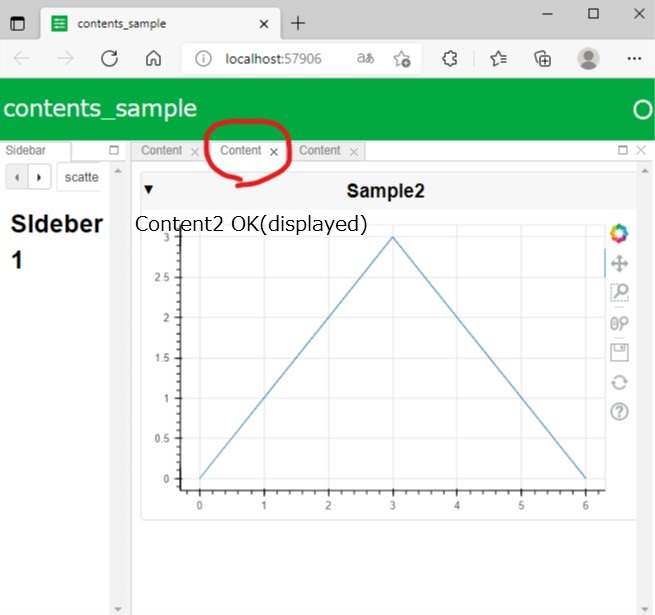
FIg3
My simple code
from bokeh.models import Panel, Tabs
import panel as pn
pn.extension(sizing_mode = 'stretch_width')
from bokeh.plotting import figure

p1 = figure(width=300, height=300, name='Scatter')
p1.scatter([0, 1, 2, 3, 4, 5, 6], [0, 1, 2, 3, 2, 1, 0])

p2 = figure(width=300, height=300, name='Line')
p2.line([0, 1, 2, 3, 4, 5, 6], [0, 1, 2, 3, 2, 1, 0])

p3 = figure(width=300, height=300, name='Line')
p3.line([0, 1, 2, 3, 4, 5, 6], [3, 2, 1, 1, 2, 3, 4])

text1 = "# Sldeber 1"
text2 = "# Sldeber 2"
text3 = "# Sldeber 3"

def tabs():
    return pn.Tabs(
        ('scatter', text1),
        ('line', text2),
        ('line', text3)
    )

golden = pn.template.GoldenTemplate(title='contents_sample',sidebar=tabs() )

golden.main.append(
    pn.Card(p1, title='Sample1'),
)

golden.main.append(
    pn.Card(p2, title='Sample2'),
)

golden.main.append(
    pn.Card(p3, title='Sample3'),
)

pn.serve(golden)
Could someone tell me how can I add third component in this panel?

