

☰Read-only archive⌕
Looking for help with Bokeh?

This is a read-only archive. Ask questions and join the conversation on GitHub.

Visit Community Support on GitHub →
Archived discussions · Captured October 28, 2026

How do I set label color in Theme?

Community Support
MarcSkovMadsen
MarcSkovMadsen

I have been creating a custom Dark Theme for Bokeh based on the Fast.Design dark theme.

Using HoloViews I notice my labels are black by default.
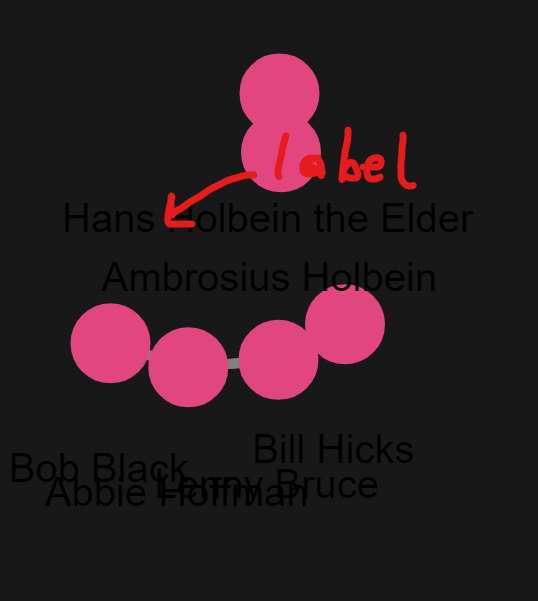
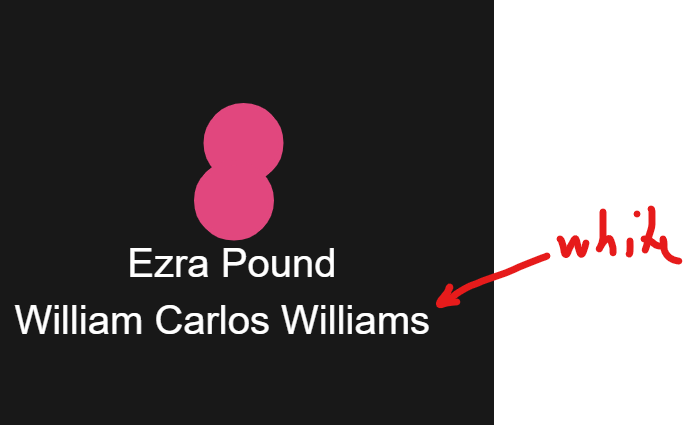
Using holoviews I can set the text_color of my labels to white

labels = hv.Labels(layout.nodes, ["x", "y"], "index").opts(
    xoffset=xval,
    yoffset=yval,
    text_font_size="6pt",
    text_color="white",
    responsive=True,
    height=400,
)
image

But I would like to set this once and for all using a bokeh theme. I’ve tried reading the documentation. I’ve tried changed my theme json. But I cannot get it working.

For example I’ve tried
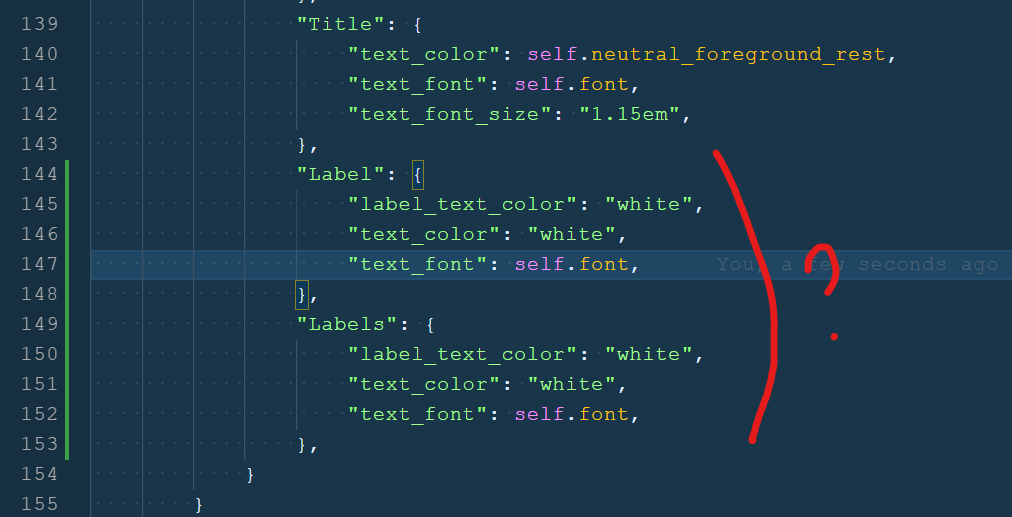
How can I set the label text_color to white via a Bokeh Theme?

⌁   Link to post
Bryan
Bryan

Expanding on that last thought: his also might be down to Holoviews, e.g if they are not using Bokeh’s Label class to implement their hv.Labels feature, then theming the Label class would have no effect (as expected). You might try theming LabelSet instead, in case that’s what their implementation uses (probably is, in fact).

As a gentle suggestion, it’s probably best to take any questions that are based on holoviews code to https://discourse.holoviz.org/ as a first step. I’m speculating about LabelSet, but they would immediately know for sure.

⌁   Link to post

End of archived discussion · Replies are disabled
