
Hi,
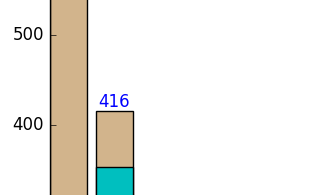
Is it possible to add data label in each column of Bokeh Bar chart?
Best,
 Read-only archive⌕
Hi,
Is it possible to add data label in each column of Bokeh Bar chart?
Best,

Yes, Just use a Label
/ LabelSet or TextGlyph.
My hunch would be that you want LabelSet:
http://bokeh.pydata.org/en/latest/docs/user_guide/annotations.html#labels
On 10/2/16 10:38 AM, Daniel Valbuena
wrote:
Hi,
Is it possible to add data label in each column of BokehBar chart?
Best,
–
You received this message because you are subscribed to the GoogleGroups “Bokeh Discussion - Public” group.
To unsubscribe from this group and stop receiving emails from it,send an email to bokeh+unsubscribe@continuum.io.
  To post to this group, send email to bokeh@continuum.io.

  To view this discussion on the web visit [https://groups.google.com/a/continuum.io/d/msgid/bokeh/96914541-84c7-435d-8cf4-064073436941%40continuum.io](https://groups.google.com/a/continuum.io/d/msgid/bokeh/96914541-84c7-435d-8cf4-064073436941%40continuum.io?utm_medium=email&utm_source=footer).

  For more options, visit [https://groups.google.com/a/continuum.io/d/optout](https://groups.google.com/a/continuum.io/d/optout).
–
Sarah Bird
Developer, Bokeh
[

](http://continuum.io)

End of archived discussion · Replies are disabled