

☰Read-only archive⌕
Looking for help with Bokeh?

This is a read-only archive. Ask questions and join the conversation on GitHub.

Visit Community Support on GitHub →
Archived discussions · Captured October 28, 2026

How to add exact legend location in Custom theme

Community Supporttemplate
Yogesh_Jadhav
Yogesh_Jadhav

I am creating customized theme of Bokeh as per guideline mentioned here.
I want legend to be located at bottom left side, outside the plot area.(more specifically, in border area). I tried to add location in JSON template for customized theme, but its not working out. Also, by specifying the legend’s location in absolute terms like
fig.add_layout(legend, ‘below’)
it comes at bottom center location.

So I need a guidance for adding exact location of legend in custom theme. So every time, I will get legends at bottom left of border area, when I use that theme.

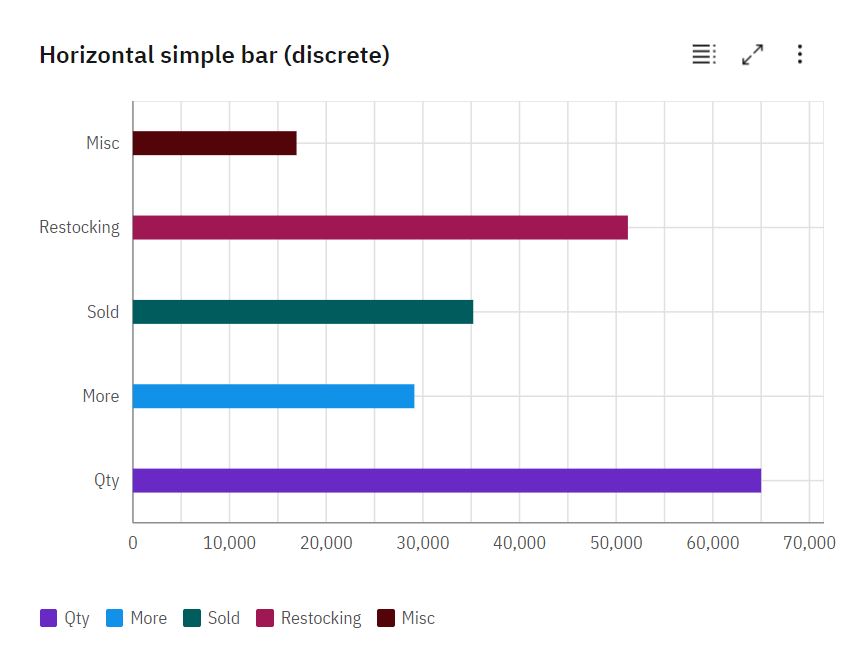
I have attached sample plot image which shows exact location of legends that I am looking for.
⌁   Link to post
Bryan
Bryan

You need to set the location property of the Legend to a fixed coordinate. I think in this case with the layout below you would want location=(0,0) but I don’t remember for sure, you will have to experiment. Once you have the right coordinates, the Legend.location should be theme-able like any other property (but you will have to perform an add_layout(layout, 'below') via code, that is not theme-able).

⌁   Link to post
Yogesh_Jadhav
Yogesh_Jadhav

Hey Bryan. Thanks for your reply. Steps mentioned by you are helpful. But, if we could able to add an ‘add_layout(layout, ‘below’)’ thing in custom theme it would be great. Bokeh can consider this for future release.

⌁   Link to post
Bryan
Bryan

It’s probably not likely to happen anytime soon, at least not at the pure Bokeh level any. Themes are only set up to provide new default literal values for properties. The location of an object in a layout is not an explicit property of the object itself, it is an implicit result doing something with the object (i.e. adding to a specific layout “bucket”).

It’s possible one of the higher level tools based on Bokeh e.g. Holoview or hvplot, etc. might be in a position to offer higher level theming capabilities.

⌁   Link to post

End of archived discussion · Replies are disabled

