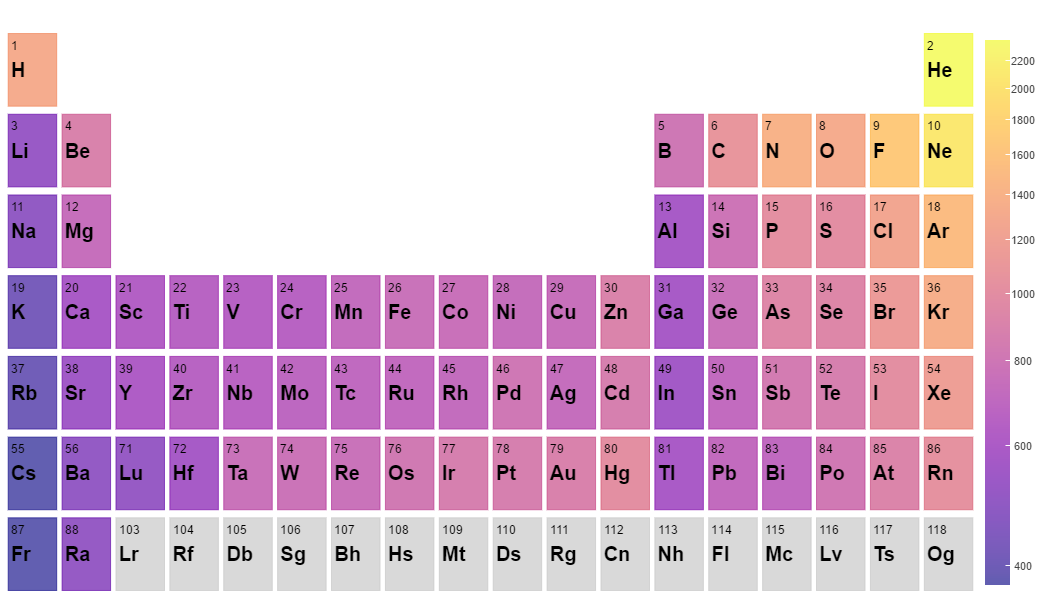
Hello. I am trying to figure out how to add a vertical text label to a vertical color bar. Please refer to my image here (also attached). I know that there is a title command, as mentioned in the documentation. However, if my color bar is vertical, the title is immediately above the bar and written horizontally. I would instead prefer to have the title to be written vertically, to the right of the color bar.
The main reason I want this is because I want to provide units for the values that are plotted. Writing the units horizontally extends the width of the figure too much (or gets cut off if I do not manually extend the width of the figure accordingly). I also think having it written vertically will look a lot better.
An alternate option I’d be interested in is appending text to each one of the numbers on the color bar. For instance, if the values I’m plotting are in kilograms, then I’d like to have each value read “600 kg”, “1000 kg”, etc. instead of just “600” and “1000”. Either solution would be sufficient for my purposes.
Any suggestions would be greatly appreciated!