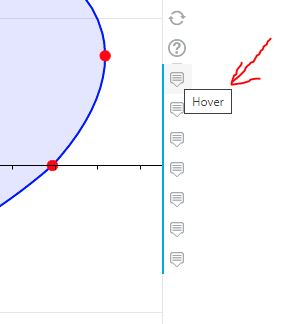
I have multiple hover icons on the panel and want to change the titles for each of them from “Hover” to something more specific.
 Read-only archive⌕
I have multiple hover icons on the panel and want to change the titles for each of them from “Hover” to something more specific.

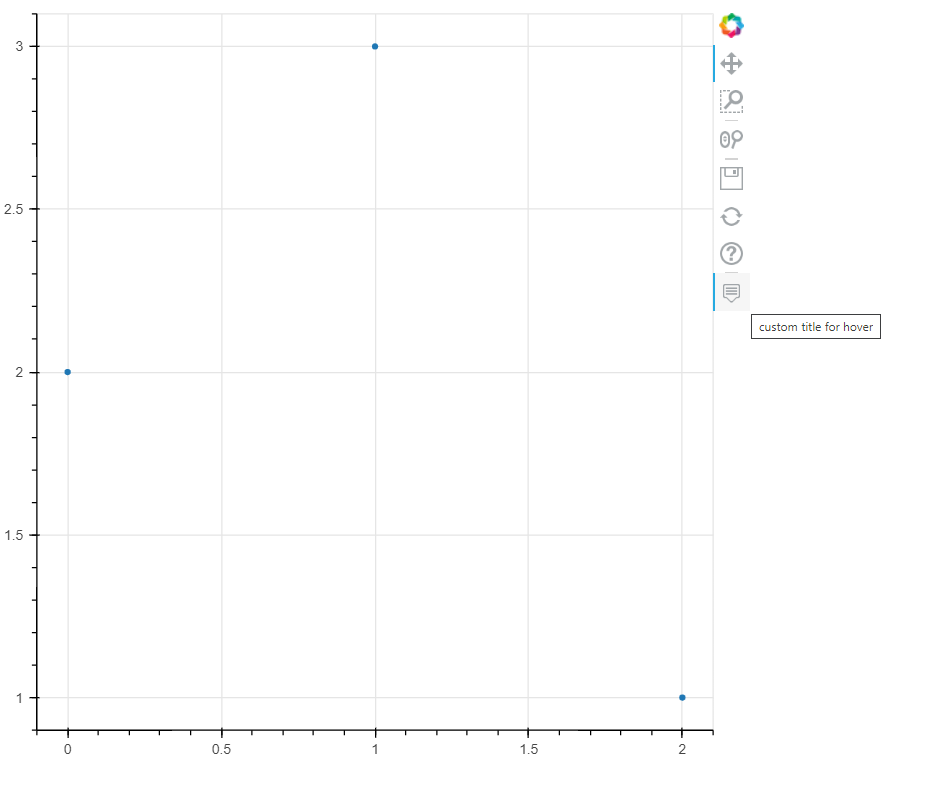
You need to modify the description property of the hooverTool tools — Bokeh 2.4.2 Documentation. For example
from bokeh.plotting import figure, show, save
from bokeh.models import ColumnDataSource, HoverTool, CustomJSHover, CustomJS

src = ColumnDataSource(data={'x':[0,1,2],'y':[2,3,1],'Fruit':['Banana','Orange','Apple'],'Veggie':['Brocolli','Spinach','Corn'],'hoverkey':['Fruitx','Fruitx','Veggiey']})

#make a tooltip dictionary based on hoverkey
tt_dict = {'Fruitx':[['Fruit:','@Fruit'],['X','@x']]
           ,'Veggiey':[['Veggie:','@Veggie'],['Y','@y']]
           }

f = figure()
r = f.scatter(x='x',y='y',source=src)

#instantiate a hovertool, pointing to the renderers we want
hvr = HoverTool(renderers=[r])  #but not spec'ing any tooltips for now

#customjs attached to the callback:
cb = CustomJS(args=dict(hvr=hvr, src=src, tt_dict=tt_dict) #pass in both the CDS and the HoverTool and the tt_dict
              ,code='''
              //src.inspected.indices reports the indices of the source you are hovered over
              if (src.inspected.indices.length>0){
                      //get the hoverkey for the hovered item
                      const k = src.data['hoverkey'][src.inspected.indices[0]]
                      //use tt_dict to set the tooltips to that key's value in tt_dict
                      hvr.tooltips = tt_dict[k]
                      }

              ''')
hvr.callback = cb #instructs this callback to trigger whenever the hoverTool function is called
hvr.description = 'custom title for hover '
f.add_tools(hvr)

show(f)

This topic was automatically closed 90 days after the last reply. New replies are no longer allowed.
End of archived discussion · Replies are disabled