☰Read-only archive⌕
Looking for help with Bokeh?

This is a read-only archive. Ask questions and join the conversation on GitHub.

Visit Community Support on GitHub →
Archived discussions · Captured October 28, 2026

Is there a way to style buttons of a ButtonGroup individually?

Community Support
Crysers
Crysers

Is there a way to style the individual buttons of a ButtonGroup (e.g CheckboxButtonGroup ) in bokeh 2.3.0 server application? By styling, I mean giving different colors to each of the options.
My first question is, if this is generally possible by using a .css file? I only found information on styling one single button using a css-class but not for a CheckboxButtonGroup.
Additionally, I would like to style them dynamically based on conditions in a callback like the following:

def change_color_of_button(attrname, old, new):
    if 0 in new:
        # MAKE THE BUTTON 0 DARK GREEN
        ...
    elif:
        # MAKE THE BUTTON 0 LIGHT GREEN
        ...
    if 1 in new:
        # MAKE THE BUTTON 1 DARK ORANGE
        ...
    elif:
        # MAKE THE BUTTON 1 LIGHT ORANGE
        ...
    ...

label_list = ['Option 1', 'Option 2', 'Option 3']
buttons = CheckboxButtonGroup(labels=label_list, active=[0])
buttons.on_change('active', change_color_of_button)

Is there a way to achieve this?

Edit:
I also posted this question on StackOverflow.

⌁   Link to post
Bryan
Bryan

Hi @Crysers, if you must cross-post questions in different forums (e.g. StackOverflow), we appreciate if you add cross-links everywhere, so that users finding any question can always get to an answer, regardless of where they find find the question.

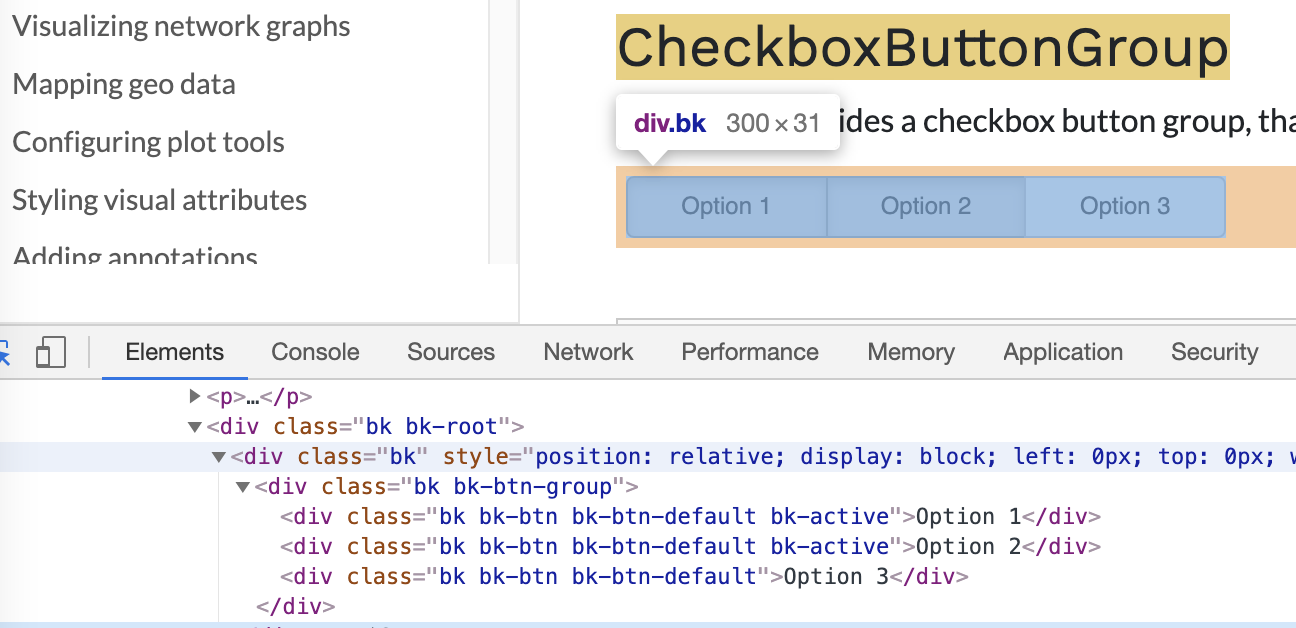
There is no direct API for this, any changes would have to be made via CSS.[1] However, I don’t think there are any good selectors to target at present:

There is a css_classes property that all widgets have that can be used to add arbitrary CSS classes, but in this case it would only apply to the top level CheckboxButtonGroup element, not the individual buttons.

It’s possible that the API could be expanded to support accepted CSS classes (or button types) per-button, but this would be new development. It would be appropriate to open a GitHub Issue to propose it as a new feature.

In the mean time, the only workaround I can suggest is to add individual Button objects in a row and manage the exclusive on/off state directly.


  1. Also probably possible to update from some JS code but that’s even more involved. ↩︎

⌁   Link to post

End of archived discussion · Replies are disabled