☰Read-only archive⌕
Looking for help with Bokeh?

This is a read-only archive. Ask questions and join the conversation on GitHub.

Visit Community Support on GitHub →
Archived discussions · Captured October 28, 2026

Jupyter Notebook server example not showing in Windows

Community Supportserver
Wall.E
Wall.E

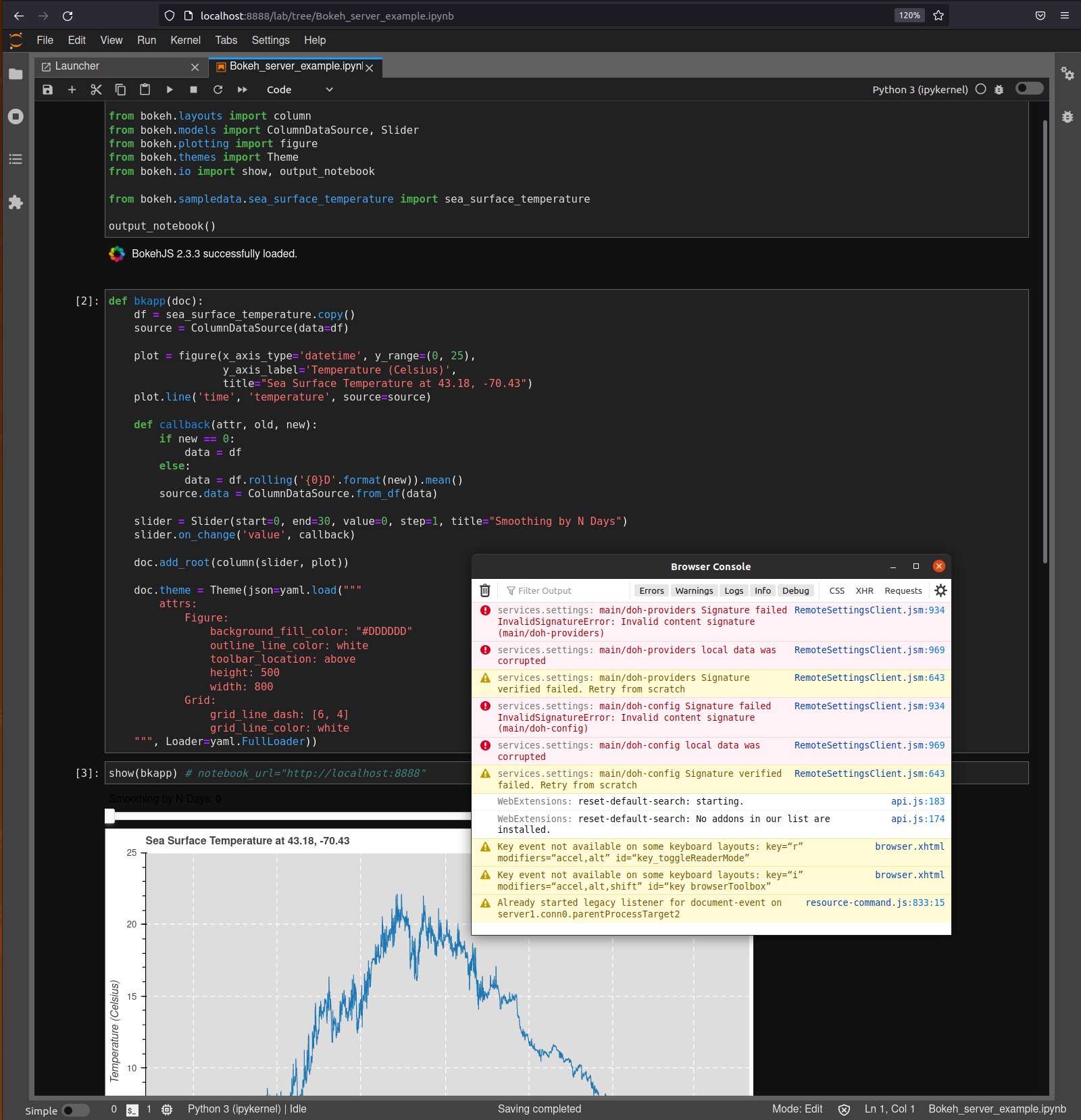
I am trying to run the example of embedding a Bokeh server in a Notebook but the app won’t show anywhere, no tab opening, no error. The notebook is running at the default URL (localhost:8888).

I am running Windows 10 / miniconda3. Python 3.8.5

bokeh                     2.3.3
jupyter_bokeh             3.0.2 
jupyter_client            6.1.12
jupyter_core              4.7.1
jupyter_server            1.4.1
jupyterlab                3.0.16
jupyterlab_pygments       0.1.2
jupyterlab_server         2.6.1
jupyterlab_widgets        1.0.0
notebook                  6.4.0
python                    3.8.5
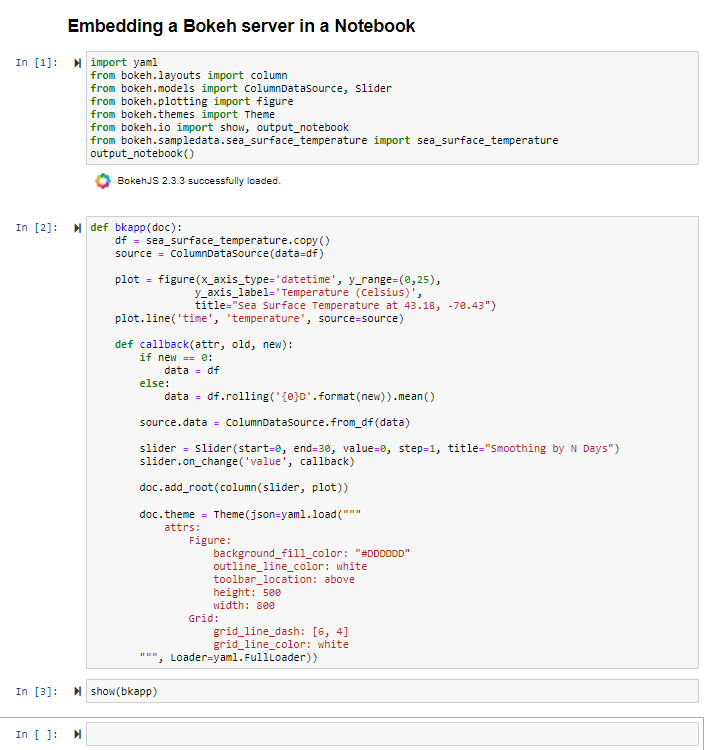
Am I missing something? Or is this Bokeh server app example only for linux and not Windows? Other server examples using the ScriptHandler are working fine (e.g. the single module format example.)

⌁   Link to post
Wall.E
Wall.E

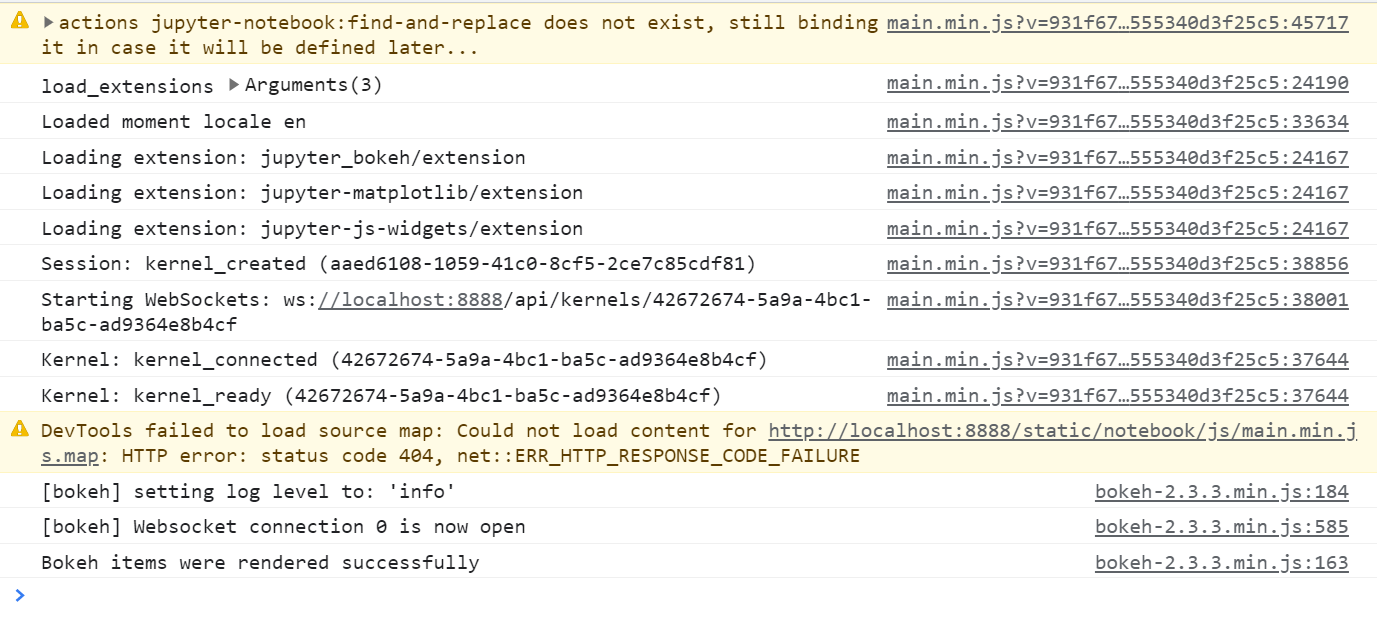
Thanks for that pointer. So here is what I get when I run the notebook. When I start the notebook, I get all the lines till DevTools failed to load source map (...).
The the next two lines are when I execute all the cells before the last one.
When I execute the last cell with show(bkapp), in the console I just get the last line with Bokeh items were rendered successfully, but nothing actually shows up.


.

⌁   Link to post
carolyn
carolyn

I don’t have an answer for you [yet], but I strongly suspect that it’s to do with Jupyter rather than Bokeh. I just tested out the notebook to see if we didn’t catch a problem in a recent release, but it works like a charm in both Chrome and Firefox for me.

The “find-and-replace does not exist” error message seems suspicious to me, and was present on another unsolved (as far as this Discourse) notebook problem, as well as a similar issue involving Plotly that I found out on the greater internet.

I would start by trying a different browser and seeing what happens, at least to get more data.

⌁   Link to post
Bryan
Bryan

If the messages don’t have “bokeh” somewhere in them, they are typically not coming from Bokeh (with very few exceptions). So, almost all the output above is not coming from Bokeh, and the ones that are from Bokeh look nominal / normal. I’ll have to see about getting a Windows VM set up this weekend to actually try to reproduce directly.

The only other thing I can suggest for now, just to collect another data point, is to try in the classic notebook instead of jupyterlab.

⌁   Link to post

End of archived discussion · Replies are disabled