☰Read-only archive⌕
Looking for help with Bokeh?

This is a read-only archive. Ask questions and join the conversation on GitHub.

Visit Community Support on GitHub →
Archived discussions · Captured October 28, 2026

Migrating from components to json_items

Community Support
hdoupe
hdoupe

Hi all,

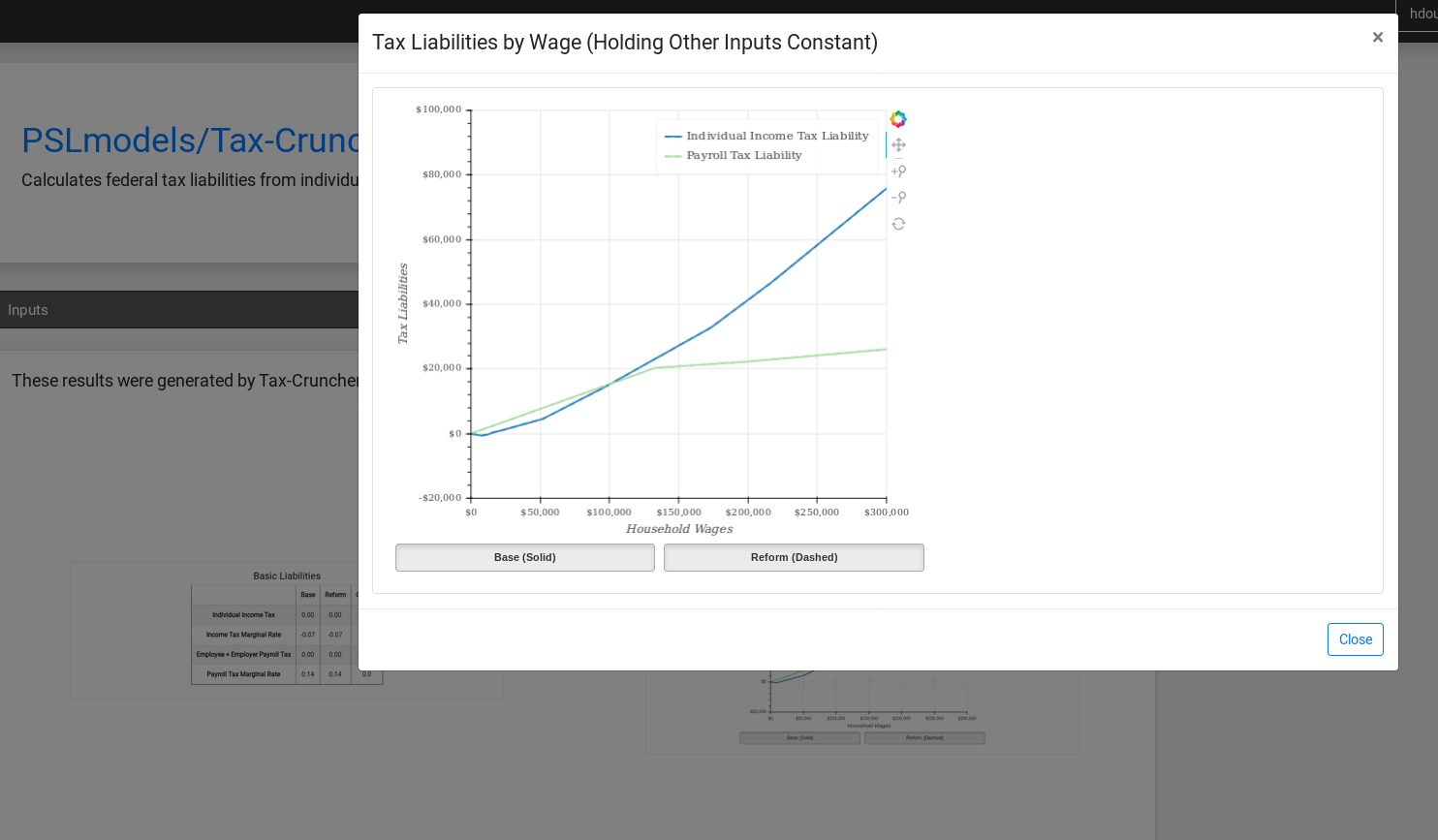
I maintain an open-source platform for publishing and sharing computational models. We have thousands of pre-computed, stand-alone bokeh plots on pages like this: Compute Studio

The plots were all created using the components function. I’m in the process of re-writing the code that renders these plots with ReactJS. I initially tried embedding the data like it’s embedded in a HTML file:

const Bokeh: React.FC<{ output: BokehOutput }> = ({ output }) => (
  <div>
    <div
      dangerouslySetInnerHTML={{
        __html: output.html + " " + output.javascript
      }}
    ></div>
  </div>
);

However, for good reason, browsers don’t make it easy to just embed scripts in an existing document.

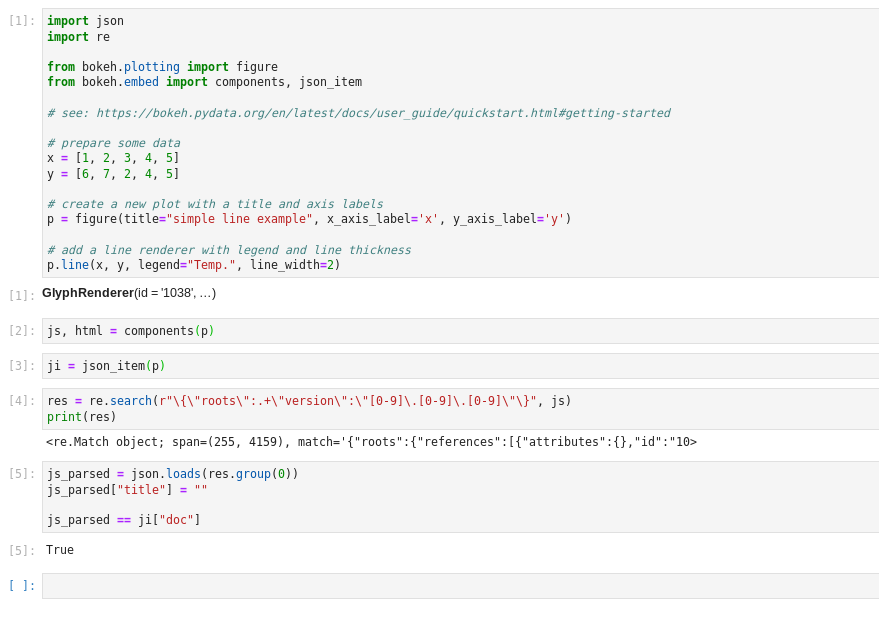
Is there a way to convert the data created from the components function to the format returned by json_item? Being able to convert the existing outputs will make it easy to embed them with the Bokeh JS API like this.

If anyone has any ideas or feedback, I’d really appreciate it. Thanks in advance to anyone who has time to take a look at this!

⌁   Link to post
Bryan
Bryan

There is no supported way. To be honest I had never imagined anyone storing the output of components. The only use cases we had in mind were folks creating content and immediately using it in e.g. Flask or Django templates, that’s the use-case that it was specifically created to address. So no consideration was ever given to any sort of “post processing”. Regex or perhaps something with BeautifulSoup is probably your best bet. (Apart from re-generating the plot entirely using json_items, of course, but presumably that it not an option.)

⌁   Link to post
hdoupe
hdoupe

@Bryan, thanks for your reply! I really appreciate it!

Oh, I see–I probably should have thought more about this. But, FYI, being able to tell people who publish their models on Compute Studio that they can create bokeh plots (we don’t support call backs, at least right now) and all we have to do is store and render them has worked out really well for us over the past ~6 months or so.

I was able to use regex and things work for the most part now:

const BokehComponent: React.FC<{ output: BokehOutput }> = ({ output }) => {
  let js = output.data.javascript;
  let exp = RegExp('{"roots":.+"version":"[0-9].[0-9].[0-9]"}');
  let res = exp.exec(js);
  console.log(res);
  console.log(JSON.parse(res[0]));
  let parsed = JSON.parse(res[0]);
  let root_id = parsed.roots.root_ids[0];
  let json_item = {
    target_id: output.id,
    root_id: root_id,
    doc: parsed
  };
  console.log(output.data.html);
  console.log(output.id);
  // @ts-ignore
  window.Bokeh.embed.embed_item(json_item);
  return (
    <Card>
      <Card.Body>
        <div id={output.id} data-root-id={root_id} className="bk-root"></div>
      </Card.Body>
    </Card>
  );
};

The code is pretty ugly but it will work for preserving backwards compatibility with existing plots:

I am running into this error when I click on buttons on the plot:

SyntaxError: invalid escape sequence 2 bokeh-1.3.4.min.js:3
    bind_constructFunctionN self-hosted:1221
    Function self-hosted:1150
    get bokeh-1.3.4.min.js:31
    execute bokeh-1.3.4.min.js:31
    click bokeh-widgets-1.3.4.min.js:31
    click bokeh-widgets-1.3.4.min.js:31
    render bokeh-widgets-1.3.4.min.js:31
    sentryWrapped helpers.ts:90

If you have ideas for where I can look to resolve this, that’d be helpful. If not, I understand that I’m pretty far outside the normal use case.

⌁   Link to post
Bryan
Bryan

Offhand, I’d say this is possibly some issue with quoting gone amiss. I don’t really have anything concrete beyond that. If you have an actual (small) example of a converted plot you can share it might shed some light.

⌁   Link to post
hdoupe
hdoupe

Thanks! That’d be great. Let me know if you notice anything. Here’s a codepen where the plot is generated from data retrieved directly from json_item: https://codepen.io/hdoupe/pen/GRRjEXP (works flawlessly!)

Here’s a codepen converting data from the components function: https://codepen.io/hdoupe/pen/abbmyOq (buttons don’t work)

Here’s the python code used to generate the plots:

# run in a notebook
import os
import json
import traceback
import paramtools
import pandas as pd
import inspect


from bokeh.embed import components, json_item
from bokeh.layouts import column, row, WidgetBox, layout
from bokeh.palettes import Spectral4
from bokeh.plotting import figure, show
from bokeh.models import ColumnDataSource, CustomJS, Toggle, NumeralTickFormatter, LinearAxis, Range1d, Span, Label
from bokeh.io import output_notebook

output_notebook()

import numpy as np

x = [1, 2, 3, 4, 5]
y = [6, 7, 2, 4, 5]
z = [7, 8, 9, 10, 11]

# create a new plot with a title and axis labels
fig = figure(title="simple toggle example", x_axis_label='x', y_axis_label='y')

# add a line renderer with legend and line thickness
xy = fig.line(x, y, legend="xy.", line_width=2)
xz = fig.line(x, z, legend="xz.", line_width=2)

plot_js = """
object1.visible = toggle.active
object2.visible = toggle.active
"""

xy_callback = CustomJS(code=plot_js, args={})
xy_toggle = Toggle(label="XY", button_type="default",
                     callback=xy_callback, active=True)
xy_callback.args = {"toggle": xy_toggle, "object1": xy}

xz_callback = CustomJS(code=plot_js, args={})
xz_toggle = Toggle(label="XZ", button_type="default",
                       callback=xz_callback, active=True)
xz_callback.args = {"toggle": xz_toggle, "object1": xz}

layout = column(fig, row(xy_toggle, xz_toggle))

# show(layout)

print(components(layout))

print(
    json.dumps(json_item(layout))
)

⌁   Link to post
Bryan
Bryan

Oh I misunderstood, I thought you were intending to re-process the stored scripts into JSON once (e.g with a Python script), and then re-store them… I didn’t realize you meant to always process the existing scripts “on the fly” in the browser. I will try to take a look but FWIW this seems like it will be fragile.

⌁   Link to post
hdoupe
hdoupe

Whoops, I should have been more clear. I’m just trying to see how well the regexp parsing approach works before I run it on all of the stored outputs. Once it looks like all of the outputs are being converted correctly, then I’ll run it on the full database.

⌁   Link to post
Bryan
Bryan

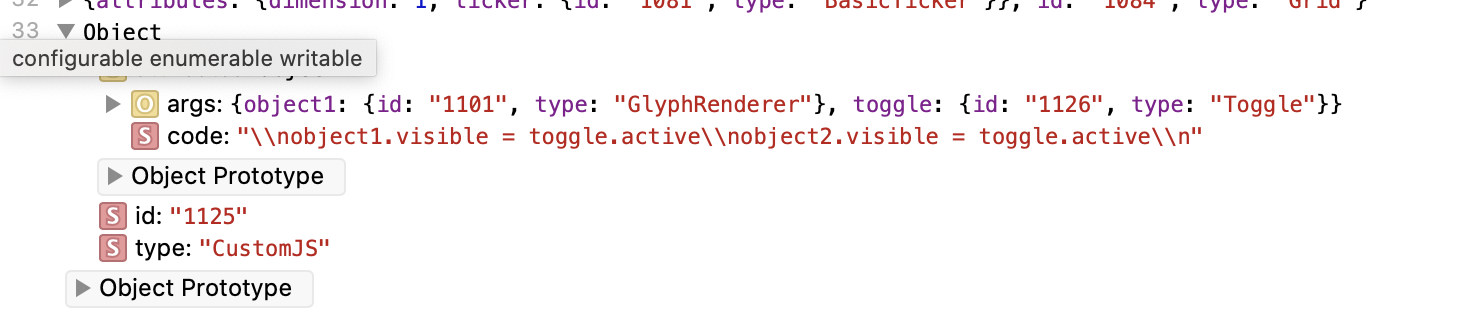
Yeah if you look at the CustomJS code property you can see some bad escapes:

All the \\n should presumably be real newlines, i.e. just \n. Basically this code text is being escaped twice now.

That’s the problem [1], but I am not sure how best to fix it.

Once it looks like all of the outputs are being converted correctly, then I’ll run it on the full database.

Got it, that seems like a much more maintainable path :slight_smile:


  1. Well that’s a problem, we can hope it’s also the only problem! ↩︎

⌁   Link to post
hdoupe
hdoupe

Ahhh, I see. Thanks so much for looking into this. I really appreciate it.

  1. Well that’s a problem, we can hope it’s also the only problem! :leftwards_arrow_with_hook:︎

Ha, right…I’m simply regex-ing a bunch of random script tags. What could possibly go wrong?

⌁   Link to post
hdoupe
hdoupe

In case some other poor soul comes across this discussion, here’s the regex that worked for the plots that I have stored:

let js = output.data.javascript;
let exp = RegExp('{"roots":.+"version":"[0-9].[0-9].[0-9]"}');
let res = exp.exec(js);
let betterEscapes = res[0]
  .replace(/&gt;/g, ">")
  .replace(/&lt;/g, "<")
  .replace(/\\\\n/g, "\\n")
  .replace(/\\\\\"/g, '\\"');
let parsed = JSON.parse(betterEscapes);
⌁   Link to post

End of archived discussion · Replies are disabled