Hi all,
I’m currently learning about the HoverTool and have some questions.
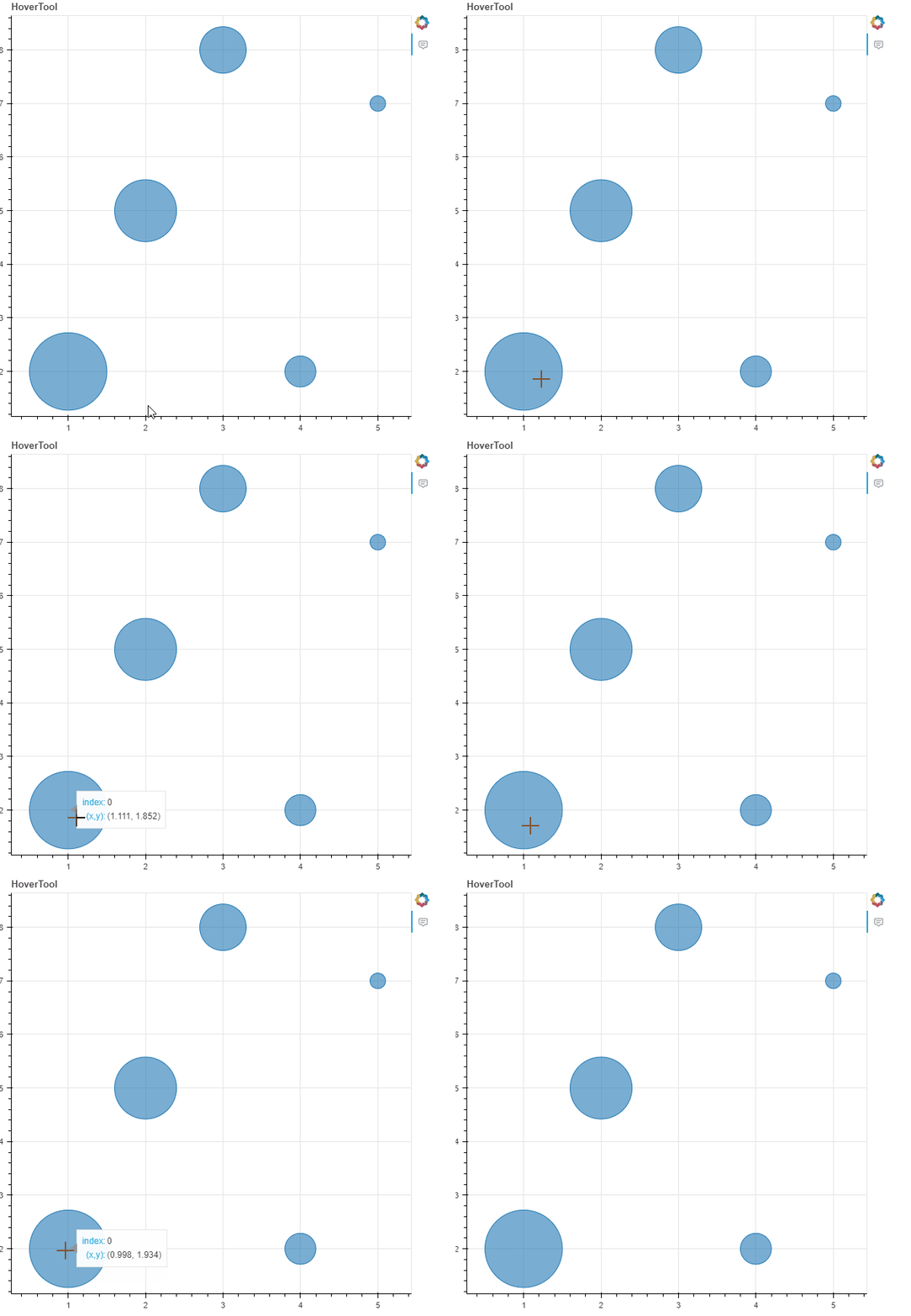
Regarding the CustomJS callback: I’ve drawn some circles and applied the HoverTool, but I want the tooltips to appear only when I hover near the center of each circle. I tried changing the anchor="center_center", but it didn’t work. So, I came up with an idea to use CustomJS instead.
from bokeh.plotting import figure, show
from bokeh.models import ColumnDataSource, HoverTool, CustomJS


data = {"x": [1, 2, 3, 4, 5], "y": [2, 5, 8, 2, 7], "radius": [0.5, 0.4, 0.3, 0.2, 0.1]}

source = ColumnDataSource(data=data)

p = figure(tools="", title="HoverTool")

circles = p.circle("x", "y", radius="radius", source=source, fill_alpha=0.6)

hover = HoverTool(
    tooltips=[("index", "$index"), ("(x,y)", "($x, $y)")], anchor="center_center"
)
p.add_tools(hover)

hover.callback = CustomJS(
    args=dict(hover=hover, source=source),
    code="""
    var indices = cb_data.index.indices;
    if (indices.length !== 0){
        let data_x
        let data_y
        for (let i = 0; i < indices.length; i++){
            const glyph_id = indices[i];
            data_x = source.data.x[glyph_id];
            data_y = source.data.y[glyph_id];
        }
        let x = cb_data.geometry.x;
        let y = cb_data.geometry.y;
        if (Math.abs(x-data_x)<0.25&&Math.abs(y-data_y)<0.25){
            console.log("Permitted!");
            cb_obj.visible = true;
        }else{
            cb_obj.visible = false;
        }

    }
""",
)

show(p)
I set cb_obj.visible = false when the conditions aren’t met, but the tooltips keep appearing.
Regarding Changing the CSS: I haven’t found a way to directly change the CSS of the tooltips using a stylesheet. Currently, I’m modifying it using a MutationObserver in JavaScript.
function ModifyHoverTool() {
    const observer = new MutationObserver((mutationsList) => {
        mutationsList.forEach((mutation) => {
            if (mutation.type === "childList") {
                mutation.addedNodes.forEach((node) => {
                    if (
                        node.nodeType === 1 &&
                        node.classList.contains(
                            "bk-Tooltip",
                            "bk-show-arrow",
                            "bk-non-interactive"
                        ) &&
                        (node.classList.contains("bk-right") ||
                            node.classList.contains("bk-above") ||
                            node.classList.contains("bk-below") ||
                            node.classList.contains("bk-left"))
                    ) {
                        node.style.background = "transparent";
                        node.style.border = "none";

                        const vwToPx = (window.innerWidth * 1.2) / 100;
                        const vhToPx = (window.innerWidth * 1.2) / 100;


                        if (node.classList.contains("bk-right")) {
                            node.style.left = `${
                                parseFloat(node.style.left) - vwToPx
                            }px`;
                        } else if (node.classList.contains("bk-left")) {
                            node.style.left = `${
                                parseFloat(node.style.left) + vwToPx
                            }px`;
                        } else if (node.classList.contains("bk-above")) {
                            node.style.top = `${
                                parseFloat(node.style.top) + vhToPx
                            }px`;
                        } else if (node.classList.contains("bk-below")) {
                            node.style.top = `${
                                parseFloat(node.style.top) - vhToPx
                            }px`;
                        }

                        Array.from(
                            node.shadowRoot.querySelector(".bk-tooltip-content")
                                .firstElementChild.children
                        ).forEach((childDiv) => {
                            Object.assign(childDiv.style, {
                                height: "100%",
                                width: "100%",
                                display: "block",
                                border: "1px solid black",
                                margin: "2px",
                                background: "white",
                                borderRadius: "4px",
                            });
                        });
                    }
                });
            }
        });
    });

    observer.observe(document.body, { childList: true, subtree: true });
}

ModifyHoverTool();
Is there a better way to do it using Python only or CustomJS callback ?
Appreciate any help.