☰Read-only archive⌕
Looking for help with Bokeh?

This is a read-only archive. Ask questions and join the conversation on GitHub.

Visit Community Support on GitHub →
Archived discussions · Captured October 28, 2026

multiple plots share same "save"

Community Support
peng_wang
peng_wang

Hi guys,

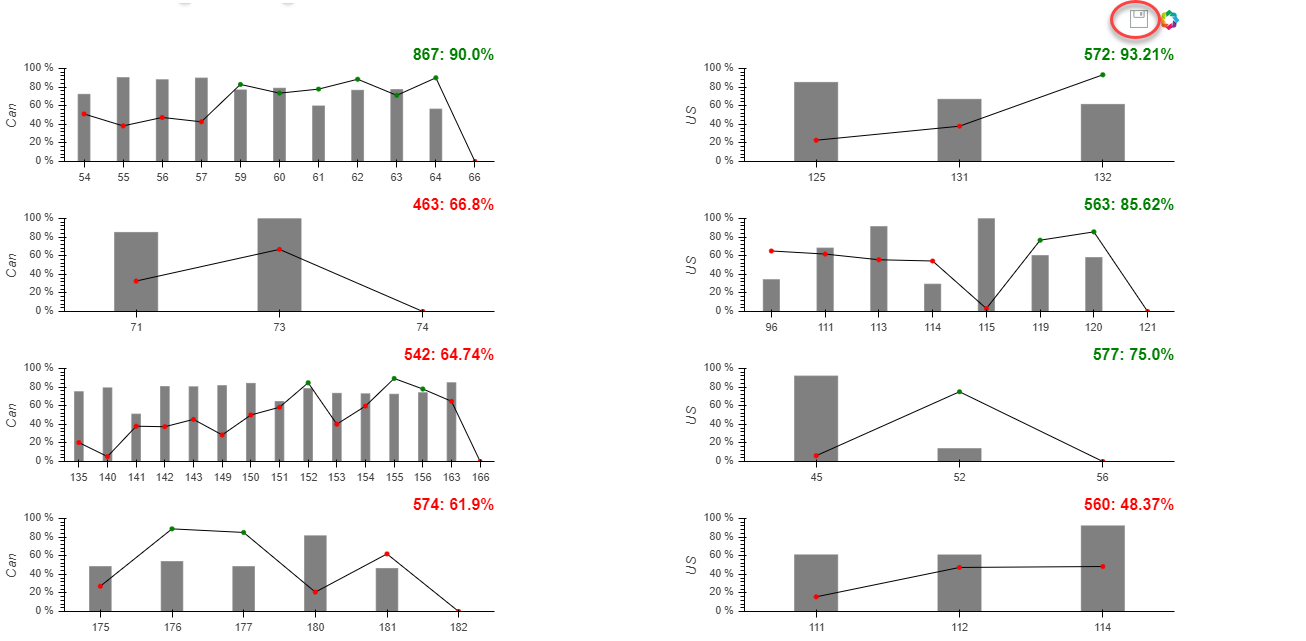
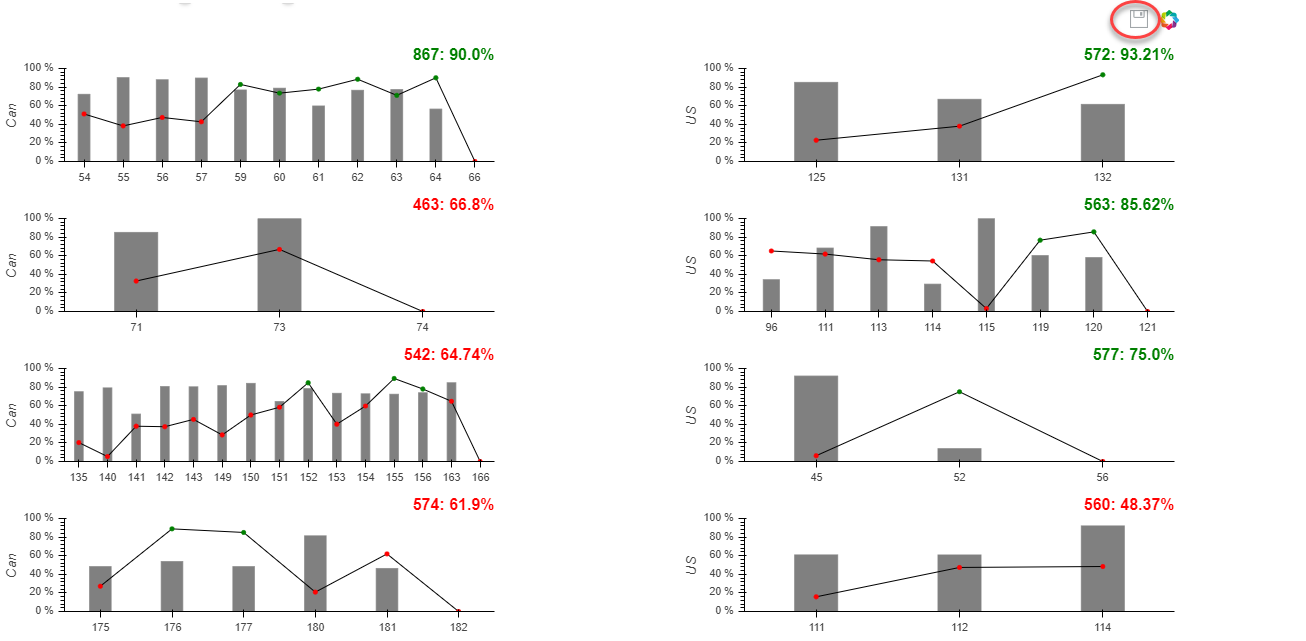
if I try to share “save” tool across multiple plots, how could I could do? thanks

2019-02-11_10-54-41.png

my code like this:

TOOLS = [SaveTool(), HoverTool()]

rig_plot1 = figure(x_range = FactorRange(), \

plot_width = 500, \

plot_height = 150, \

tools = TOOLS)
rig_plot2 = figure(x_range = FactorRange(), \

plot_width = 500, \

plot_height = 150, \

tools = TOOLS)
rig_plot3 = figure(x_range = FactorRange(), \

plot_width = 500, \

plot_height = 150, \

tools = TOOLS)

``

It can not work as I expected. but, this solution can allow me to save plot one by one

Welcome any clue, thank.

⌁   Link to post
peng_wang
peng_wang

BTW, every plot has their own specific datasource.

···

On Monday, February 11, 2019 at 11:00:20 AM UTC-7, peng wang wrote:

Hi guys,

if I try to share “save” tool across multiple plots, how could I could do? thanks

my code like this:

TOOLS = [SaveTool(), HoverTool()]

rig_plot1 = figure(x_range = FactorRange(), \

plot_width = 500, \

plot_height = 150, \

tools = TOOLS)
rig_plot2 = figure(x_range = FactorRange(), \

plot_width = 500, \

plot_height = 150, \

tools = TOOLS)
rig_plot3 = figure(x_range = FactorRange(), \

plot_width = 500, \

plot_height = 150, \

tools = TOOLS)

``

It can not work as I expected. but, this solution can allow me to save plot one by one

Welcome any clue, thank.

⌁   Link to post
Bryan
Bryan

Hi,

This is not currently possible. There is an open feature request issue you can follow:

  Save tool in gridplot initiates multiple downloads · Issue #8531 · bokeh/bokeh · GitHub

Thanks,

Bryan

···

On Feb 11, 2019, at 10:00, peng wang <pmjz.wang@gmail.com> wrote:

Hi guys,

if I try to share "save" tool across multiple plots, how could I could do? thanks

<2019-02-11_10-54-41.png>

my code like this:

TOOLS = [SaveTool(), HoverTool()]

rig_plot1 = figure(x_range = FactorRange(), \
                          plot_width = 500, \
                          plot_height = 150, \
                          tools = TOOLS)
rig_plot2 = figure(x_range = FactorRange(), \
                          plot_width = 500, \
                          plot_height = 150, \
                          tools = TOOLS)
rig_plot3 = figure(x_range = FactorRange(), \
                          plot_width = 500, \
                          plot_height = 150, \
                          tools = TOOLS)

It can not work as I expected. but, this solution can allow me to save plot one by one

Welcome any clue, thank.

--
You received this message because you are subscribed to the Google Groups "Bokeh Discussion - Public" group.
To unsubscribe from this group and stop receiving emails from it, send an email to bokeh+unsubscribe@continuum.io.
To post to this group, send email to bokeh@continuum.io.
To view this discussion on the web visit https://groups.google.com/a/continuum.io/d/msgid/bokeh/ace79014-c5f3-4ec4-adf9-f2bbfd116666%40continuum.io\.
For more options, visit https://groups.google.com/a/continuum.io/d/optout\.
<2019-02-11_10-54-41.png>

⌁   Link to post
peng_wang
peng_wang

good to know, If I try to print this plot, how could I do then? thanks

···

On Monday, February 11, 2019 at 11:05:13 AM UTC-7, Bryan Van de ven wrote:

Hi,

This is not currently possible. There is an open feature request issue you can follow:

    [https://github.com/bokeh/bokeh/issues/8531](https://github.com/bokeh/bokeh/issues/8531)

Thanks,

Bryan

On Feb 11, 2019, at 10:00, peng wang pmjz...@gmail.com wrote:

Hi guys,

if I try to share “save” tool across multiple plots, how could I could do? thanks

<2019-02-11_10-54-41.png>

my code like this:

TOOLS = [SaveTool(), HoverTool()]

rig_plot1 = figure(x_range = FactorRange(), \

                      plot_width = 500, \
                      plot_height = 150, \
                      tools = TOOLS)

rig_plot2 = figure(x_range = FactorRange(), \

                      plot_width = 500, \
                      plot_height = 150, \
                      tools = TOOLS)

rig_plot3 = figure(x_range = FactorRange(), \

                      plot_width = 500, \
                      plot_height = 150, \
                      tools = TOOLS)

It can not work as I expected. but, this solution can allow me to save plot one by one

Welcome any clue, thank.

–
You received this message because you are subscribed to the Google Groups “Bokeh Discussion - Public” group.

To unsubscribe from this group and stop receiving emails from it, send an email to bokeh+un...@continuum.io.

To post to this group, send email to bo...@continuum.io.

To view this discussion on the web visit https://groups.google.com/a/continuum.io/d/msgid/bokeh/ace79014-c5f3-4ec4-adf9-f2bbfd116666%40continuum.io.

For more options, visit https://groups.google.com/a/continuum.io/d/optout.

<2019-02-11_10-54-41.png>

⌁   Link to post
Bryan
Bryan

Hi,

Bokeh's Python API function export_png can grab an entire document in one PNG, including grid plots. Otherwise I think you would have to look at coordinating Selenium and a headless browser to capture an image (which is all export_png does under the covers, anyway).

I can't think of any current way to be able to do this from within the browser, i.e. with a plot tool.

THanks,

Bryan

···

On Feb 11, 2019, at 10:15, peng wang <pmjz.wang@gmail.com> wrote:

good to know, If I try to print this plot, how could I do then? thanks

On Monday, February 11, 2019 at 11:05:13 AM UTC-7, Bryan Van de ven wrote:
Hi,

This is not currently possible. There is an open feature request issue you can follow:

        Save tool in gridplot initiates multiple downloads · Issue #8531 · bokeh/bokeh · GitHub

Thanks,

Bryan

> On Feb 11, 2019, at 10:00, peng wang <pmjz...@gmail.com> wrote:
>
> Hi guys,
>
> if I try to share "save" tool across multiple plots, how could I could do? thanks
>
> <2019-02-11_10-54-41.png>
>
>
>
> my code like this:
>
>
> TOOLS = [SaveTool(), HoverTool()]
>
> rig_plot1 = figure(x_range = FactorRange(), \
> plot_width = 500, \
> plot_height = 150, \
> tools = TOOLS)
> rig_plot2 = figure(x_range = FactorRange(), \
> plot_width = 500, \
> plot_height = 150, \
> tools = TOOLS)
> rig_plot3 = figure(x_range = FactorRange(), \
> plot_width = 500, \
> plot_height = 150, \
> tools = TOOLS)
>
>
>
>
> It can not work as I expected. but, this solution can allow me to save plot one by one
>
>
>
> Welcome any clue, thank.
>
>
>
>
> --
> You received this message because you are subscribed to the Google Groups "Bokeh Discussion - Public" group.
> To unsubscribe from this group and stop receiving emails from it, send an email to bokeh+un...@continuum.io.
> To post to this group, send email to bo...@continuum.io.
> To view this discussion on the web visit https://groups.google.com/a/continuum.io/d/msgid/bokeh/ace79014-c5f3-4ec4-adf9-f2bbfd116666%40continuum.io\.
> For more options, visit https://groups.google.com/a/continuum.io/d/optout\.
> <2019-02-11_10-54-41.png>

--
You received this message because you are subscribed to the Google Groups "Bokeh Discussion - Public" group.
To unsubscribe from this group and stop receiving emails from it, send an email to bokeh+unsubscribe@continuum.io.
To post to this group, send email to bokeh@continuum.io.
To view this discussion on the web visit https://groups.google.com/a/continuum.io/d/msgid/bokeh/e52621ee-8b55-4082-9d8f-d0a0d11fbbe3%40continuum.io\.
For more options, visit https://groups.google.com/a/continuum.io/d/optout\.

⌁   Link to post
tony12624120
tony12624120

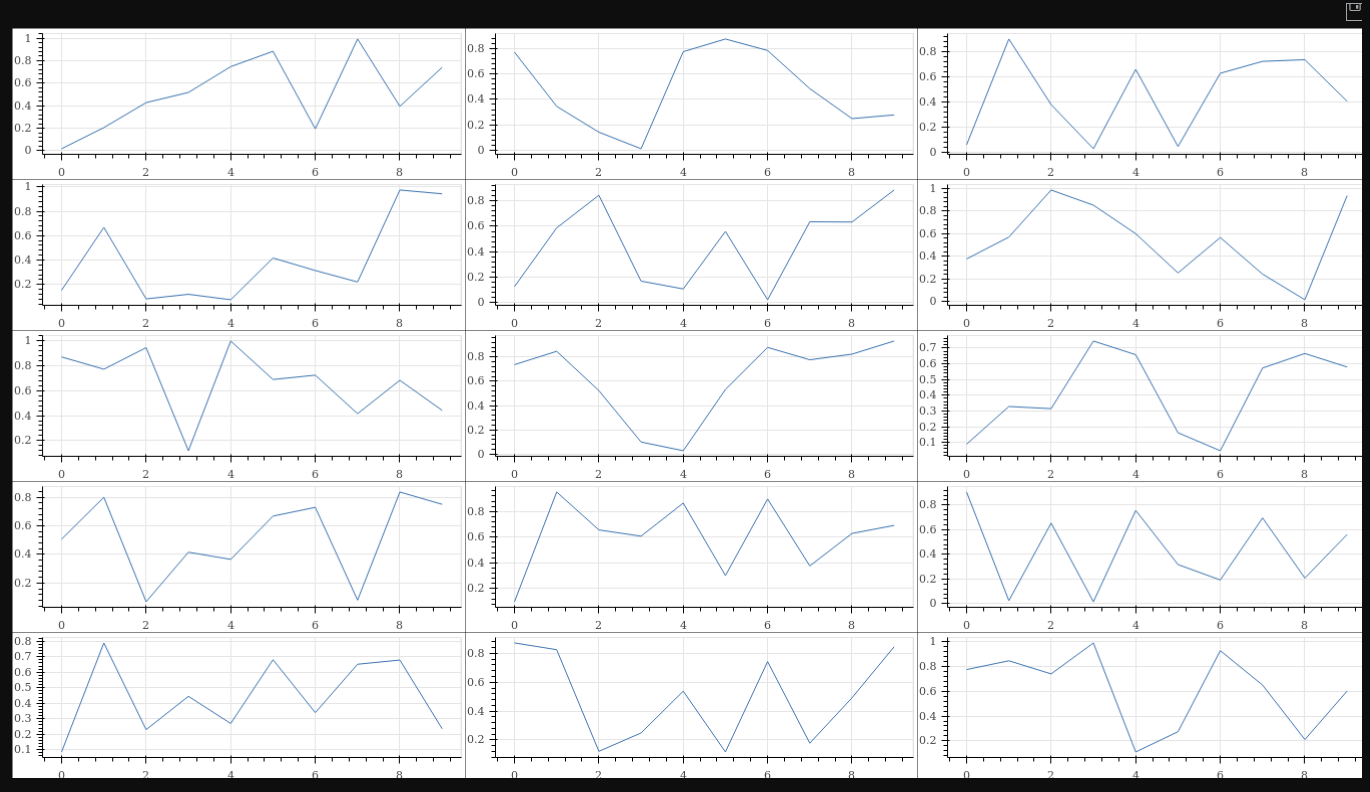
The following code works just fine using the export_png() method:

import numpy as np
from bokeh.layouts import gridplot
from bokeh.plotting import figure, show
from bokeh.io import export_png

plots = [figure(plot_height = 200, tools = ‘save’) for i in range(15)]
[plot.line(np.arange(10), np.random.random(10)) for plot in plots]
all = gridplot(plots, merge_tools = True, ncols = 3, sizing_mode = ‘scale_width’, toolbar_options = dict(logo = None))
export_png(all, filename = “gridplot_new.png”)
show(all)

``

Bokeh info:

Python version : 3.5.1 (default, Feb 1 2019, 21:29:47)
IPython version : (not installed)
Tornado version : 4.5.3
Bokeh version : 1.0.4
BokehJS static path : /usr/local/lib/python3.5/site-packages/bokeh/server/static
node.js version : v6.16.0
npm version : 3.10.10

``

···

On Monday, February 11, 2019 at 8:25:34 PM UTC+1, Bryan Van de ven wrote:

Hi,

Bokeh’s Python API function export_png can grab an entire document in one PNG, including grid plots. Otherwise I think you would have to look at coordinating Selenium and a headless browser to capture an image (which is all export_png does under the covers, anyway).

I can’t think of any current way to be able to do this from within the browser, i.e. with a plot tool.

THanks,

Bryan

On Feb 11, 2019, at 10:15, peng wang pmjz...@gmail.com wrote:

good to know, If I try to print this plot, how could I do then? thanks

On Monday, February 11, 2019 at 11:05:13 AM UTC-7, Bryan Van de ven wrote:

Hi,

This is not currently possible. There is an open feature request issue you can follow:

    [https://github.com/bokeh/bokeh/issues/8531](https://github.com/bokeh/bokeh/issues/8531)

Thanks,

Bryan

On Feb 11, 2019, at 10:00, peng wang pmjz...@gmail.com wrote:

Hi guys,

if I try to share “save” tool across multiple plots, how could I could do? thanks

<2019-02-11_10-54-41.png>

my code like this:

TOOLS = [SaveTool(), HoverTool()]

rig_plot1 = figure(x_range = FactorRange(),
plot_width = 500,
plot_height = 150,
tools = TOOLS)
rig_plot2 = figure(x_range = FactorRange(),
plot_width = 500,
plot_height = 150,
tools = TOOLS)
rig_plot3 = figure(x_range = FactorRange(),
plot_width = 500,
plot_height = 150,
tools = TOOLS)

It can not work as I expected. but, this solution can allow me to save plot one by one

Welcome any clue, thank.

–
You received this message because you are subscribed to the Google Groups “Bokeh Discussion - Public” group.
To unsubscribe from this group and stop receiving emails from it, send an email to bokeh+un...@continuum.io.
To post to this group, send email to bo...@continuum.io.
To view this discussion on the web visit https://groups.google.com/a/continuum.io/d/msgid/bokeh/ace79014-c5f3-4ec4-adf9-f2bbfd116666%40continuum.io.
For more options, visit https://groups.google.com/a/continuum.io/d/optout.
<2019-02-11_10-54-41.png>

–
You received this message because you are subscribed to the Google Groups “Bokeh Discussion - Public” group.

To unsubscribe from this group and stop receiving emails from it, send an email to bokeh+un...@continuum.io.

To post to this group, send email to bo...@continuum.io.

To view this discussion on the web visit https://groups.google.com/a/continuum.io/d/msgid/bokeh/e52621ee-8b55-4082-9d8f-d0a0d11fbbe3%40continuum.io.

For more options, visit https://groups.google.com/a/continuum.io/d/optout.

⌁   Link to post
tony12624120
tony12624120

You may also need:

node:

phantomjs-prebuilt@2.1.16

executables:

/usr/bin/google-chrome

/usr/local/bin/chromedriver

pip:

selenium 3.141.0

``

···

On Tuesday, February 12, 2019 at 2:23:10 PM UTC+1, tony halik wrote:

The following code works just fine using the export_png() method:

import numpy as np
from bokeh.layouts import gridplot
from bokeh.plotting import figure, show
from bokeh.io import export_png

plots = [figure(plot_height = 200, tools = ‘save’) for i in range(15)]
[plot.line(np.arange(10), np.random.random(10)) for plot in plots]
all = gridplot(plots, merge_tools = True, ncols = 3, sizing_mode = ‘scale_width’, toolbar_options = dict(logo = None))
export_png(all, filename = “gridplot_new.png”)
show(all)

``

Bokeh info:

Python version : 3.5.1 (default, Feb 1 2019, 21:29:47)
IPython version : (not installed)
Tornado version : 4.5.3
Bokeh version : 1.0.4
BokehJS static path : /usr/local/lib/python3.5/site-packages/bokeh/server/static
node.js version : v6.16.0
npm version : 3.10.10

``

On Monday, February 11, 2019 at 8:25:34 PM UTC+1, Bryan Van de ven wrote:

Hi,

Bokeh’s Python API function export_png can grab an entire document in one PNG, including grid plots. Otherwise I think you would have to look at coordinating Selenium and a headless browser to capture an image (which is all export_png does under the covers, anyway).

I can’t think of any current way to be able to do this from within the browser, i.e. with a plot tool.

THanks,

Bryan

On Feb 11, 2019, at 10:15, peng wang pmjz...@gmail.com wrote:

good to know, If I try to print this plot, how could I do then? thanks

On Monday, February 11, 2019 at 11:05:13 AM UTC-7, Bryan Van de ven wrote:

Hi,

This is not currently possible. There is an open feature request issue you can follow:

    [https://github.com/bokeh/bokeh/issues/8531](https://github.com/bokeh/bokeh/issues/8531)

Thanks,

Bryan

On Feb 11, 2019, at 10:00, peng wang pmjz...@gmail.com wrote:

Hi guys,

if I try to share “save” tool across multiple plots, how could I could do? thanks

<2019-02-11_10-54-41.png>

my code like this:

TOOLS = [SaveTool(), HoverTool()]

rig_plot1 = figure(x_range = FactorRange(),
plot_width = 500,
plot_height = 150,
tools = TOOLS)
rig_plot2 = figure(x_range = FactorRange(),
plot_width = 500,
plot_height = 150,
tools = TOOLS)
rig_plot3 = figure(x_range = FactorRange(),
plot_width = 500,
plot_height = 150,
tools = TOOLS)

It can not work as I expected. but, this solution can allow me to save plot one by one

Welcome any clue, thank.

–
You received this message because you are subscribed to the Google Groups “Bokeh Discussion - Public” group.
To unsubscribe from this group and stop receiving emails from it, send an email to bokeh+un...@continuum.io.
To post to this group, send email to bo...@continuum.io.
To view this discussion on the web visit https://groups.google.com/a/continuum.io/d/msgid/bokeh/ace79014-c5f3-4ec4-adf9-f2bbfd116666%40continuum.io.
For more options, visit https://groups.google.com/a/continuum.io/d/optout.
<2019-02-11_10-54-41.png>

–
You received this message because you are subscribed to the Google Groups “Bokeh Discussion - Public” group.

To unsubscribe from this group and stop receiving emails from it, send an email to bokeh+un...@continuum.io.

To post to this group, send email to bo...@continuum.io.

To view this discussion on the web visit https://groups.google.com/a/continuum.io/d/msgid/bokeh/e52621ee-8b55-4082-9d8f-d0a0d11fbbe3%40continuum.io.

For more options, visit https://groups.google.com/a/continuum.io/d/optout.

⌁   Link to post

End of archived discussion · Replies are disabled