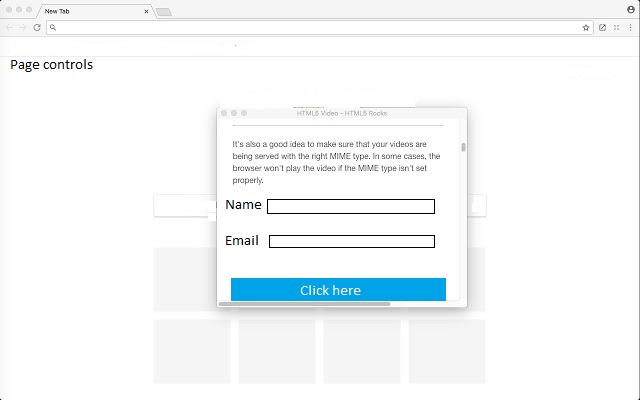
The task was solved by making a widgetbox in one of the app’s pages served by Bokeh server. Then template was supplied with corresponding CSS
PY file insert..
name_input = TextInput(placeholder=“Name”)
email_input = TextInput(placeholder=“Email”)
save_button = Button(label=“Save”, button_type=‘primary’, width = 50)
menu_popup = widgetbox(name_input, email_input, save_button, sizing_mode=‘scale_both’)
Adding name to control
menu_popup.name = “popup_menu”
#Adding
for root in [… other widgetbox, menu_popup]:
doc.add_root(root)
CSS FILE*
.popup .popuptext {
justify-content: center;
justify-items: center;
visibility: hidden;
position: absolute;
width: 1000px;
height: 500px;
background-color: lightcyan;
color: black;
text-align: center;
border-radius: 6px;
padding: 8px 0;
z-index: 9;
bottom: 50px;
left: 150px;
margin-left: 80px;
}
/* Popup arrow */
.popup .popuptext::after {
position: absolute;
top: 100%;
left: 50%;
margin-left: -5px;
border-width: 5px;
border-style: solid;
border-color: #555 transparent transparent transparent;
}
/* Toggle this class when clicking on the popup container (hide and show the popup) */
.popup .show {
visibility: visible;
-webkit-animation: fadeIn 1s;
animation: fadeIn 1s
}
/* Add animation (fade in the popup) */
@-webkit-keyframes fadeIn {
from {opacity: 0;}
to {opacity: 1;}
}
@keyframes fadeIn {
from {opacity: 0;}
to {opacity:1 ;}
}
**** HTML template ****
Subsribe here
        <div class="popuptext" id="menu">{{ popup_menu | safe}}</div>

    </div>

    <script>

        // When the user clicks on <div>, open the popup

        function myFunction() {

          var popup = document.getElementById("menu");

          popup.classList.toggle("show");

        }

        </script>