
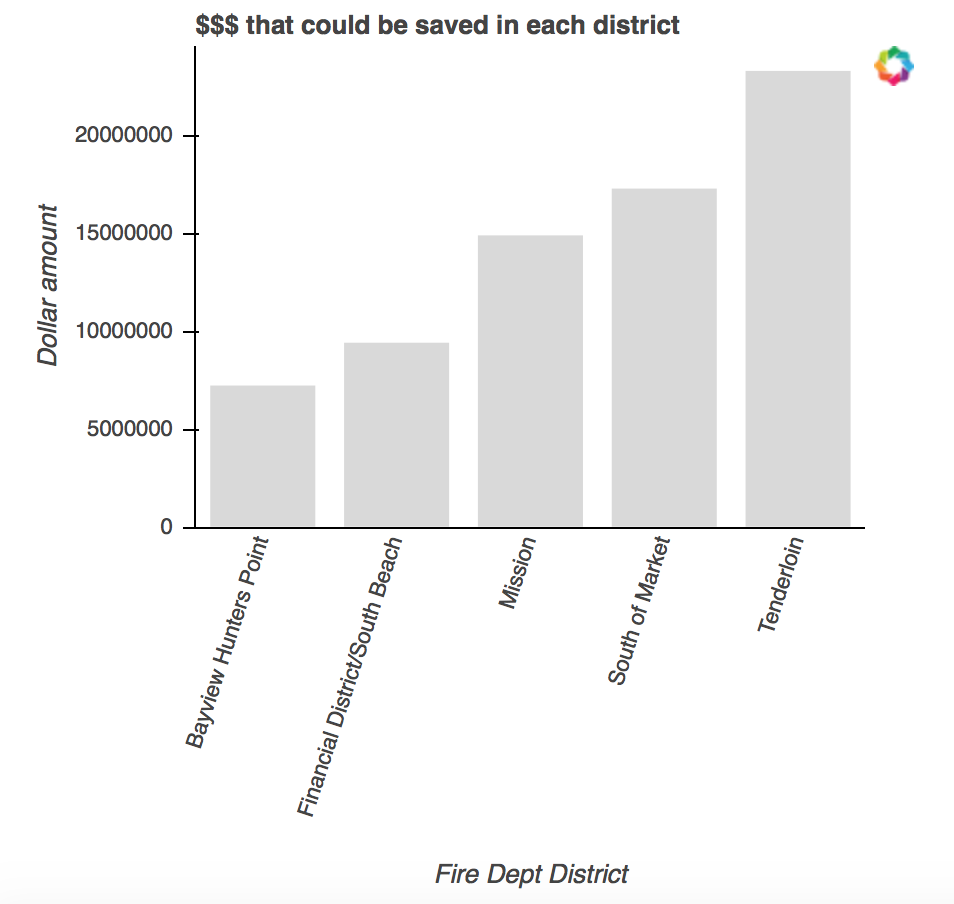
I’m presenting fairly big numbers on my y-axis. How do I put commas in between the numbers? I already had to suppress scientific notation.
 Read-only archive⌕
I’m presenting fairly big numbers on my y-axis. How do I put commas in between the numbers? I already had to suppress scientific notation.

Hey Kasia,
This can be done with a tick formatter, which you can read about here, in the user guide. There are few different types, but NumeralTickFormatter would probably work best for this application. There is more information on NumericalTickFormatter here, in the reference docs.
Hope that helps,
Tyler
On Sun, Apr 2, 2017 at 11:50 AM, Kasia Rachuta korachuta@gmail.com wrote:
I’m presenting fairly big numbers on my y-axis. How do I put commas in between the numbers? I already had to suppress scientific notation.
–
You received this message because you are subscribed to the Google Groups “Bokeh Discussion - Public” group.
To unsubscribe from this group and stop receiving emails from it, send an email to bokeh+unsubscribe@continuum.io.
To post to this group, send email to bokeh@continuum.io.
To view this discussion on the web visit https://groups.google.com/a/continuum.io/d/msgid/bokeh/d89adb4e-e3da-4ab1-84ff-13be7ea8b4cb%40continuum.io.
For more options, visit https://groups.google.com/a/continuum.io/d/optout.

End of archived discussion · Replies are disabled