Read-only archive⌕

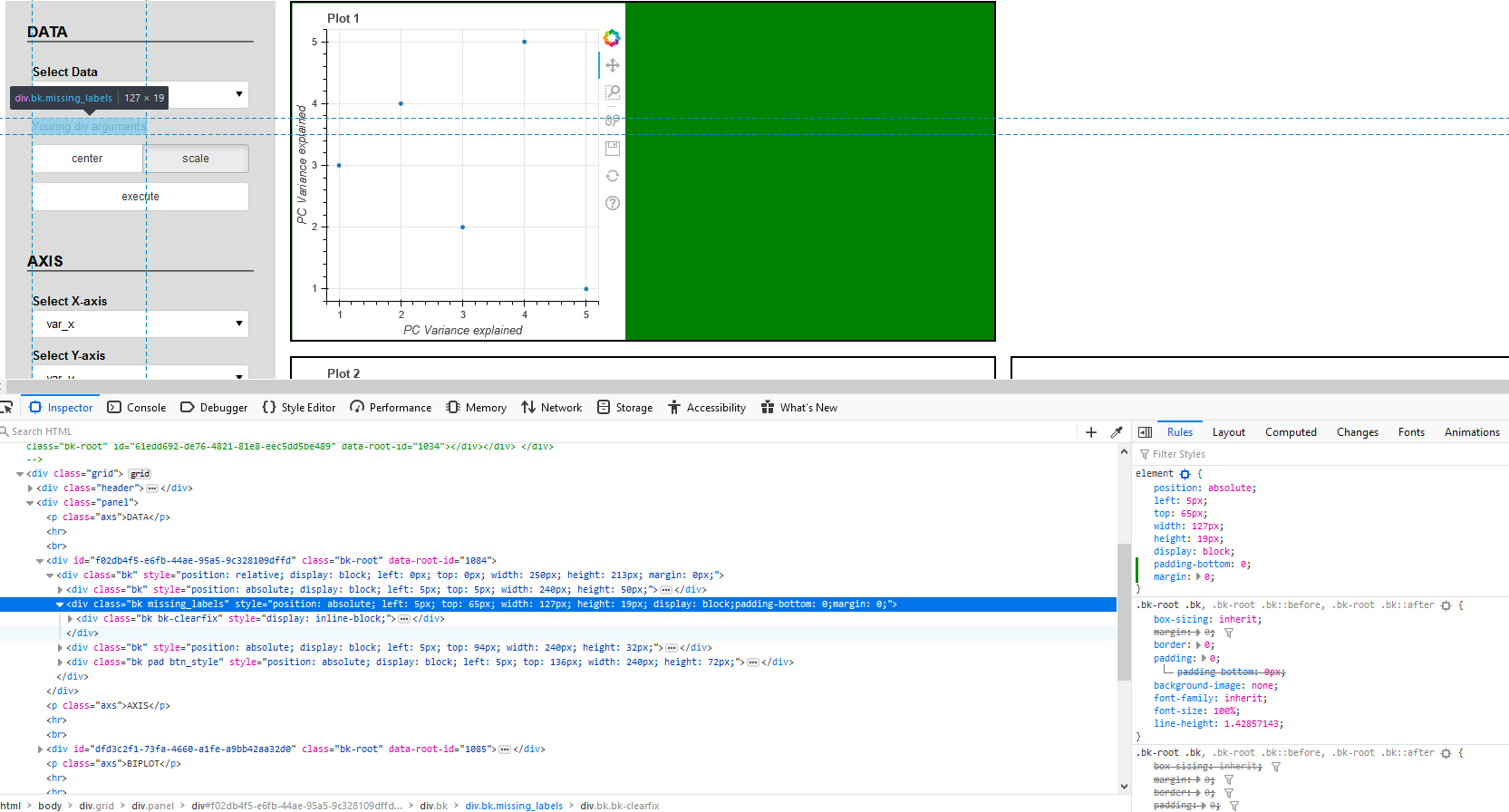
Well, solves only a part of the problem as it’s not identical as labels. So the question is how to style it?
Div(text="""Youring div arguments""", css_classes=['missing_labels'])

.missing_labels {
    font-weight: bold !important;
    padding-bottom: 0 !important;
}
It’s not clear what you have tried already, so it is impossible to offer any suggestion. E.g. is:
.missing_labels {
    font-weight: bold !important;
    padding-bottom: 0 !important;
}
something you want or something you have already tried? If the latter, how did you try? It is always advised to provide a complete minimal reproducer. Real, actual, runnable code focuses the discussion in a way that nothing else can, and is the absolute best way to help others help you.
I used css_classes=[‘missing_labels’] for Bokeh Div, and style.css with these properties.
The main problem is padding bottom.
How are you including the styles? Is this a bokeh app with a static dir? A standalone HTML output with a custom template? An embedding in a Flask web app with components or json_items? Have you verified the stylesheet is actually present in the output? This is why there is nothing comparable to providing an MRE. There is just too much to speculate about (and easily incorrectly, wasting effort).
Perhaps others can offer suggestions without running code, but I don’t really have any ideas without actually experimenting myself with real running code.

Does your template actually include style.css? If so, can you create and share a public Git repo with the code that you’re trying out?
OK, guys, nothing special with my code.
BTW please check the raw code of index.html (part of the code is not displayed correctly).
index.html
<!DOCTYPE html>
<html lang="en">
  <head>
    <meta charset="utf-8">
    {{ bokeh_css }}
    {{ bokeh_js }}
    <link rel="stylesheet" href="temp/static/css/styles.css"/>
  </head>
  <body>

{% extends base %}
{% block contents %}

<div class='panel'>
    <p class='axs'>DATA</p><hr><br />
    {{ embed(roots.menu_dataset) }}
</div>

{% endblock %}
</body>
</html>
main.py
from bokeh.io import curdoc
from bokeh.models import Div, Paragraph, Select, Button, RadioButtonGroup, Column
from bokeh.plotting import figure

select_data = Select(title = 'Select Data', value = 'example_1', options = ['example_1'])
btng_norm = RadioButtonGroup(labels=['center', 'scale'], active=1)
btn_run = Button(label='execute', css_classes=['pad', 'btn_style'])

menu_dataset = Column(select_data, Div(text="""Preprocess Data""", css_classes=['missing_labels']), btng_norm, Div(text="""Analyse Data""", css_classes=['missing_labels']) ,btn_run, name='menu_dataset', width=250)

curdoc().add_root(menu_dataset)
styles.css
* {
    margin: 0;
    padding: 0;
    box-sizing: border-box;
}

p.axs {
    font-family: 'Arial';
    font-size: 17px;
    line-height: 20px;
    font-weight: bold;
    color: black;
}

.panel {
    background: #DCDCDC;
    padding: 1.5em;
}

label.bk {
    font-weight: bold;
}

.missing_labels {
    font-weight: bold !important;
    display: inline-block !important;
}

.pad {
    padding-bottom: 40px !important;
}

.bk-root .btn_style .bk-btn-default {
    background-color: #B0C4DE !important;
    border-color: #adadad !important;
    box-shadow: inset 0 3px 5px rgba(0, 0, 0, 0.125) !important;
}

.bk-root .btn_style .bk-btn-default:hover {
    background-color: #ebebeb !important;
    border-color: #adadad !important;
}

.bk-root .btn_style .bk-btn:active {
    /*background-image: none;*/
    background-color: #f5f5f5 !important;
    /*box-shadow: inset 0 3px 5px rgba(0, 0, 0, 0.125);*/
}I don’t know what you mean by “the raw code of index.html”. But the code that you’ve embedded doesn’t have any mentions of styles.css or style.css in it that you mentioned earlier.
Something was wrong with the formatting. Now is ok. Please check once again the above code.
Your code works just fine for me, both in Chrome and Firefox:
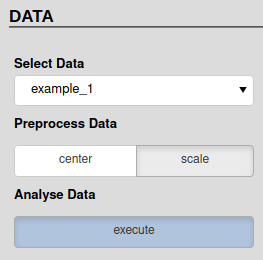
Update: I just realized that you were not talking just about the font-weight but probably also about the positioning. Bokeh widgets have default margin of 5px at each side. It’s not controlled by CSS, it’s controlled by a JS layout engine. To specify the margins, just provide them to each widget separately. Try passing margin=(0, 5, 5, 5) to the radio button widget and margin=(5, 5, 0, 5) to the div with the label.

End of archived discussion · Replies are disabled