

I’m getting an issue w/ trying to use value_throttled in Jupyter. Everything works as expected by abandoning the throttle.
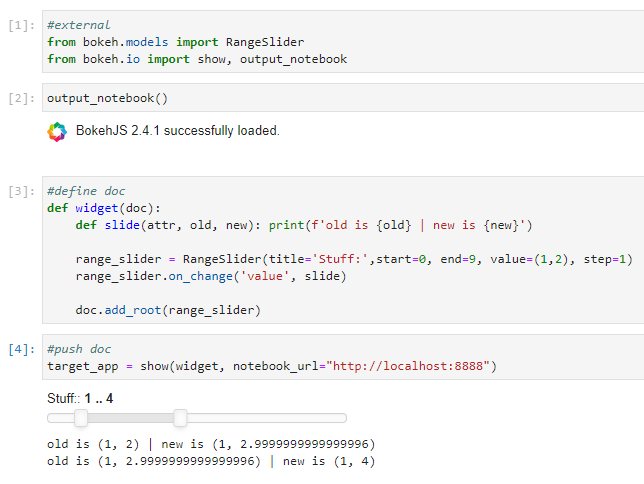
But fails silently when attempting to set the value_throttled attribute. Also, will mess up doc rendering if multiple elements are on the worksheet.
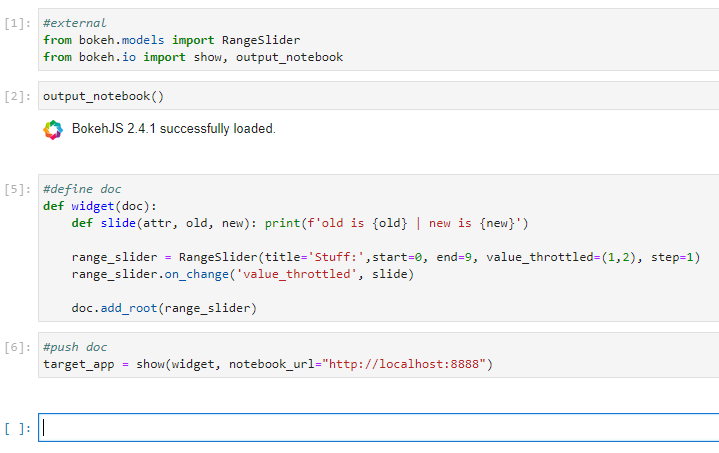
Haven’t checked it outside of Jupyter yet. Working w/ Bokeh 2.4.1. Anyone else see this?
#external
from bokeh.models import RangeSlider
from bokeh.io import show, output_notebook
output_notebook()

#define doc
def widget(doc):
  def slide(attr, old, new): print(f'old is {old} | new is {new}')

  range_slider = RangeSlider(title='Stuff:',start=0, end=9, value_throttled=(1,2), step=1)
  range_slider.on_change('value_throttled', slide)

  doc.add_root(range_slider)

#push doc
target_app = show(widget, notebook_url="http://localhost:8888")

