☰Read-only archive⌕
Looking for help with Bokeh?

This is a read-only archive. Ask questions and join the conversation on GitHub.

Visit Community Support on GitHub →
Archived discussions · Captured October 28, 2026

Reuse styling for plot title in a custom Div

Community Support
dabbatelli
dabbatelli

Hello,

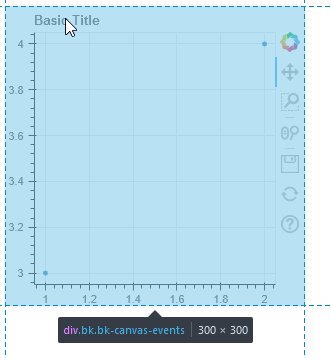
I am making a simple “unstyled” Bokeh app (which is, without a templates subfolder) and I would like the text in one of my Div to look like Bokeh’s “default” plot title (see screnshot below).

210905-110733

Is there a “title” .css class somewhere that I could reuse, or what is the simplest way to achieve this?
I tried to inspect the elements using the browser, but the title styling seems to be hidden inside a bk-canvas-events style (even when using render mode='css') and I am not quite sure how to continue from there.

On a more general note, for simpler use cases that don’t require a complete restyling it is quite useful to be able to just reuse Bokeh’s default styling inside custom HTML elements, as example using <span class="bk-tooltip-row-label">Label: </span> to style text as a “tooltip” label.
However, it is often quite tricky to know which styles are available, and I haven’t been able to find much documentation about that.

⌁   Link to post
Bryan
Bryan

Bokeh plots (including the title) draw on HTML canvas elements, which do not use or support CSS. Ultimately all styling can only be done through JavaScript calls to canvas APIs for painting text on the canvas (which are also much more limited in their options than what CSS offers). This is at the browser level. Bokeh exposes these options as text properties on its own objects, which can be themed using Bokeh’s general theming process, but there is no way to tie that directly to browser CSS.

If this is a hard requirement then your best bet use to not use a plot title at all, and instead position a Div above the plot to act as a title.

⌁   Link to post
dabbatelli
dabbatelli

Thanks.
What I am actually trying to do is to add a title to a DataTable (which don’t support one) using a Div, and I was hoping to have this Div styled the same as regular “canvas” titles I have for my other plots without having to replace them all with a Div.

Since there is no ready made style, I’ll now try to go around the issue and style a Div to reproduce the properties of the “caliber” theme (which I found here).

However, this leaves me with another question: what does the render_mode='css' property of the title (and other annotations) do, if the annotation is still drawn on an HTML canvas?

⌁   Link to post
Bryan
Bryan

It does nothing on several annotations which is why it is deprecated in many places and will be removed as appropriate in a future release. That said, the codepaths for Title look active, which I was not aware of. Are you saying you tried render_mode="css" for a title and it didn’t do what you expect? This is why it is always advised to provide a Minimal Reproducible Example in order to help focus questions on concrete technical details, and avoid speculation and back and forth.

⌁   Link to post
dabbatelli
dabbatelli

Hello,

Good to know renderer_mode is deprecated (or about to be), I wasn’t aware.

A minimal reproducible example:

from bokeh.plotting import figure, output_file, show

p = figure(title="Basic Title", plot_width=300, plot_height=300)
p.circle([1,2], [3,4])
p.title.render_mode="css"

output_file("title.html")
show(p)

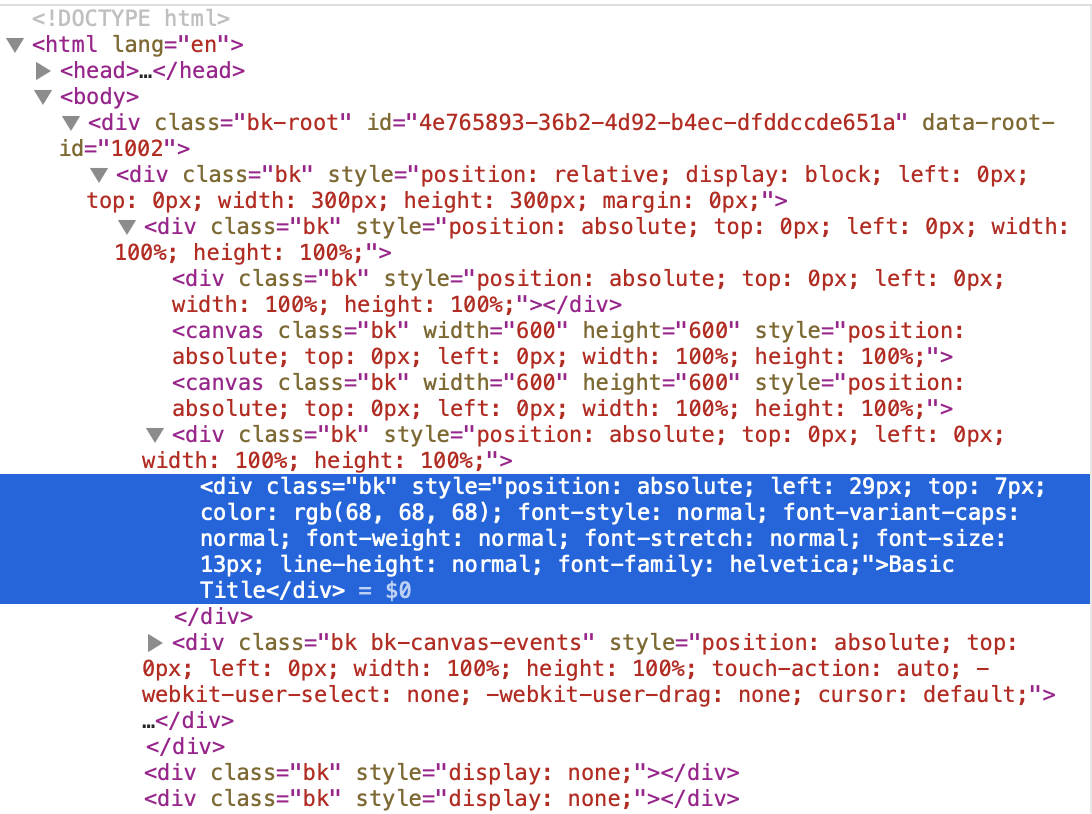
With render_mode='css' I was expecting the title to be drawn as a separate element on top of the canvas, but using Firefox inspector, this doesn’t seem to be the case (see picture below).

However, to be completely honest, this might very well be me not understanding what “as CSS element on top of the canvas” means, and I didn’t have any particular expectations either: I was just playing around with that options to see if I could get a CSS style for the titles that way.

210905-192057

⌁   Link to post
Bryan
Bryan

I should add you can add your own arbitrary CSS classes to target elements with your stylesheets via the css_classes property. Also up clarify, render_mode is only deprecated in some places where it didn’t really work.

⌁   Link to post

End of archived discussion · Replies are disabled