☰Read-only archive⌕
Looking for help with Bokeh?

This is a read-only archive. Ask questions and join the conversation on GitHub.

Visit Community Support on GitHub →
Archived discussions · Captured October 28, 2026

Setting up dev env

Community Supportbokeh
dimritium
dimritium

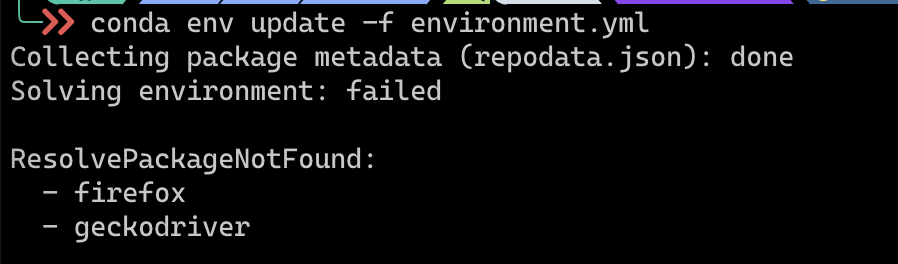
I am trying to set up dev environment on MacOS using conda which results in following error:
ResolvePackageNotFound:

  • firefox
  • geckodriver

I tried to add these packages under pip section in environment.yml file and tried to run conda env update but still facing same issue.

I also installed firefox browser but it didn’t help either.

How to install these packages on MacOS?

⌁   Link to post
Bryan
Bryan

I’m not really sure what could be going on on your system. I just ran

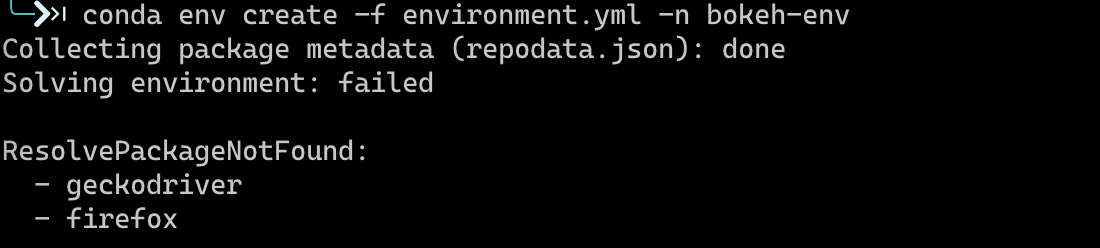
conda env create -f environment.yml -n discourse-test

on OSX and it succeeded. I guess try giving the env an explicit (new, unique) name as I have done above? Or here are more specific “test” env files in the ci subdirectory you could try one of those. I guess making sure your conda is up to date as well.

⌁   Link to post
Bryan
Bryan

Ah, that’s got to be the problem. I think you will have to edit the env files to remove those packages, since they don’t exist for your architecture (at least not yet). You won’t be able to run some of the more involved selenium tests (there are not many).

⌁   Link to post
dimritium
dimritium

ah I see, thanks for the help! I am able to install the python dependencies.

For selenium tests with M1 macs would you recommend some other driver that I can try to port to? or are those tests gecko specific?

⌁   Link to post

End of archived discussion · Replies are disabled