
☰Read-only archive⌕
Looking for help with Bokeh?

This is a read-only archive. Ask questions and join the conversation on GitHub.

Visit Community Support on GitHub →
Archived discussions · Captured October 28, 2026

Spinner's button for DataTable

Community Support
DuyNGUYEN
DuyNGUYEN

In TableColumn there is an option editor like NumberEditor,IntEditor,…
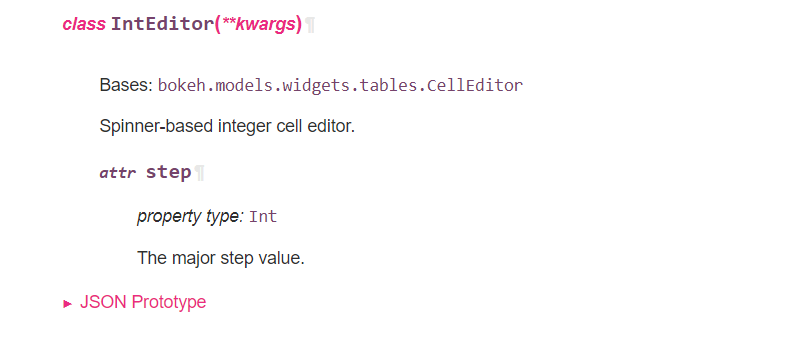
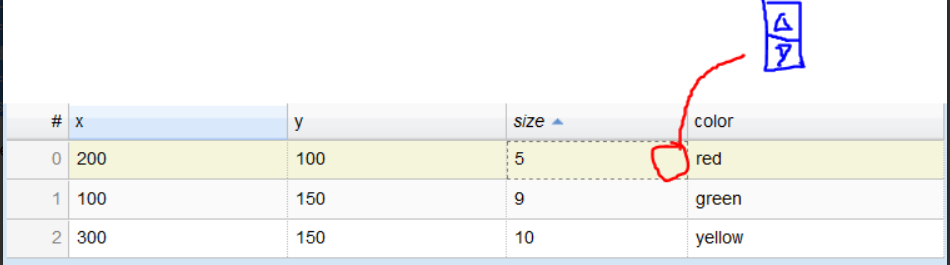
If i understand, each cell selected, there is a spinner button to control value?

my code:

source_bezier = ColumnDataSource({‘x’: [200, 100, 300], ‘y’: [100, 150, 150], ‘size’:[5,9,10,5,5,5,5],‘color’: [‘red’, ‘green’, ‘yellow’]})
columns = [TableColumn(field=“x”, title=“x”),
TableColumn(field=“y”, title=“y”),
TableColumn(field=“size”, title=“size”,editor=NumberEditor(step=0.1)) ,
TableColumn(field=‘color’, title=‘color’)]
table = DataTable(source=source_bezier, columns=columns, editable=True, height=200)

and my Data Table:
⌁   Link to post
Bryan
Bryan

My answer to this question is that the behavior seems to be a bug, so the next appropriate step would be for you to file a bug report on GitHub.

Separately, I was trying to let you know that it is possible to format code samples in your posts, and encouraging you to do so, since it makes them much easier to read. Besides the backticks method, there is also GUI button in the post editor you can use to format code blocks, it looks like this: </>

⌁   Link to post

End of archived discussion · Replies are disabled

