Hi,
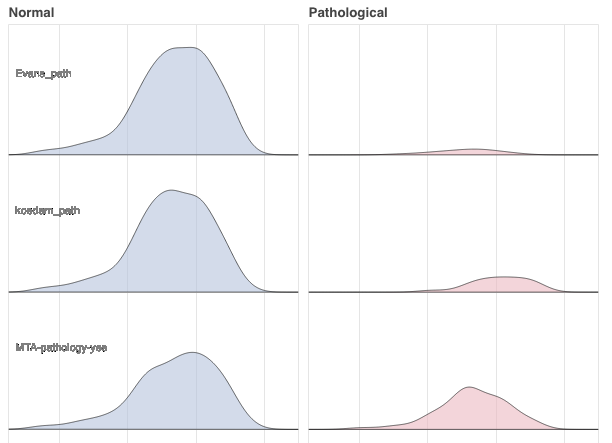
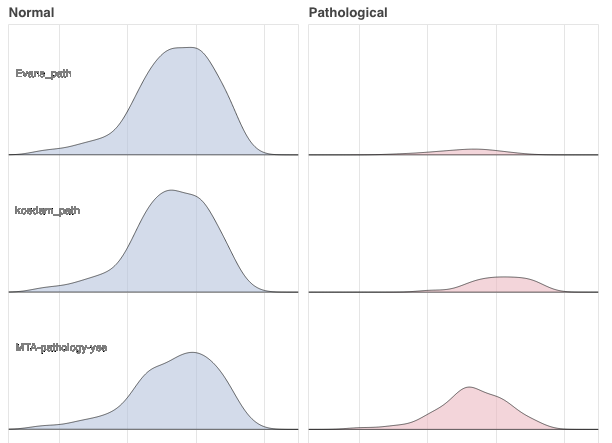
I’m trying to place some text in a ridgeplot like this:
for scoring_variable in scored_variables[1:]:
normal_and_patho_curves = make_ridge(scoring_variable, source_data, x)
p_normal.patch(‘x’, ‘y_normal’, alpha=0.6, line_color=‘black’, source=normal_and_patho_curves, color=‘lightsteelblue’)
p_normal.text(27, y=dodge(‘text’, 0.6, range=p_normal.y_range), text=‘text’, source=normal_and_patho_curves, **text_props)
``
it works fine apart from that the text is blurry in the output.
Both inside the jupyterlab notebook and as an exported html-file.
Do I have to set the dpi for the plot or anything else?
I’ve set the resolution to 300x600 and the text_font to 8pt.
I’ve tried different browsers with the same blurry result.
Any ideas what’s wrong here?
Thanks in advance!