Hi!
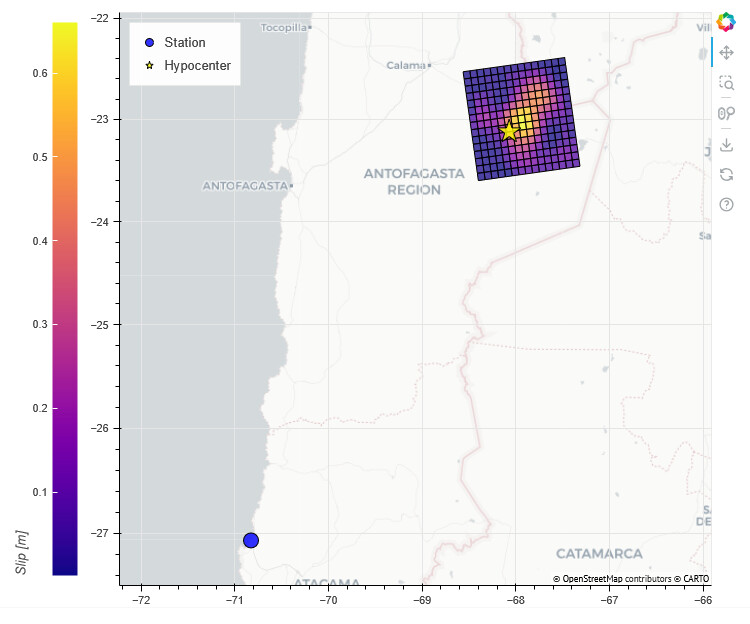
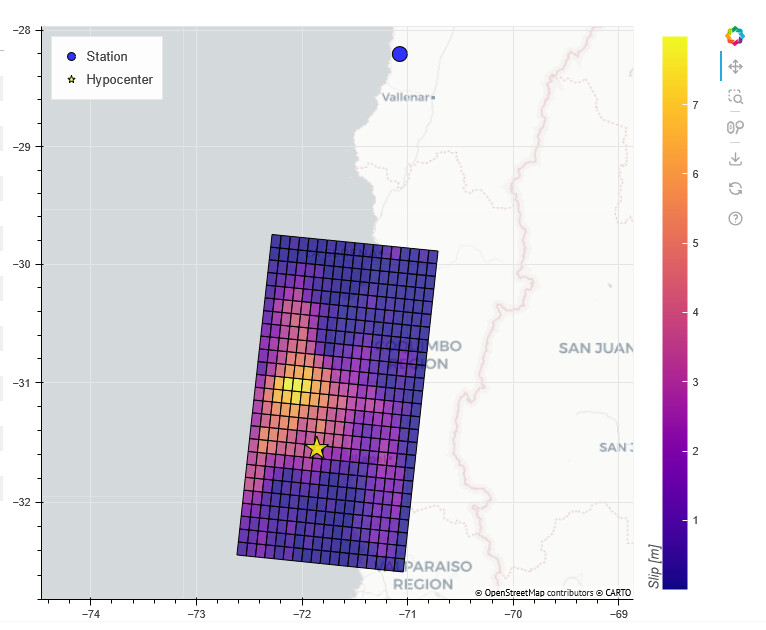
I’m creating a map with a geojson polygon and I added a colorbar. I’d like to put the colorbar title at the top of the bar.
This is an extract of the code I’m using with Bokeh 3.6.1 and Python 3.11
from bokeh.models import ColorBar, GeoJSONDataSource, LinearColorMapper

plot_map = figure(x_axis_type='mercator', y_axis_type='mercator', x_range=(0, 1), y_range=(0, 1), sizing_mode='stretch_width', width=1)
plot_map.add_tile('CartoDB Positron')

source_ffm  = GeoJSONDataSource(geojson=empty_geojson)
color_mapper = LinearColorMapper(palette="Plasma256", low=0, high=20)

plot_map.patches(xs='xs', ys='ys', source=source_ffm, line_color='black', line_width=1, fill_alpha=0.75, fill_color={'field': 'slip', 'transform': color_mapper})

color_bar = ColorBar(color_mapper=color_mapper, location=(0,0), title='Slip [m]', visible=True)
plot_map.add_layout(color_bar, 'right')
The data is dynamically loaded and it’s working well, but the colorbar title is always in the left side of the bar.
I’ve tried with almost all the parameters from ColorBar described in the documentation but I haven’t found a solution.
Is it possible to move the colorbar title to the top?
Thank you in advance