Hi All,
I’m trying to do a basic BokehJS plot through the Django web framework. I’m following a tutorial, but no graphs are displaying when I look at my website on localhost. When I look at the Browser Console I keep getting “ReferenceError: Bokeh is not defined”. I’m using Bokeh 1.3.4
Here’s my HTML:
<!DOCTYPE html>
<html lang="en">

<head>
    <script scr="https://cdn.pydata.org/bokeh/release/bokeh-1.3.4.min.js"></script>
    <script scr="https://cdn.pydata.org/bokeh/release/bokeh-widgets-1.3.4.min.js"></script>
    <script scr="https://cdn.pydata.org/bokeh/release/bokeh-tables-1.3.4.min.js"></script>
    <script scr="https://cdn.pydata.org/bokeh/release/bokeh-gl-1.3.4.min.js"></script>
    {{script | safe}}
    <title>Starter Graph</title>
</head>

<body>
    <h1>Starter Graph</h1>
    {{div | safe}}
</body>


</html>
My understanding is that the CSS stylesheets recommended by some tutorials are no longer needed.
And here’s my view file header:
> from django.shortcuts import render
> from bokeh.plotting import figure, output_file, show
> from bokeh.embed import components
> from bokeh.models import HoverTool
> import bokeh
>
And the relevant view itself:
> def projectdetail2(request):
>     plot = figure()
>     plot.circle([1, 10, 35, 27], [0, 0, 0, 0], size=20, color="blue")
>     script, div = components(plot)
>     return render(request, "projects/detail2.html", {"script": script, "div": div})
When I visit projectdetail2.html I am expecting to see a header that says “Starter Graph” and a basic graph. I can only see the header.
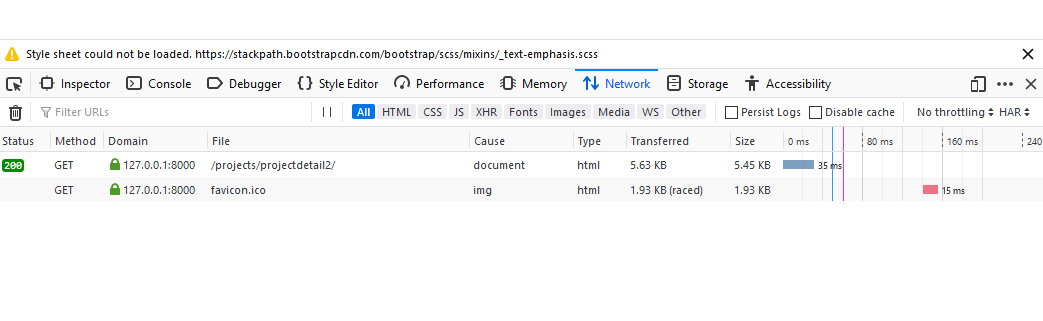
I have triple checked my bokeh js links in the html which come directly from running CDN.js_files in the shell after importing bokeh. I’ve checked the links manually and they load the Bokeh file just fine. I’m new at this so I don’t know what else to check, but I did check Browser Console I keep getting “ReferenceError: Bokeh is not defined”. I don’t know what else I could be missing, but apparently it’s something fundamental.
Any help would be appreciated.