☰Read-only archive⌕
Looking for help with Bokeh?

This is a read-only archive. Ask questions and join the conversation on GitHub.

Visit Community Support on GitHub →
Archived discussions · Captured October 28, 2026

Update value of SLider

Community Support
DuyNGUYEN
DuyNGUYEN

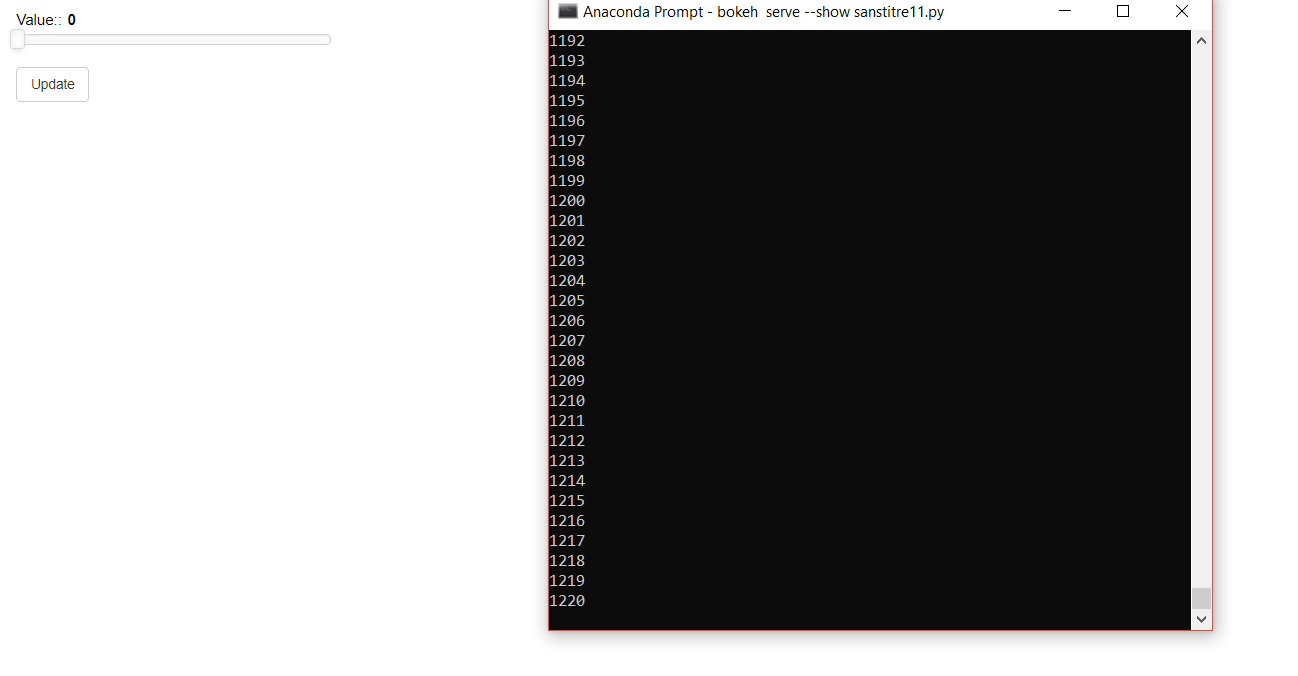
I want to update automatically slider . But when i look at the terminal , my for loops finished but my slider didn’t change value or it changed too slowly.

s      = Slider(title="Value:", value = 0, step=1, end=1000,start=0)
update = Button(label='Update', width=20)
def update_value():
      n=0
      while n<1000:
         s.value+=1
         n+=1
      print(n)
update.on_click(update_value)

⌁   Link to post
DuyNGUYEN
DuyNGUYEN

There isn’t a callback. i just do like this. My idea is when you click a button your slider will move from 0 to 1000 step by step. This idea isn’t similar like you have a button “Play” using curdoc().add_periodic_callback. Do you have any advice for me?

⌁   Link to post
Bryan
Bryan

Not offhand. If you can post a complete minimal example that I can copy/paste in to an editor and run locally, I am happy to do so and see if anything obvious turns up.

⌁   Link to post
DuyNGUYEN
DuyNGUYEN
from bokeh.models import Slider
from bokeh.models.widgets import Button
from bokeh.layouts import column
from bokeh.io import curdoc
import numpy as np
import pandas as pd

s      = Slider(title="Value:", value = 0, step=1, end=1000,start=0)
update = Button(label='Update', width=20)
def update_value():
    n=0
    while n<10000:
        list_slider111 = [0,1,0,0,0,0,0,0,0,0,0]
        ar14 = np.array(list_slider111)
        df14 = pd.DataFrame(ar14)
        out_name="Nb_images.txt"
        np.savetxt(out_name, df14, fmt='%1.2f', delimiter=",")
        print(n)
        s.value+=1
        n+=1
    print(n)
update.on_click(update_value)

curdoc().add_root(column(s,update))

This is one idea of my application. With my application there are a lot of things complicate in the for loops.
You can see, when the for loops finished, and the slider begins moving. How we can do it in parallel?

⌁   Link to post
Bryan
Bryan

The Python<->JavaScripy synchronization only happens at the end of a callback. If you update the same property many times in one callback, only the last value will have any effect. Every update needs to go in its own callback. The simplest way to do this is probably by setting up a periodic callback, e.g. how the Gapminder example does. You could also do something with add_next_tick_callback but it would probably have to be from a thread.

⌁   Link to post
Bryan
Bryan

As I mentioned, it would probably need to be from a thread. In any case, I can imagine many things this:

I used add_next_tick_callback. I have the same problem

might mean. Some of the possibly right, some of them not. So I can’t comment unless you share actual code for what you tried.

⌁   Link to post

End of archived discussion · Replies are disabled