Hello  ,
,
A high-level function to plot a 3D pie plot.
from bokeh.plotting import figure, show, output_file
from bokeh.models import Label, ColumnDataSource, GlobalInlineStyleSheet
from bokeh.layouts import row
import numpy as np

def get_dark_stylesheet():
    """Create a new dark theme stylesheet instance."""
    return GlobalInlineStyleSheet(css="""
        html, body, .bk, .bk-root {
            background-color: #343838;
            margin: 0;
            padding: 0;
            height: 100%;
            color: white;
            font-family: 'Consolas', 'Courier New', monospace;
        }
        .bk { color: white; }
        .bk-input, .bk-btn, .bk-select, .bk-slider-title, .bk-headers,
        .bk-label, .bk-title, .bk-legend, .bk-axis-label {
            color: white !important;
        }
        .bk-input::placeholder { color: #aaaaaa !important; }
    """)

def get_light_stylesheet():
    """Create a new light theme stylesheet instance."""
    return GlobalInlineStyleSheet(css="""
        html, body, .bk, .bk-root {
            background-color: #FDFBD4;
            margin: 0;
            padding: 0;
            height: 100%;
            color: black;
            font-family: 'Consolas', 'Courier New', monospace;
        }
        .bk { color: black; }
        .bk-input, .bk-btn, .bk-select, .bk-slider-title, .bk-headers,
        .bk-label, .bk-title, .bk-legend, .bk-axis-label {
            color: black !important;
        }
        .bk-input::placeholder { color: #555555 !important; }
    """)

def darken_color(hex_color, factor=0.7):
    """Darken a hex color by a factor."""
    hex_color = hex_color.lstrip('#')
    r, g, b = tuple(int(hex_color[i:i+2], 16) for i in (0, 2, 4))
    r, g, b = int(r * factor), int(g * factor), int(b * factor)
    return f'#{r:02x}{g:02x}{b:02x}'

def plot_3d_pie(values, colors, labels, title='3D Pie Chart',
                width=800, height=700, radius=1.5, depth=0.3,
                tilt=25, rotation=0, dark_bg=True, explode=None):
    """
    Create a PROPERLY WORKING 3D pie chart with correct perspective.
    """
    bg_color = '#343838' if dark_bg else '#FDFBD4'
    text_color = 'white' if dark_bg else 'black'

    # Normalize values
    total = sum(values)
    percentages = [v / total for v in values]

    if explode is None:
        explode = [0] * len(values)


    p = figure(
        width=width,
        height=height,
        title=title,
        toolbar_location=None,
        background_fill_color=bg_color,
        border_fill_color=bg_color,
        match_aspect=True,
    )

    # Styling
    p.title.text_color = text_color
    p.title.text_font_size = '16pt'
    p.xaxis.visible = False
    p.yaxis.visible = False
    p.xgrid.visible = False
    p.ygrid.visible = False
    p.outline_line_color = None

    # 3D transformation parameters
    tilt_rad = np.radians(tilt)

    # Calculate cumulative angles
    angles = [p * 360 for p in percentages]
    start_angles = [0]
    for angle in angles[:-1]:
        start_angles.append(start_angles[-1] + angle)

    # Determine drawing order: back to front based on mid-angle
    slice_order = []
    for i in range(len(values)):
        mid_angle = start_angles[i] + angles[i]/2 + rotation
        # Use negative sin for proper sorting (back to front)
        slice_order.append((-np.sin(np.radians(mid_angle)), i))

    slice_order.sort()

    for _, i in slice_order:
        start_deg = start_angles[i] + rotation
        end_deg = start_deg + angles[i]
        mid_deg = start_deg + angles[i]/2

        # Explode offset
        explode_offset = explode[i] * radius * 0.15
        explode_x = explode_offset * np.cos(np.radians(mid_deg))
        explode_y = explode_offset * np.sin(np.radians(mid_deg)) * np.cos(tilt_rad)

        # Generate points for the slice
        n_points = max(30, int(angles[i] / 360 * 60))
        theta = np.linspace(np.radians(start_deg), np.radians(end_deg), n_points)

        # Top surface coordinates
        top_x = radius * np.cos(theta) + explode_x
        top_y = radius * np.sin(theta) * np.cos(tilt_rad) + explode_y

        # Bottom surface coordinates
        bottom_x = top_x.copy()
        bottom_y = top_y - depth

        edge_color = darken_color(colors[i], 0.6)

        # Draw the OUTER CURVED EDGE (visible from front)
        for j in range(len(theta) - 1):
            angle_mid = (theta[j] + theta[j+1]) / 2
            # Front-facing check: sin(angle) should be NEGATIVE (towards viewer)
            if np.sin(angle_mid) < 0:
                edge_x = [top_x[j], top_x[j+1], bottom_x[j+1], bottom_x[j], top_x[j]]
                edge_y = [top_y[j], top_y[j+1], bottom_y[j+1], bottom_y[j], top_y[j]]
                p.patch(edge_x, edge_y, color=edge_color, alpha=1.0,
                       line_color='#000000', line_width=0.8)

        # Add vertical hatching on outer edge
        hatch_density = max(8, int(angles[i] / 360 * 50))
        hatch_indices = np.linspace(0, len(theta)-1, hatch_density, dtype=int)

        for idx in hatch_indices:
            if idx < len(theta) and np.sin(theta[idx]) < 0:
                hatch_x = [top_x[idx], bottom_x[idx]]
                hatch_y = [top_y[idx], bottom_y[idx]]
                p.line(hatch_x, hatch_y, color='#000000',
                      alpha=0.3, line_width=1.0)

        # Top surface
        top_wedge_x = np.concatenate([[explode_x], top_x, [explode_x]])
        top_wedge_y = np.concatenate([[explode_y], top_y, [explode_y]])

        source = ColumnDataSource(data=dict(
            x=top_wedge_x,
            y=top_wedge_y,
            label=[labels[i]] * len(top_wedge_x),
            value=[values[i]] * len(top_wedge_x),
            percentage=[f'{percentages[i]*100:.1f}%'] * len(top_wedge_x)
        ))

        p.patch('x', 'y', source=source, color=colors[i], alpha=1.0,
               line_color='#000000', line_width=1.2,
               hover_alpha=0.8)

        # Add percentage label on top surface
        label_radius = radius * 0.65
        label_x = label_radius * np.cos(np.radians(mid_deg)) + explode_x
        label_y = label_radius * np.sin(np.radians(mid_deg)) * np.cos(tilt_rad) + explode_y

        percentage_text = f'{percentages[i]*100:.1f}%'
        label_obj = Label(
            x=label_x, y=label_y,
            text=percentage_text,
            text_color='white',
            text_font_size='14pt',
            text_align='center',
            text_baseline='middle',
            text_font_style='normal'
        )
        p.add_layout(label_obj)

    # Set ranges
    margin = radius * 1.5
    p.x_range.start = -margin
    p.x_range.end = margin
    p.y_range.start = -margin - depth
    p.y_range.end = margin

    return p

def create_legend(labels, colors, dark_bg=True):
    """Create a separate legend figure."""
    text_color = 'white' if dark_bg else 'black'
    bg_color = '#343838' if dark_bg else '#FDFBD4'

    # Calculate required height
    item_height = 40
    total_height = len(labels) * item_height + 60

    legend_fig = figure(
        width=250,
        height=total_height,
        toolbar_location=None,
        background_fill_color=bg_color,
        border_fill_color=bg_color,
        outline_line_color=None,
        x_range=(0, 1),
        y_range=(0, len(labels) * item_height + 20)
    )

    legend_fig.xaxis.visible = False
    legend_fig.yaxis.visible = False
    legend_fig.xgrid.visible = False
    legend_fig.ygrid.visible = False

    for i, (label, color) in enumerate(zip(labels, colors)):
        y_pos = (len(labels) - i) * item_height - 10

        # Draw color circle
        legend_fig.circle(x=[0.1], y=[y_pos], size=18, color=color,
                         alpha=1.0, line_color='#000000', line_width=2)

        # Draw text label
        label_obj = Label(
            x=0.18, y=y_pos - 7,
            text=label,
            text_color=text_color,
            text_font_size='12pt',
            text_baseline='middle'
        )
        legend_fig.add_layout(label_obj)

    return legend_fig


# ============================================================================
# EXAMPLES - ALL PIES TOGETHER
# ============================================================================

if __name__ == "__main__":
    from bokeh.io import reset_output

    # Example 1: Energy Sources
    print("Example 1: Energy Sources Distribution")
    reset_output()

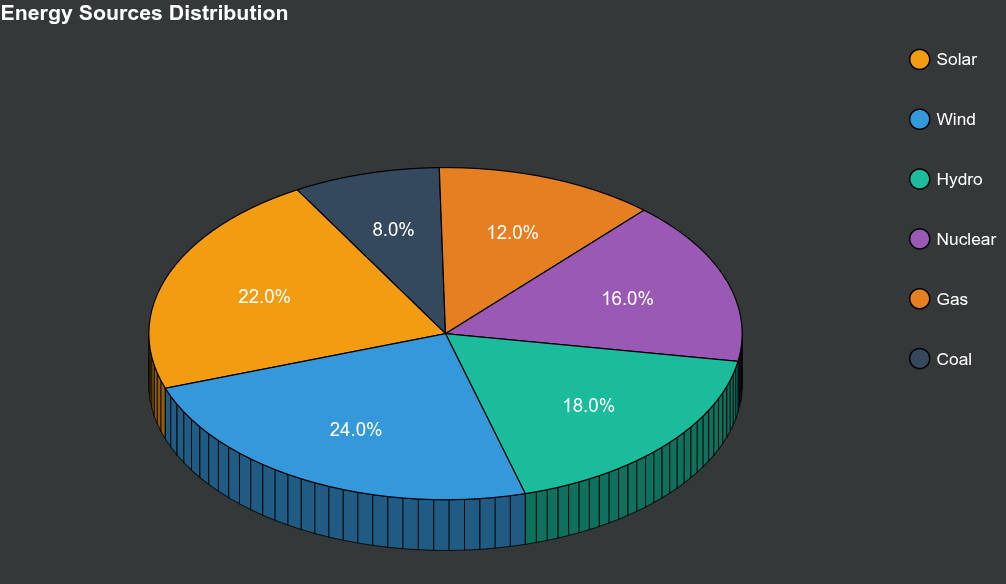
    sources = ['Solar', 'Wind', 'Hydro', 'Nuclear', 'Gas', 'Coal']
    energy = [22, 24, 18, 16, 12, 8]
    colors1 = ['#f39c12', '#3498db', '#1abc9c', '#9b59b6', '#e67e22', '#34495e']

    pie1 = plot_3d_pie(
        values=energy,
        colors=colors1,
        labels=sources,
        title='Energy Sources Distribution',
        width=900,
        height=700,
        radius=1.8,
        depth=0.45,
        tilt=35,
        rotation=120
    )
    legend1 = create_legend(sources, colors1)
    output_file("example1_energy.html")
    show(row(pie1, legend1, stylesheets=[get_dark_stylesheet()]))


    # Example 2: Market Share
    print("\nExample 2: Market Share")
    reset_output()

    companies = ['Company A', 'Company B', 'Company C', 'Company D', 'Company E']
    market_share = [35, 25, 20, 12, 8]
    colors2 = ['#3498db', '#e74c3c', '#2ecc71', '#f39c12', '#9b59b6']

    pie2 = plot_3d_pie(
        values=market_share,
        colors=colors2,
        labels=companies,
        title='Market Share Distribution',
        width=900,
        height=700,
        radius=1.8,
        depth=0.5,
        tilt=32,
        rotation=0,
        dark_bg=False
    )
    legend2 = create_legend(companies, colors2, dark_bg=False)
    output_file("example2_market.html")
    show(row(pie2, legend2, stylesheets=[get_light_stylesheet()]))


    # Example 3: Budget Allocation
    print("\nExample 3: Budget Allocation")
    reset_output()

    categories = ['R&D', 'Marketing', 'Operations', 'Sales', 'Admin']
    budget = [30, 25, 20, 15, 10]
    colors3 = ['#e74c3c', '#3498db', '#2ecc71', '#f39c12', '#95a5a6']

    pie3 = plot_3d_pie(
        values=budget,
        colors=colors3,
        labels=categories,
        title='Budget Allocation',
        width=900,
        height=700,
        radius=1.8,
        depth=0.42,
        tilt=30,
        rotation=45
    )
    legend3 = create_legend(categories, colors3)
    output_file("example3_budget.html")
    show(row(pie3, legend3, stylesheets=[get_dark_stylesheet()]))


    # Example 4: Light Theme Version
    print("\nExample 4: Product Categories (Light Theme)")
    reset_output()

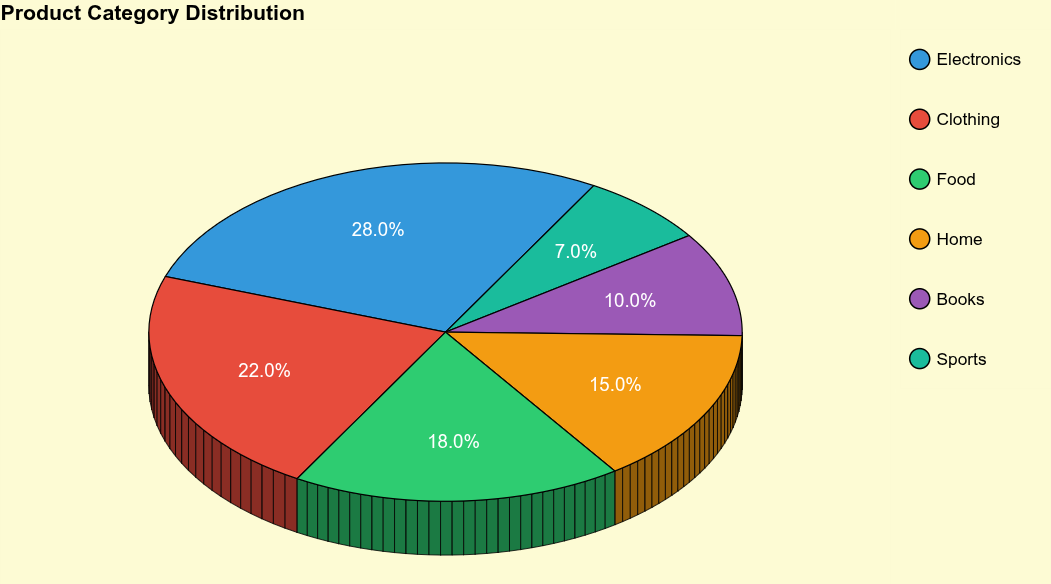
    products = ['Electronics', 'Clothing', 'Food', 'Home', 'Books', 'Sports']
    product_sales = [28, 22, 18, 15, 10, 7]
    colors4 = ['#3498db', '#e74c3c', '#2ecc71', '#f39c12', '#9b59b6', '#1abc9c']

    pie4 = plot_3d_pie(
        values=product_sales,
        colors=colors4,
        labels=products,
        title='Product Category Distribution',
        width=900,
        height=700,
        radius=1.8,
        depth=0.48,
        tilt=33,
        rotation=60,
        dark_bg=False
    )
    legend4 = create_legend(products, colors4, dark_bg=False)
    output_file("example4_products_light.html")
    show(row(pie4, legend4, stylesheets=[get_light_stylesheet()]))


    # Example 5: Sales by Region
    print("\nExample 5: Sales by Region")
    reset_output()

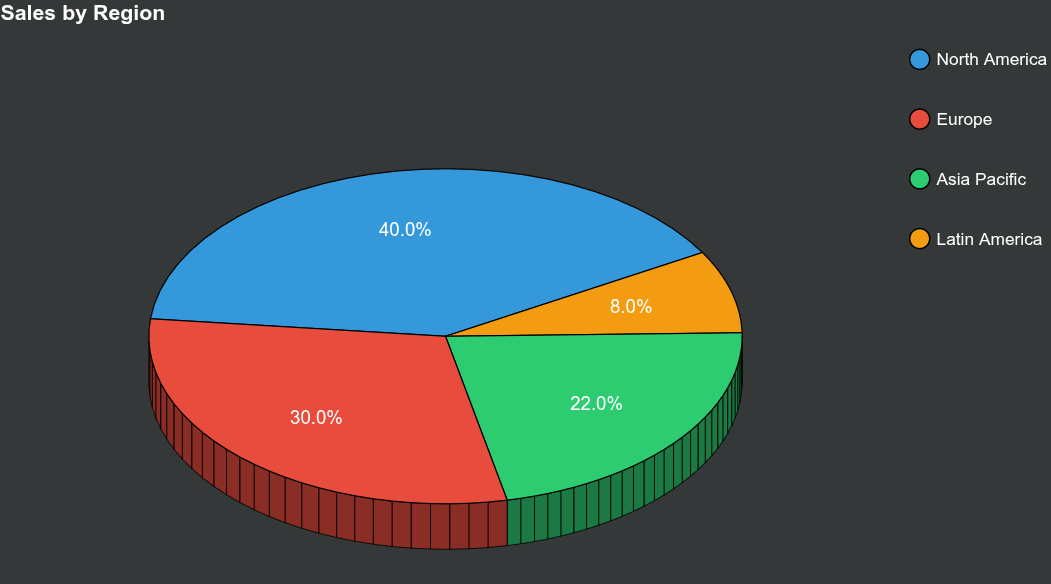
    regions = ['North America', 'Europe', 'Asia Pacific', 'Latin America']
    sales = [40, 30, 22, 8]
    colors5 = ['#3498db', '#e74c3c', '#2ecc71', '#f39c12']

    pie5 = plot_3d_pie(
        values=sales,
        colors=colors5,
        labels=regions,
        title='Sales by Region',
        width=900,
        height=700,
        radius=1.8,
        depth=0.4,
        tilt=35,
        rotation=30
    )
    legend5 = create_legend(regions, colors5)
    output_file("example5_sales.html")
    show(row(pie5, legend5, stylesheets=[get_dark_stylesheet()]))
