Access ColumnDataSource in JavaScript models and views

Hello,

I managed to implement custom line drawing using the JavaScript models and views extension in Bokeh. Currently, I set the line color and width directly in my TypeScript code with ctx.strokeStyle = "black"; and ctx.lineWidth = 2;. I would like to make these properties configurable from the ColumnDataSource.

Here is my setup. In sample_spline.py, I define the ColumnDataSource and create the custom JavaScript model Vertex:

x_rand = np.random.randint(512, 727, 5)
y_rand = np.random.randint(512, 727, 5)
colors = ["red" if i % 2 == 0 else "violet" for i in range(5)]
points_source = ColumnDataSource(data=dict(x=list(x_rand), y=list(y_rand), color=colors))
p_points = p.add_glyph(points_source, Vertex())

In my TypeScript file vertex.ts, I override the _paint(...) method to handle the drawing, which works fine. However, I would like to use the color defined in the ColumnDataSource.

How can I access the ColumnDataSource within the TypeScript VertexView?
I expected the data parameter in protected _paint(ctx: Context2d, indices: number[], data?: Partial<Scatter.Data>): to contain this information, but it is undefined.

Since my TypeScript experience is quite limited, I haven’t found a way to access the color column from the ColumnDataSource. Does anyone have advice on how to do this?

The complete sample is here mfe-/vertex at feature/colorline. (To start the app I do bokeh serve .\sample_spline.py )

Thanks for any help.

I’m not sure why data is undefined at that point, maybe @mateusz can comment if that is expected. However, in your code you have not added a “color” column to the CDS anwyay, so it will not be in source.data regardless.

All that said, you should generally not set visual properties (i.e. HTML canvas context drawing properties) manually. That is because there are two ways to specify values for these kinds of properties:

  • a vector of values — goes in a CDS
  • a single scalar value — does not go in a CDS

If you are familiar with OpenGL at all, this should be reminiscent of the uniform / vector dichotomy. Bokeh has special “Visual” classes for configuring the HTML context that will do the right thing, regardless of whether there is a single scalar value, or a vector of values. You can see this in action in e.g. lrtb.ts (the base class for all “rect-like” glyphs).

Here is a version your code, simplified and updated to allow the line visual class to do all the work for configuring the context. This “works”, but is technically not really correct — see my final note at the bottom.

import {Scatter, ScatterView} from "models/glyphs/scatter"
import * as p from "core/properties"
import type * as visuals from "core/visuals"
import type {Context2d} from "core/util/canvas"
import {catmullrom_spline} from "core/util/interpolation"

export class VertexView extends ScatterView {
  declare model: Vertex
  declare visuals: Vertex.Visuals

  connect_signals(): void {
    super.connect_signals()
  }
  protected _paint(ctx: Context2d, indices: number[], data?: Partial<Scatter.Data>): void {
    super._paint(ctx, indices, data)
    const {sx, sy} = {...this, ...data}
    if (sx && sy && sx.length > 1 && sy.length > 1) {
      const [xt, yt] = catmullrom_spline(sx, sy, 10, 0.5, false)
      ctx.beginPath()
      ctx.moveTo(xt[0], yt[0])
      for (let i = 1; i < xt.length; i++) {
        ctx.lineTo(xt[i], yt[i])
        this.visuals.line.apply(ctx, i)
      }
      ctx.stroke()
    }
  }
  render(): void {
    super.render()
  }
}

export namespace Vertex {
  export type Attrs = p.AttrsOf<Props>
  export type Visuals = Scatter.Visuals & {line: visuals.LineVector, fill: visuals.FillVector, hatch: visuals.HatchVector}
  export type Props = Scatter.Props & {}
}

export interface Vertex extends Vertex.Attrs {}

export class Vertex extends Scatter {
  declare properties: Vertex.Props
  declare __view_type__: VertexView

  constructor(attrs?: Partial<Vertex.Attrs>) {
    super(attrs)
  }

  static {
    this.prototype.default_view = VertexView
    this.define<Vertex.Props>(({}) => ({ }))
  }
}

After changing line_color to "red" (instead of None) in vertex.py that results in:


So why is this not correct? Because while you have a vector of x- and y- points, you are drawing only a single line. It does not actually make sense to have “vector” visuals for the line. So this class should really be changed in one of two ways:

  • Make a spline model more like Line which only has scalar visual properties. This extension would only draw the spline line, and not any of the vertices. To draw those, you’d combine with a separate call to normal scatter, just like you’d combine a call to line and scatter in typical bokeh code.
  • Make a spline model that is responsible for both the spline line and the spline verices. That is possible, but more complicated. You l will need separate vector fill and hatch and line properties for the vertices, and scalar line properties for the spline line,

Unfortunately I don’t have any specific helpful example or docs to point to for the latter. Extensions are considered advanced / experimental. The combination of

  • very few people asking needing them or asking about them (you are the first person in a couple of years that I can think of)
  • the effort to fully develop more with better documentation being a large lift

Means that the cost / benefit computation does not really work out for prioritizing very limited developer resources / time in this area.
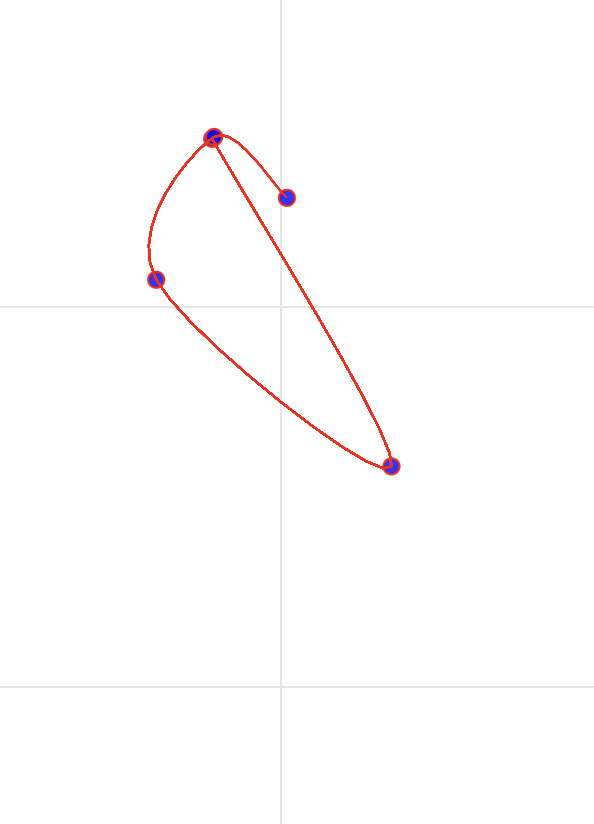
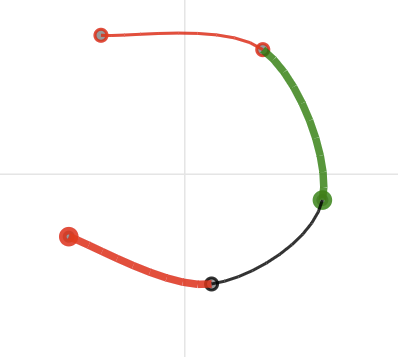
Thanks @Bryan for your detailed explanation. It helped me find a proper solution for my needs. Currently, it is sufficient that the color and line width are configurable per vertex section. To achieve this, I had to modify the existing catmullrom_spline function so that it also returns, for every interpolated line, the corresponding vertex index.

Regarding access to the CDS data, it turned out that the data is directly available within the VertexView instance, which makes it really easy to set, for example, the ctx.lineWidth from the CDS (line_width).

Is it possible to use connect_signals() to get certain updates for a CDS, such as when an item is deleted or added to the CDS? Or can I use connect_signals to intercept mouse click events?

When implementing shortcuts the question came up if its possible to access the VertexView instance, using javascript.

js_code = '''
    // Store state on window to avoid multiple listeners
    if (!window._bokeh_pan_key_listener_added) {
        window._bokeh_pan_key_listener_added = true;
        const pointsSource = Bokeh.documents[0].get_model_by_id("%s");
        window.addEventListener('keydown', function(e) {
            // Insert midpoint on 'p' if exactly two points are selected
            if ((e.key === 'p' || e.key === 'P') && pointsSource && pointsSource.selected.indices.length === 2) {
                const inds = pointsSource.selected.indices.slice();
                console.log("access here correspoding VertexView of the selected VertexView:", inds);
            }
        });
    }
    ''' % (points_source_id)
curdoc().js_on_event('document_ready', CustomJS(code=js_code))

My updated sample can be found here: vertex/sample_spline.py at feature/colorline · mfe-/vertex · GitHub

Thanks again, I really appreciate your help and your work for the community.

If this is working in some fashion, that’s always the most important thing. But I do think I should point out that the number of line segments is not equal to the number of vertices (there is one less line segment). Since CDS columns must all have the same length, it seems like you’ll be forced to explicitly ignore one entry in the CDS columns for when drawing the segments. Which seems a bit awkward, but again if things work, that’s great.

Is it possible to use connect_signals() to get certain updates for a CDS, such as when an item is deleted or added to the CDS? Or can I use connect_signals to intercept mouse click events?

The "tap" event corresponds to mouse clicks. My initial suggestion would be to register a callback for that with js_on_event unless there is some reason not to?

Re: CDS changes, you can get an event when the entire .data is updated using a standard js_on_change for the "data" property of the CDS. Getting finer grained events, e.g. when an individual column inside .data is added or changed, is not exposed at the user level. In principle you could use connect_signals for some of those, but it’s not really a user-facing API and not all the signals at that level match up exactly with the documented user-facing events. You’d have to dig around in the BokehJS code for inspiration.

Thanks, I’m still in the process of trying things out.

I was thinking about that too, but I don’t know how I can get the corresponding VertexView instance for the selected vertex (by the PointDrawTool / pointsSource.selected.indices)

Maybe there is a way to retrieve the VertexView instance accessing it over the renderer with:
python:

p_points.name = "vertex_renderer"
javascriptcode='''
  doc.get_model_by_name("vertex_renderer").glyph.default_view;

Since I create my renderer dynamically I’m not sure how to replace doc.get_model_by_name("vertex_renderer") as the renderer name is hardcoded in the javascriptcode.

I assume you mean you create it dynamically in Python which is a problem if you need to specify the JS callback code up front? I’m not sure I have a good solution offhand. I will mention that you can scan through all the models in the document by iterating over dod.all_models. Perhaps your dynamically created renderers could at least get a name value that adheres to some predictable scheme that the JS code could look for, even if does not know the exact value to expect?

Thanks for the tip – specifying the renderer’s name systematically in Python really helped to predict and retrieve them on the JavaScript side.

Also, I can access the CDS in TypeScript in my custom View:

export class VertexView extends ScatterView {
  declare model: Vertex

  get_data_source() {
    const parent_renderer = (this as any).parent
    if (!parent_renderer?.data_source) {
      return null
    }

    // The data_source is a property descriptor, get the actual value
    const data_source = parent_renderer.data_source._value
    return data_source
  }

  get_xy() {
    // ...
  }
}

It’s probably not the nicest solution since it creates a dependency between my CDS and Glyph, but it works :slight_smile:

The only thing I can’t figure out is how to access the VertexView instance from a JavaScript callback. I’m able to get the selected renderer (ActiveRenderer), but I can’t seem to find the correct instance. For example, I tried:

Bokeh.documents[0].ActiveRenderer.glyph
Bokeh.documents[0].ActiveRenderer.glyph.default_view // VertexView – does not contain any instance values
Bokeh.documents[0].ActiveRenderer.attributes.glyph // Vertex
Bokeh.documents[0].ActiveRenderer.attributes.selection_glyph // Vertex
Bokeh.documents[0].ActiveRenderer.attributes.selection_glyph.default_view // VertexView – does not contain any instance values

What is the purpose of default_view if it’s only a static representation of VertexView ? It would be much better if it contained the actual instance.

default_view is the type of object that a model should instantiate for its view, not the actual object itself. You should be able to retrieve a view for a renderer by going through the top-level plot view, which has an index of all the sub-views:

const rv = renderer.plot_view.views.get_one(renderer)