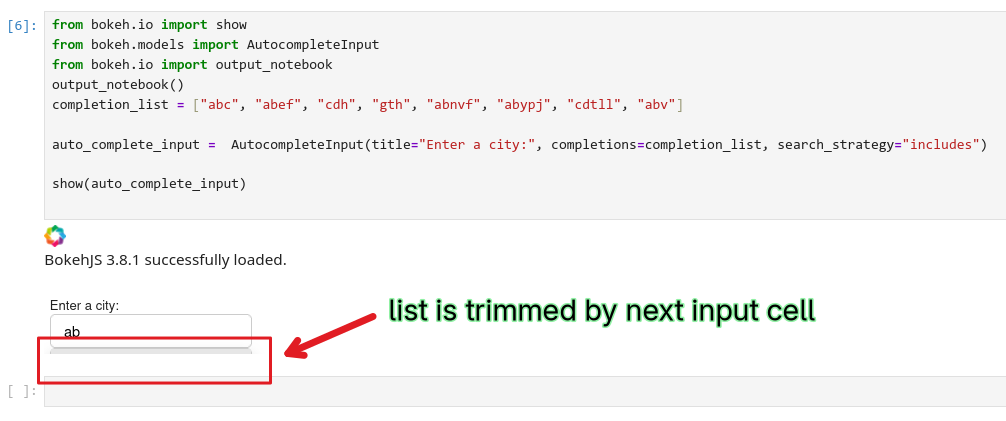
Hi there!
Is there a settings preventing an AutocompleteInput (Bokeh Server) to overflow its container? In the attached GIF, you can see taht the “select” dropdown is able to go out of its container boundaries, whereas the AutoCompleteInput cannot…
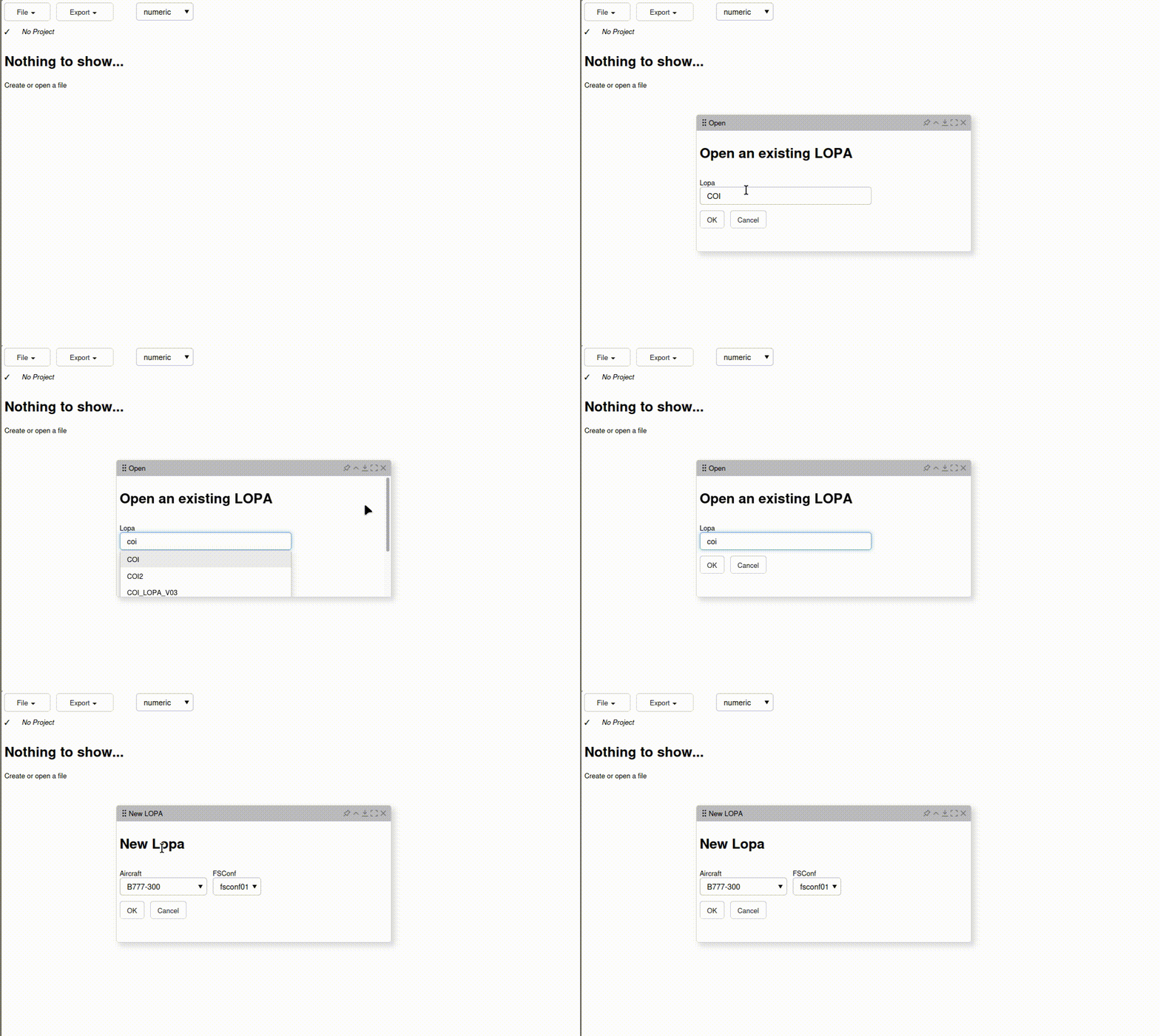
Hi there!
Is there a settings preventing an AutocompleteInput (Bokeh Server) to overflow its container? In the attached GIF, you can see taht the “select” dropdown is able to go out of its container boundaries, whereas the AutoCompleteInput cannot…
Not that I am aware of offhand. The modal dialog is fairly new so you might be the first person to put an autocomplete in one. I’d suggest making a GitHub Issue.
I declared the issue : AutoCompleteInput list cannot overflow its container · Issue #15090 · bokeh/bokeh · GitHub
I had a similar issue when using Panel’s autocompleteinput widget. I was able to fix it by making sure the container that held the autocomplete widget allowed overflowing.
I haven’t tested it with Bokeh’s widgets, and I’m not sure if your version supports specifying styles or stylesheets, but if you want to test it out, I’d try putting the autocomplete widget inside a bokeh layout, and set it’s styles to allow overflowing, and see if that fixes your issue?
i.e. add this line:
layout = column(
    auto_complete_input,
    width=180,
    styles={“overflow”: “visible”},
)

show(layout)
Again, not sure if this will work in Bokeh, but perhaps it’d be worth a shot!
good workaround, but unfortunately not for my specific case: it cannot overflow modal window