I made a multifilter example with dummy data. Get ‘data.csv’ from here : data.csv · GitHub
Code:
import pandas as pd
import numpy
from bokeh.models import ColumnDataSource, CustomJS, RadioGroup, CheckboxGroup, CustomJSFilter, CDSView
from bokeh.models.widgets import DataTable, TableColumn
from bokeh.plotting import figure, save
from bokeh.layouts import layout

df = pd.read_csv('data.csv').reset_index()
#create source
src = ColumnDataSource({x:df[x].tolist() for x in df.columns})
#instantiate two widgets, one to filter sex one at a time and one to filter multiple options of eye colour
rgp = RadioGroup(labels=df['Sex'].unique().tolist(),active=0)
cbg = CheckboxGroup(labels=df['Eye'].unique().tolist(),active=list(range(len(df['Eye'].unique()))))

#create customjsfilter --> want to pass: -the datasource, the filtering widgets, and dictionaries that map the active property in the widget to the actual string of the thing
filt = CustomJSFilter(args=dict(src=src,rgp=rgp,cbg=cbg
                                ,rgp_dict={i:x for i,x in enumerate(df['Sex'].unique())}
                                ,cbg_dict={i:x for i,x in enumerate(df['Eye'].unique())}
                                                                  )
                      ,code='''
                      //retrieve an array of eye color strings checked off in the checkboxgroup
                      const cbg_active = cbg.active.map(x=>cbg_dict[x])
                      //retrieve a string corresponding to the selected sex
                      const rgp_active = rgp_dict[rgp.active]
                      //go through all the rows in the source, and add the indice to a "sel_indices" if the current row meets the two filter criteria
                      //i.e. if the sex=the selected sex in the radiogroup, and the eye color is contained within the array of checked off eye colors
                      const sel_indices = []
                      for (let i = 0; i < src.get_length(); i++){
                              if (src.data['Sex'][i]==rgp_active && cbg_active.includes(src.data['Eye'][i])){
                                      sel_indices.push(i)}
                              }
                      return sel_indices;
                      ''')
#create a cdsview on the src with this custom filter applied
view = CDSView(source=src,filters=[filt])
#this part always messes me up but it makes sense. You need to add a mini callback "listener" to both widgets so that whenever their active property gets altered, the change in the source (i.e. the latest applied filter) gets emitted
rgp.js_on_change('active',CustomJS(args=dict(src=src),code='''src.change.emit()'''))
cbg.js_on_change('active',CustomJS(args=dict(src=src),code='''src.change.emit()'''))

#create columns
columns = [TableColumn(field=x,title=x) for x in df.columns]
#create a table from those columns, the source, and the view
tbl = DataTable(source=src,columns=columns,width=500,height=1200,view=view)
#crappy basic layout but i'll leave the aesthetics to someone else
lo= layout([cbg,rgp,tbl])
save(lo,'tbl_filt.html')
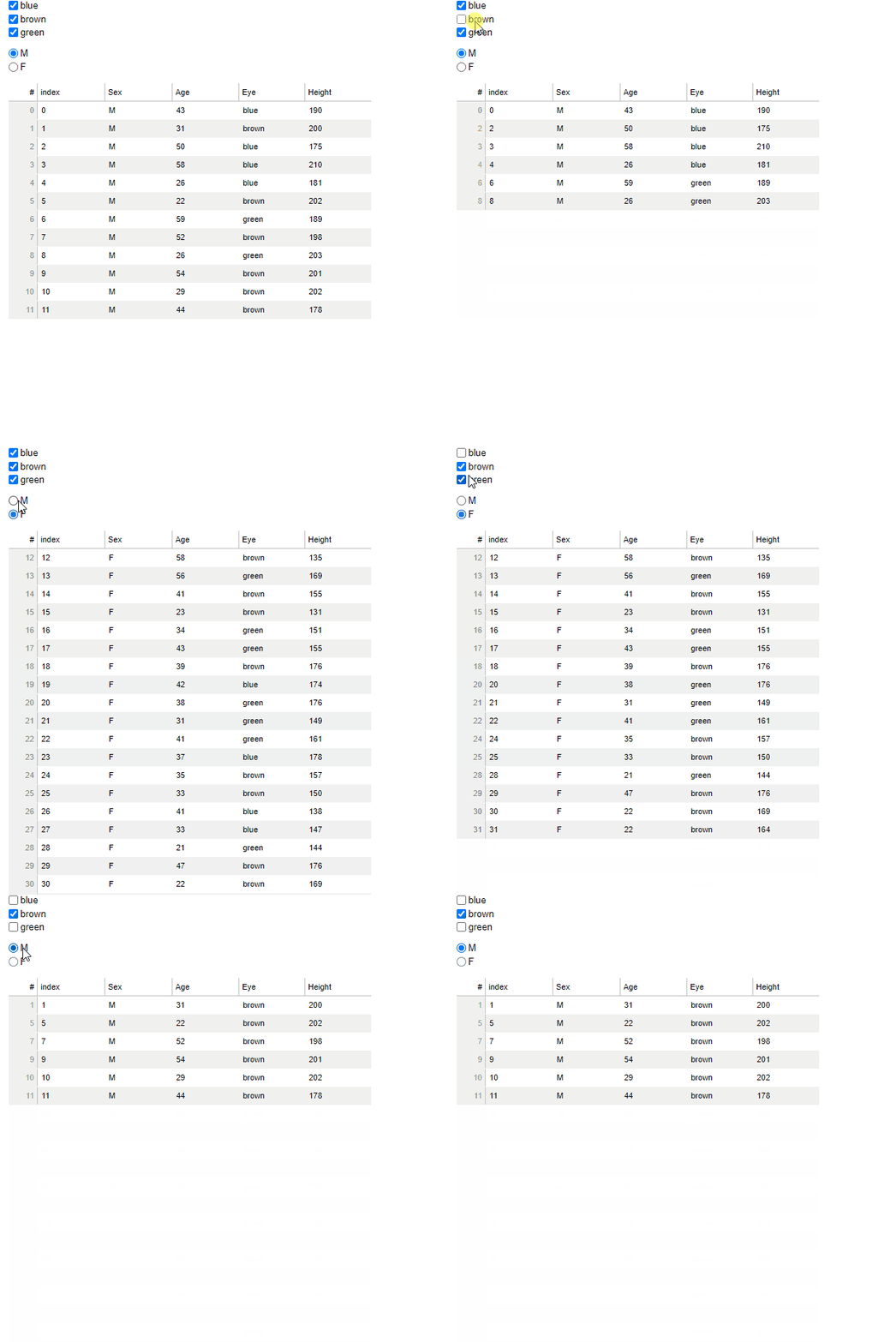
This will filter the table for multiple conditions, as user specified via two different widgets:
Now what I was getting at before was if you wanted to modify the columns attached to the table via callback , so say in this example there was a checkbox group for “Age” and “Height” and on check, the entire column would show/hide. That’d involve something a bit different but it’s totally doable.
As always, I strongly strongly recommend console.logging the crap out of the CustomJS callback to inspect what’s happening (because that’s how I learned haha).