Hi  ,
,
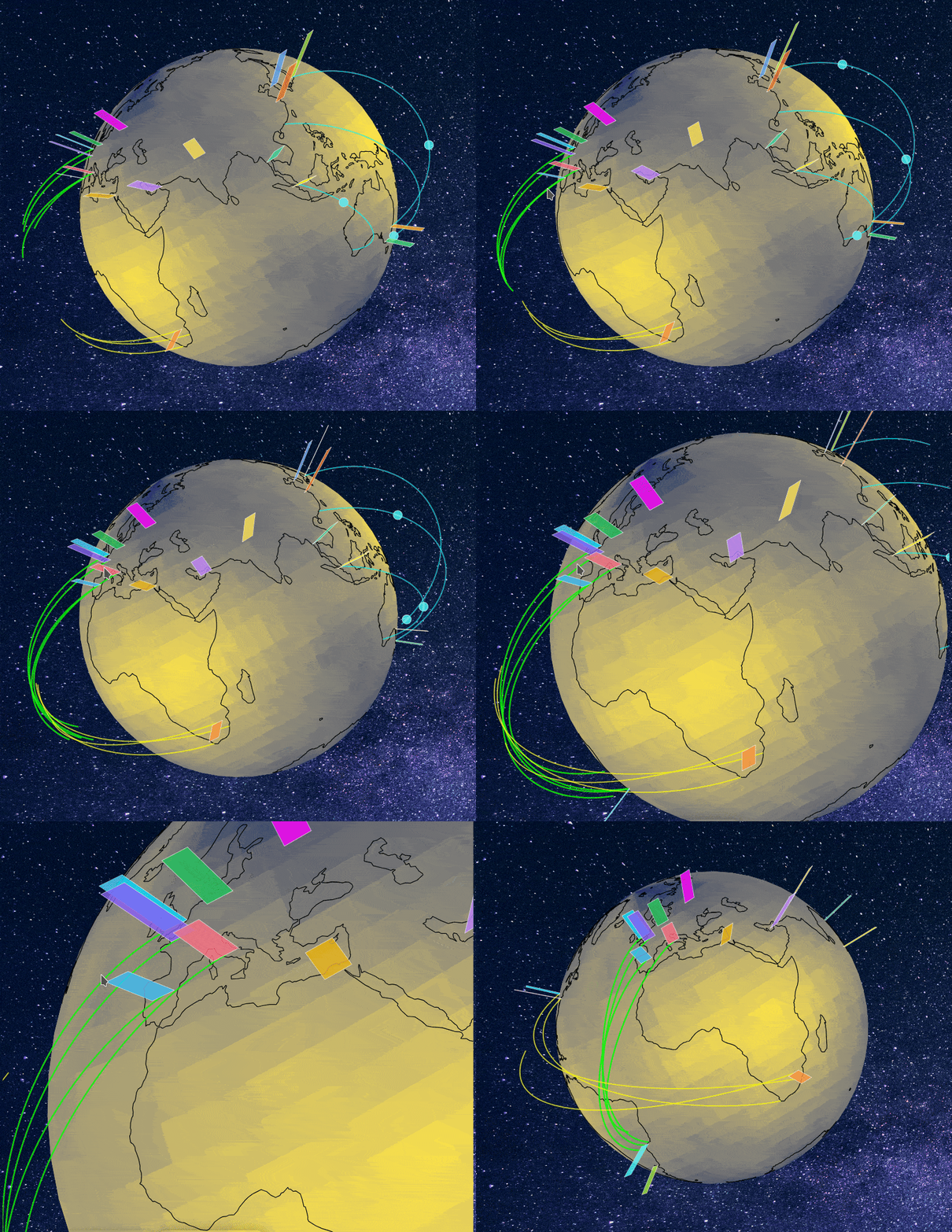
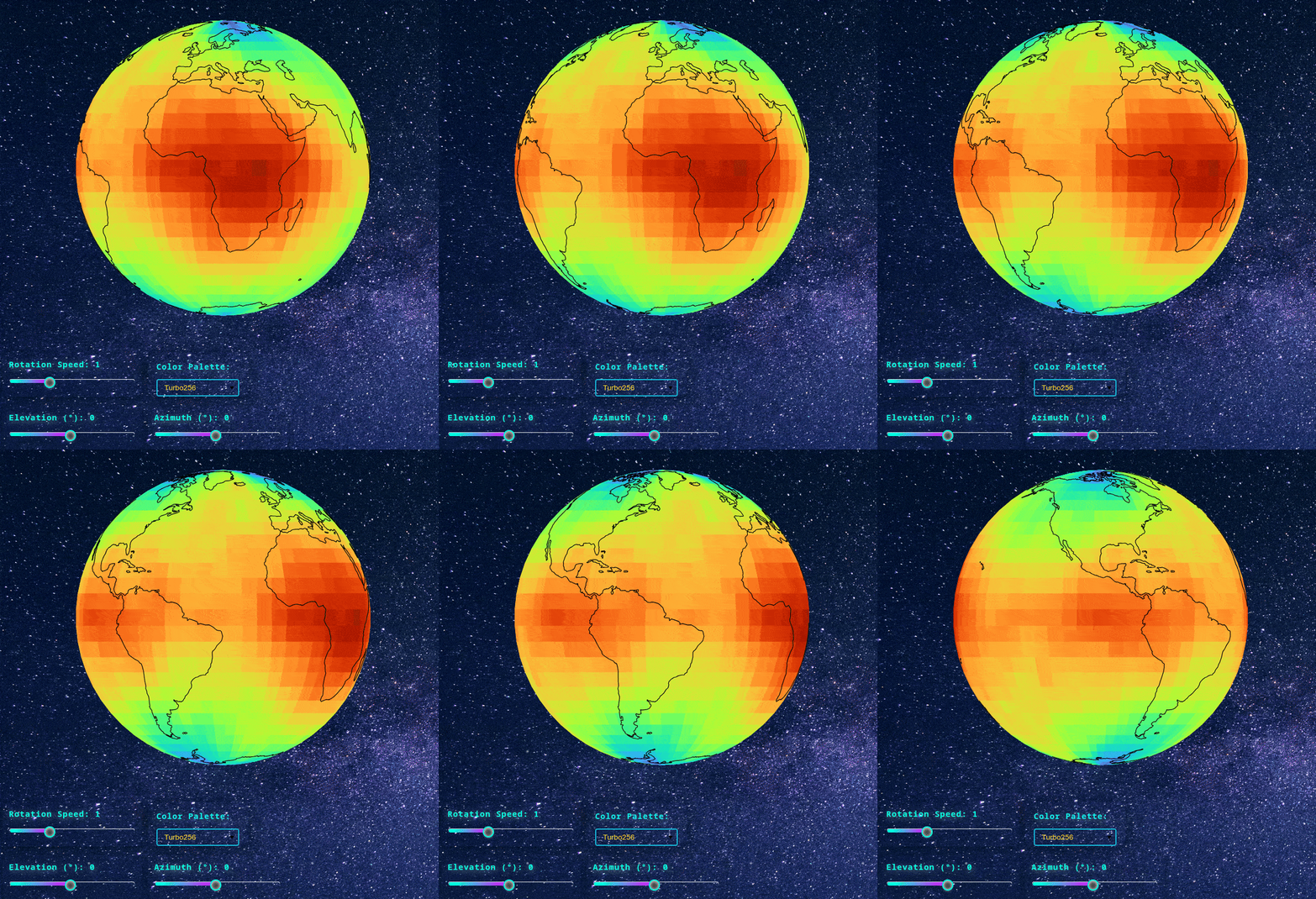
A smooth animation and interaction of a sphere overlayed with custom gridded data.
The user can adjust the rotation speed, elevation, azimuth angle, and the colour palette. Heavy work has been done to handle the interactions with CustomJS and also to set the animated, fancy background (starry night and shooting stars!) with custom CSS.
To render the globe, just change the colour palette, and the sphere will come up.
Otherwise, enable this line at the end, and the Globe will automatically start in the beginning.
curdoc().js_on_event('document_ready', combined_callback)

import numpy as np
from bokeh.plotting import figure, show, output_file
from bokeh.models import (ColumnDataSource, CustomJS, Button, Slider, Select, Div)
from bokeh.layouts import column, row
from bokeh.palettes import Turbo256, Viridis256, Plasma256, Inferno256, Cividis256
import cartopy.feature as cfeature
from shapely.geometry import LineString, MultiLineString
import json
from bokeh.models import GlobalInlineStyleSheet
from bokeh.io import curdoc
from bokeh.io import show, curdoc
from bokeh.models import Slider, InlineStyleSheet
from bokeh.layouts import column
from matplotlib import cm
from matplotlib.colors import to_hex
#'RdBu_r'
def mbpal(sMpl):
    return [to_hex(cm.get_cmap(sMpl)(i/255)) for i in range(256)]

cool = mbpal('cool')
hot = mbpal('hot')
bwr = mbpal('bwr')
terrain = mbpal('terrain')
curdoc().theme = 'dark_minimal'

slider_style = InlineStyleSheet(css="""
/* Host: set the widget's container background */
:host {
  background: transparent !important;   /* even darker than black for modern dark UI */
  border-radius: 12px !important;
  padding: 12px !important;
  box-shadow: 0 4px 12px #0006 !important;
}
/* Slider title */
:host .bk-slider-title {
  color: #00ffe0 !important;     /* bright cyan for the title */
  font-size: 1.2em !important;
  font-weight: bold !important;
  letter-spacing: 1px !important;
  font-family: 'Fira Code', 'Consolas', 'Menlo', monospace !important;
  margin-bottom: 14px !important;
  text-shadow: 0 2px 12px #00ffe099;
}
/* Track (background) */
:host .noUi-base, :host .noUi-target {
  background: transparent !important;
    border: 1px solid transparent !important;

}
/* Filled portion */
:host .noUi-connect {
  background: linear-gradient(90deg, #00ffe0 10%, #d810f7 90%) !important;
  box-shadow: 0 0 12px #00ffe099;
  border-radius: 12px !important;
}
/* Handle */
:host .noUi-handle {
  background: #343838 !important;
  border: 2px solid #00ffe0 !important;
  border-radius: 50%;
  width: 20px;
  height: 20px;
}
/* Handle hover/focus */
:host .noUi-handle:hover, :host .noUi-handle:focus {
  border-color: #ff2a68 !important;
  box-shadow: 0 0 10px #ff2a6890;
}
/* Tooltip */
:host .noUi-tooltip {
  background: #343838 !important;
  color: #00ffe0 !important;
  font-family: 'Consolas', monospace;
  border-radius: 6px;
  border: 1px solid #00ffe0;
}
""")

select_css = InlineStyleSheet(css="""
/* Widget container */
:host {
    background:transparent !important;
    border-radius: 14px !important;
    padding: 16px !important;
    box-shadow: 0 4px 24px #0007 !important;
}
/* Title styling */
:host .bk-input-group label, :host .bk-select-title {
    color: #06f0ff !important;
    font-size: 1.18em !important;
    font-family: 'Fira Code', monospace;
    font-weight: bold !important;
    margin-bottom: 12px !important;
    letter-spacing: 1px !important;
    text-shadow: 0 2px 12px #06f0ff88, 0 1px 6px #111b;
}
/* Dropdown select */
:host select {
    background-color: transparent !important;
    color: #ffdb39 !important;
    border: 2px solid #06b6d4 !important;
    appearance: none;
    -webkit-appearance: none;
    -moz-appearance: none;
}

:host select option {
    background-color: #16161e !important; /* fallback */
    color: #ffdb39 !important;
}
/* Glow effect on hover/focus */
:host select:hover, :host select:focus {
    border-color: #ff3049 !important;
    box-shadow: 0 0 0 2px #ff304999, 0 0 18px #ff3049cc !important;
    outline: none !important;
}

""")


from bokeh.models import GlobalInlineStyleSheet

def get_starfield_stylesheet():
    return GlobalInlineStyleSheet(css="""
    /* RESET & BASE */
    * { margin: 0; padding:0; box-sizing: border-box; }
    html, body {
        width: 100%;
        height: 100%;
        overflow: hidden;
        position: relative;
        background: radial-gradient(ellipse at bottom, #343838 0%, #130d0d 100%);
    }
    body { background: transparent !important; }

    /* ANIMATED BACKGROUND IMAGE */
    section{
        position: absolute;
        top: 0;
        left: 0;
        width: 100%;
        height: 100%;
        background: url("https://images.unsplash.com/photo-1528818955841-a7f1425131b5?fm=jpg&q=60&w=3000&auto=format&fit=crop&ixlib=rb-4.1.0&ixid=M3wxMjA3fDB8MHxzZWFyY2h8NHx8c3RhcnJ5JTIwc2t5fGVufDB8fDB8fHww");
        background-size: cover;
        animation: animateBg 50s linear infinite;
        z-index: -3;
    }
    @keyframes animateBg{
        0%,100%{ transform: scale(1); }
        50%{ transform: scale(1.2); }
    }

    /* SMALL STARS (MANY) */
    html::before {
        content: "";
        position: fixed;
        inset: 0;
        background-image:
            radial-gradient(1px 1px at 5% 10%, white, transparent),
            radial-gradient(1px 1px at 15% 80%, white, transparent),
            radial-gradient(1px 1px at 25% 30%, white, transparent),
            radial-gradient(1px 1px at 40% 60%, white, transparent),
            radial-gradient(1px 1px at 55% 20%, white, transparent),
            radial-gradient(1px 1px at 70% 90%, white, transparent),
            radial-gradient(1px 1px at 85% 40%, white, transparent),
            radial-gradient(1px 1px at 95% 70%, white, transparent);
        background-repeat: repeat;
        background-size: 100px 100px;
        animation: twinkleSmall 6s infinite alternate;
        pointer-events: none;
        z-index: -2;
    }

    /* BIGGER STARS (FEWER) */
    html::after {
        content: "";
        position: fixed;
        inset: 0;
        background-image:
            radial-gradient(2px 2px at 20% 40%, white, transparent),
            radial-gradient(2.5px 2.5px at 60% 70%, white, transparent),
            radial-gradient(3px 3px at 80% 20%, white, transparent);
        background-repeat: repeat;
        background-size: 200px 200px;
        animation: twinkleBig 10s infinite alternate;
        pointer-events: none;
        z-index: -2;
    }

    /* SHOOTING STAR */
    span {
        position: absolute;
        top:50%;
        left:50%;
        width: 4px;
        height: 4px;
        background: yellow;
        border-radius: 50%;
        box-shadow: 0 0 0 4px rgba(242, 255, 59, 0.1).1), 0 0 0 8px rgba(251, 255, 25, 0.1), 0 0 20px rgba(255,255,255,0.1);
        animation: shooting 45s linear infinite;
        pointer-events: none;
        z-index: -2;
    }


    span::before{
        content:'';
        position: absolute;
        top: 50%;
        transform: translateY(-50%);
        width: 300px;
        height: 1px;
        background: linear-gradient(90deg,yellow,transparent);
    }
@keyframes shooting {
    0% {
        transform: rotate(315deg) translateX(0);
        opacity: 0;
    }

    1% {
        opacity: 1;
    }

    /* FAST shooting (first ~1 second) */
    3% {
        transform: rotate(315deg) translateX(-1000px);
        opacity: 0;
    }

    /* WAIT (invisible) */
    100% {
        transform: rotate(315deg) translateX(-1000px);
        opacity: 0;
    }
}


span:nth-child(1){
    top: 300px; background: aqua;
    right: 900px;
    left: initial;
   animation: shooting 60s linear infinite;
}

span:nth-of-type(1)::before {
    background: linear-gradient(90deg, aqua, transparent);}

span:nth-child(2){
    top: 0px; background: red;
    right: 800px;
    left: initial;animation-duration: 11.75s;
animation: shooting 211s linear infinite;
}

span:nth-of-type(2)::before {
    background: linear-gradient(90deg, red, transparent);}

span:nth-child(3){
    top: 0px; background: lime;
    right: 1450px;
    left: initial;
                                  animation: shooting 130s linear infinite;
}
span:nth-of-type(3)::before {
    background: linear-gradient(90deg, lime, transparent);}
    /* SMALL STAR TWINKLE */
    @keyframes twinkleSmall { from { opacity: 0.3; } to { opacity: 0.9; } }
    @keyframes twinkleBig   { from { opacity: 0.2; } to { opacity: 0.7; } }

    /* Bokeh above all stars */
    .bk-root {
        position: relative;
        z-index: 1;
        background: transparent !important;
    }

    /* UI text */
    .bk, .bk-input, .bk-btn, .bk-select, .bk-slider-title,
    .bk-title, .bk-label, .bk-legend, .bk-axis-label {
        color: white !important;
    }
    """)

# ============================================================================
# 1. GENERATE SPHERE GEOMETRY
# ============================================================================

def generate_sphere_mesh(n_lat=40, n_lon=80):
    lats = np.linspace(-90, 90, n_lat)
    lons = np.linspace(-180, 180, n_lon)
    lon_grid, lat_grid = np.meshgrid(lons, lats)

    return {
        'lons': lon_grid.flatten().tolist(),
        'lats': lat_grid.flatten().tolist(),
        'n_lat': n_lat,
        'n_lon': n_lon
    }

# ============================================================================
# 2. GENERATE TEMPERATURE DATA
# ============================================================================

def generate_temperature_field(lats, lons):
    lats = np.array(lats)
    lons = np.array(lons)

    base_temp = 30 - 50 * np.abs(lats) / 90
    wave1 = 10 * np.sin(np.radians(lons) * 3) * np.cos(np.radians(lats) * 2)
    wave2 = 8 * np.cos(np.radians(lons) * 2 + np.radians(lats))

    np.random.seed(42)
    noise = np.random.randn(len(lats)) * 3

    temps = base_temp + wave1 + wave2 + noise
    return temps.tolist()

# ============================================================================
# 3. EXTRACT COASTLINES
# ============================================================================

def extract_coastlines():
    coastlines = cfeature.NaturalEarthFeature('physical', 'coastline', '110m')

    coast_lons = []
    coast_lats = []

    for geom in coastlines.geometries():
        if isinstance(geom, LineString):
            coords = np.array(geom.coords)
            coast_lons.extend(coords[:, 0].tolist() + [None])
            coast_lats.extend(coords[:, 1].tolist() + [None])
        elif isinstance(geom, MultiLineString):
            for line in geom.geoms:
                coords = np.array(line.coords)
                coast_lons.extend(coords[:, 0].tolist() + [None])
                coast_lats.extend(coords[:, 1].tolist() + [None])

    return coast_lons, coast_lats

# ============================================================================
# 4. PREPARE DATA
# ============================================================================

sphere_data = generate_sphere_mesh(n_lat=30, n_lon=60)
temps = generate_temperature_field(sphere_data['lats'], sphere_data['lons'])
coast_lons, coast_lats = extract_coastlines()


raw_sphere_source = ColumnDataSource(data={
    'lons': sphere_data['lons'],
    'lats': sphere_data['lats'],
    'temps': temps
})

quad_source = ColumnDataSource(data={
    'xs': [[]],
    'ys': [[]],
    'fill_color': ['#440154']
})

coast_raw_source = ColumnDataSource(data={
    'lons': coast_lons,
    'lats': coast_lats
})

coast_render_source = ColumnDataSource(data={
    'x': [],
    'y': []
})

# ============================================================================
# 5. CREATE FIGURE
# ============================================================================

plot = figure(
    width=800, height=800,
    # title="🌍 Auto-Rotating Temperature Globe",
    toolbar_location=None,
    match_aspect=True,
    x_range=(-1.5, 1.5),
    y_range=(-1.5, 1.5)
)

plot.patches(
    xs='xs', ys='ys',
    source=quad_source,
    fill_color='fill_color',
    fill_alpha=1,
    line_color='fill_color',
    line_alpha = 1,
    line_width=1.1,


)

plot.multi_line(
    xs='x', ys='y',
    source=coast_render_source,
    line_color='black',
    line_width=1.2,
    line_alpha=1
)

plot.xaxis.visible = False
plot.yaxis.visible = False
plot.grid.visible = False
plot.background_fill_color = "#0a0a0a"
plot.border_fill_color = "#0a0a0a"
plot.background_fill_alpha = 0
plot.border_fill_alpha = 0
plot.border_line_alpha = 0
plot.outline_line_color = None

# ============================================================================
# 6. CONTROLS
# ============================================================================

play_button = Button(label="⏸ Pause", button_type="warning", width=100)
reset_button = Button(label="🔄 Reset", button_type="primary", width=100)

speed_slider = Slider(
    start=0, end=3, value=1, step=0.1,
    title="Rotation Speed",
    width=250, stylesheets=[slider_style],height=80, styles={"margin-top": "-70px"}
)

tilt_slider = Slider(
    start=-90, end=90, value=0, step=5,
    title="Elevation (°)",
    width=250, stylesheets=[slider_style],height=80, styles={"margin-top": "10px"}
)

azimuth_slider = Slider(
    start=-180, end=180, value=0, step=10,
    title="Azimuth (°)",
    width=250, stylesheets=[slider_style],height=80, styles={"margin-top": "10px"}
)

palette_select = Select(
    title="Color Palette:",
    value="Turbo256",
    width=180,
    options=["Turbo256", "Viridis256", "Plasma256", "Inferno256", "Cividis256","cool", "hot", "bwr", "terrain"], stylesheets=[select_css],height=80, styles={"margin-top": "-70px"}
)

angle_display = Div(
    text="<div style='padding:10px; background:#1a1a1a; color:#00ff00; "
         "font-family:monospace; border-radius:5px; text-align:center;'>"
         "<b>Rotation:</b> 180° | <b>Tilt:</b> 0° | <b>Az:</b> 0° | "
         "<span style='color:#ff6b35;'>⚡ PLAYING</span></div>",
    width=350
)


# ============================================================================
# 7. MAIN RENDERING AND ANIMATION CALLBACK
# ============================================================================

combined_callback = CustomJS(
    args=dict(
        raw_sphere=raw_sphere_source,
        quad_source=quad_source,
        coast_raw=coast_raw_source,
        coast_render=coast_render_source,
        n_lat=sphere_data['n_lat'],
        n_lon=sphere_data['n_lon'],
        palette_turbo=json.dumps(Turbo256),
        palette_viridis=json.dumps(Viridis256),
        palette_plasma=json.dumps(Plasma256),
        palette_inferno=json.dumps(Inferno256),
        palette_cividis=json.dumps(Cividis256),
        palette_cool=json.dumps(cool),
        palette_hot=json.dumps(hot),
        palette_bwr=json.dumps(bwr),
        palette_terrain=json.dumps(terrain),

        palette_select=palette_select,
        angle_display=angle_display,
        speed_slider=speed_slider,
        tilt_slider=tilt_slider,
        azimuth_slider=azimuth_slider,
        play_button=play_button,
        reset_button=reset_button
    ),
    code="""
    // ========================================================================
    // INITIALIZE ANIMATION STATE (runs once)
    // ========================================================================
    if (!window.globe_animation) {
        window.globe_animation = {
            is_playing: true,
            current_angle: 180,
            animation_id: null,
            initialized: false
        };
    }

    const anim = window.globe_animation;

    // ========================================================================
    // RENDER FUNCTION - Projects and draws the globe
    // ========================================================================
    function renderGlobe(angle_deg) {
        const angle_rad = -angle_deg * Math.PI / 180;  // REVERSED ROTATION!
        const tilt_rad = tilt_slider.value * Math.PI / 180;
        const azimuth_rad = azimuth_slider.value * Math.PI / 180;

        // Get palette
        const palettes = {
            'Turbo256': JSON.parse(palette_turbo),
            'Viridis256': JSON.parse(palette_viridis),
            'Plasma256': JSON.parse(palette_plasma),
            'Inferno256': JSON.parse(palette_inferno),
            'Cividis256': JSON.parse(palette_cividis),
            'cool': JSON.parse(palette_cool),
            'hot': JSON.parse(palette_hot),
            'bwr': JSON.parse(palette_bwr),

            'terrain': JSON.parse(palette_terrain)
        };
        const palette = palettes[palette_select.value];

        // Update angle display with status
        const status = anim.is_playing ?
            '<span style="color:#ff6b35;">⚡ PLAYING</span>' :
            '<span style="color:#888;">⏸ PAUSED</span>';
        angle_display.text = `<div style='padding:10px; background:#1a1a1a; color:#00ff00;
                              font-family:monospace; border-radius:5px; text-align:center;'>
                              <b>Rot:</b> ${Math.round(angle_deg)}° | <b>Tilt:</b> ${tilt_slider.value}° |
                              <b>Az:</b> ${azimuth_slider.value}° | ${status}</div>`;

        // Get data
        const lons = raw_sphere.data['lons'];
        const lats = raw_sphere.data['lats'];
        const temps = raw_sphere.data['temps'];

        // Project sphere points with full 3D rotation
        const x2d = new Array(lons.length);
        const y2d = new Array(lons.length);
        const y3d = new Array(lons.length);
        const visible = new Array(lons.length);

        const cos_angle = Math.cos(angle_rad);
        const sin_angle = Math.sin(angle_rad);
        const cos_tilt = Math.cos(tilt_rad);
        const sin_tilt = Math.sin(tilt_rad);
        const cos_azimuth = Math.cos(azimuth_rad);
        const sin_azimuth = Math.sin(azimuth_rad);

        for (let i = 0; i < lons.length; i++) {
            const lat_rad = lats[i] * Math.PI / 180;
            const lon_rad = lons[i] * Math.PI / 180;

            const x = Math.cos(lat_rad) * Math.cos(-lon_rad);
            const y = Math.cos(lat_rad) * Math.sin(-lon_rad);
            const z = Math.sin(lat_rad);

            // Rotation around Z-axis (spin) - REVERSED
            let x_rot = x * cos_angle - y * sin_angle;
            let y_rot = x * sin_angle + y * cos_angle;
            let z_rot = z;

            // Tilt around X-axis (elevation)
            const y_tilt = y_rot * cos_tilt - z_rot * sin_tilt;
            const z_tilt = y_rot * sin_tilt + z_rot * cos_tilt;

            // Azimuth rotation around Z-axis (viewing angle)
            const x_final = x_rot * cos_azimuth - y_tilt * sin_azimuth;
            const y_final = x_rot * sin_azimuth + y_tilt * cos_azimuth;
            const z_final = z_tilt;

            x2d[i] = x_final;
            y2d[i] = z_final;
            y3d[i] = y_final;
            visible[i] = y_final > -0.15;
        }

        // Create quads
        const temp_min = Math.min(...temps);
        const temp_max = Math.max(...temps);
        const quads = [];

        for (let i = 0; i < n_lat - 1; i++) {
            for (let j = 0; j < n_lon - 1; j++) {
                const idx0 = i * n_lon + j;
                const idx1 = i * n_lon + (j + 1);
                const idx2 = (i + 1) * n_lon + (j + 1);
                const idx3 = (i + 1) * n_lon + j;

                if (visible[idx0] || visible[idx1] || visible[idx2] || visible[idx3]) {
                    const xs = [x2d[idx0], x2d[idx1], x2d[idx2], x2d[idx3]];
                    const ys = [y2d[idx0], y2d[idx1], y2d[idx2], y2d[idx3]];

                    const avg_temp = (temps[idx0] + temps[idx1] + temps[idx2] + temps[idx3]) / 4;
                    const depth = (y3d[idx0] + y3d[idx1] + y3d[idx2] + y3d[idx3]) / 4;

                    let color_idx = 0;
                    if (temp_max > temp_min) {
                        color_idx = Math.floor((avg_temp - temp_min) / (temp_max - temp_min) * 255);
                        color_idx = Math.max(0, Math.min(255, color_idx));
                    }

                    quads.push({
                        depth: depth,
                        xs: xs,
                        ys: ys,
                        color: palette[color_idx]
                    });
                }
            }
        }

        quads.sort((a, b) => a.depth - b.depth);

        quad_source.data['xs'] = quads.map(q => q.xs);
        quad_source.data['ys'] = quads.map(q => q.ys);
        quad_source.data['fill_color'] = quads.map(q => q.color);

        // Render coastlines - HIDE THOSE BEHIND THE SPHERE!
        const coast_lons = coast_raw.data['lons'];
        const coast_lats = coast_raw.data['lats'];

        const coast_x_all = [];
        const coast_y_all = [];
        let current_line_x = [];
        let current_line_y = [];

        for (let i = 0; i < coast_lons.length; i++) {
            if (coast_lons[i] === null || coast_lats[i] === null) {
                if (current_line_x.length > 0) {
                    coast_x_all.push(current_line_x);
                    coast_y_all.push(current_line_y);
                    current_line_x = [];
                    current_line_y = [];
                }
            } else {
                const lat_rad = coast_lats[i] * Math.PI / 180;
                const lon_rad = coast_lons[i] * Math.PI / 180;

                const x = Math.cos(lat_rad) * Math.cos(-lon_rad);
                const y = Math.cos(lat_rad) * Math.sin(-lon_rad);
                const z = Math.sin(lat_rad);

                // Rotation around Z-axis - REVERSED
                let x_rot = x * cos_angle - y * sin_angle;
                let y_rot = x * sin_angle + y * cos_angle;
                let z_rot = z;

                // Tilt around X-axis
                const y_tilt = y_rot * cos_tilt - z_rot * sin_tilt;
                const z_tilt = y_rot * sin_tilt + z_rot * cos_tilt;

                // Azimuth rotation
                const x_final = x_rot * cos_azimuth - y_tilt * sin_azimuth;
                const y_final = x_rot * sin_azimuth + y_tilt * cos_azimuth;
                const z_final = z_tilt;

                // ONLY draw visible coastlines (front of sphere)
                if (y_final > -0.05) {
                    current_line_x.push(x_final);
                    current_line_y.push(z_final);
                } else if (current_line_x.length > 0) {
                    // Break line when going behind
                    coast_x_all.push(current_line_x);
                    coast_y_all.push(current_line_y);
                    current_line_x = [];
                    current_line_y = [];
                }
            }
        }

        if (current_line_x.length > 0) {
            coast_x_all.push(current_line_x);
            coast_y_all.push(current_line_y);
        }

        coast_render.data['x'] = coast_x_all;
        coast_render.data['y'] = coast_y_all;

        quad_source.change.emit();
        coast_render.change.emit();
    }

    // ========================================================================
    // ANIMATION LOOP - Called every frame
    // ========================================================================
    function animate() {
        if (!anim.is_playing) return;

        anim.current_angle += speed_slider.value * 0.5;
        if (anim.current_angle >= 360) {
            anim.current_angle -= 360;
        }

        renderGlobe(anim.current_angle);
        anim.animation_id = requestAnimationFrame(animate);
    }

    // ========================================================================
    // HANDLE INTERACTIONS - SIMPLIFIED LOGIC
    // ========================================================================

    // Check which button was clicked
    const is_play_click = (cb_obj.id === play_button.id);
    const is_reset_click = (cb_obj.id === reset_button.id);

    if (is_play_click) {
        // Toggle play/pause
        anim.is_playing = !anim.is_playing;

        if (anim.is_playing) {
            play_button.label = '⏸ Pause';
            play_button.button_type = 'warning';
            animate();
        } else {
            if (anim.animation_id) {
                cancelAnimationFrame(anim.animation_id);
            }
            play_button.label = '▶ Play';
            play_button.button_type = 'success';
        }
        renderGlobe(anim.current_angle);
    }

    if (is_reset_click) {
        anim.current_angle = 180;
        tilt_slider.value = 0;
        azimuth_slider.value = 0;
        renderGlobe(180);
    }

    // Handle slider changes
    if (cb_obj === palette_select || cb_obj === tilt_slider || cb_obj === azimuth_slider) {
        renderGlobe(anim.current_angle);
    }

    // ========================================================================
    // INITIAL RENDER AND AUTO-START
    // ========================================================================
    if (!anim.initialized) {
        anim.initialized = true;
        renderGlobe(180);

        // Auto-start animation after initial render
        setTimeout(function() {
            anim.is_playing = true;
            animate();
        }, 100);
    }
    """
)


# Attach callbacks - CHANGED TO ON_EVENT FOR BUTTONS
play_button.js_on_event('button_click', combined_callback)
reset_button.js_on_event('button_click', combined_callback)
palette_select.js_on_change('value', combined_callback)
tilt_slider.js_on_change('value', combined_callback)
azimuth_slider.js_on_change('value', combined_callback)


# ============================================================================
# 8. LAYOUT
# ============================================================================

controls_row1 = row(
    # play_button,
    # reset_button,
    speed_slider,
    palette_select,
)

controls_row2 = row(
    tilt_slider,
    azimuth_slider
)

layout = column(
    plot,
    controls_row1,
    controls_row2, stylesheets=[get_starfield_stylesheet()]
)

shooting_stars_js = """
(function() {
    if (window.starsLoaded) return;
    window.starsLoaded = true;

    const section = document.createElement("section");
    document.body.appendChild(section);

    // Create 10 shooting stars
    for (let i = 0; i < 10; i++) {
        const star = document.createElement("span");
        section.appendChild(star);
    }
})();
"""

from bokeh.models import CustomJS
from bokeh.events import DocumentReady
curdoc().js_on_event(DocumentReady, CustomJS(code=shooting_stars_js))
# curdoc().js_on_event('document_ready', combined_callback)

output_file("interactive_globe.html")
show(layout)